2024 Audi A5 MMI & Emergency Call System Software Update TSB
Audi has released Technical Service Bulletin 2079813/1 for 2024 Audi A5 models to address various MMI functions and an 'Emergency call fault' display. This software update targets MIB3 vehicles to resolve connectivity and infotainment system issues.
 David Chen2024 Audi A5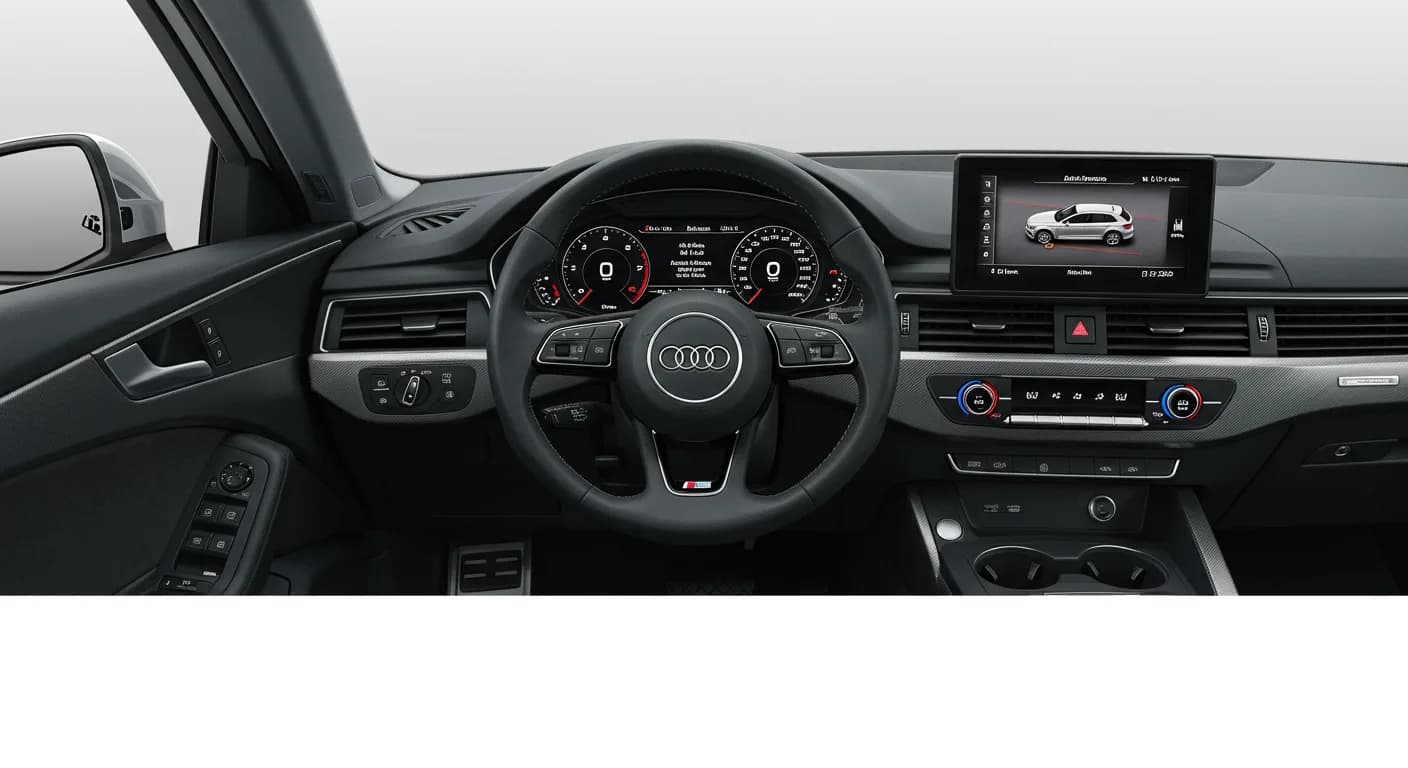
También aplica a
- Audi A4
- 2024
- Audi A4 allroad
- 2024
- Audi Q5
- 2024
- Audi Q5 e
- 2024
- Audi RS 5
- 2024
- Audi S4
- 2024
- Audi S5
- 2024
- Audi SQ5
- 2024
▸ Mostrar 2 más▾ Mostrar menos
Symptoms
Owners of affected 2024 Audi A5 vehicles may experience various problems with MMI functions. Additionally, an “Emergency call fault” message might appear in the instrument cluster. These issues stem from software problems within the MIB3 infotainment system and connectivity box, specifically impacting models with the MLB G1 ST3BP version without a gateway (GW) or Acoustic Emergency Call Device (AED).
Specific MMI functionalities that could be affected include:
- Online Services
- Radio operation
- Telematics and online services
- Infotainment system operation with the multifunction steering wheel
- Settings
- Malfunction display symbols, including an “interference display for emergency call service activates”
- Navigation mode
- Telephony
- Audio playback and audio settings
- Operation, control, and speech input
- Audio, video, and television functions
- Radio, navigation, MMI, and drive device functions
- Screen settings
- Media playback
- Telephone operation
- Instrument cluster displays and screens
- Controlling infotainment with buttons, controls, and screen
Diagnosis and Trigger Conditions
Technicians can identify affected vehicles by checking the software version in diagnostic address 005F, which corresponds to the information electronics control unit. If the vehicle is running one of the following software versions, it requires the update detailed in TSB 2079813/1:
- 4014
- 4026
- 4318
- 4404
This Audi A5 MMI software update is designed to address these specific software-related concerns by updating the MMI and connectivity box for MIB3 vehicles.
Important Warnings for Owners and Technicians
Audi has provided several critical advisories regarding this software update:
- Do not perform Guided Fault Finding: Diagnostic entries logged in diagnostic address 0075 will be resolved by this software update. Therefore, the Guided Fault Finding test plans should not be carried out and cannot be invoiced under warranty.
- USB-C stick requirements: When preparing the update media, use a USB-C stick with a minimum capacity of 32 GB (USB 2.0). Do not use a USB-C stick with a larger storage capacity as these may have a different formatting process that prevents proper function.
- Avoid SD card adapters: You must not use an SD card with an adapter USB stick for this update.
- Non-invoicable items: The USB-C stick itself and the process of downloading the software via the FMC (Flash Memory Card) cannot be invoiced.
- Interrupted procedure: If the software update procedure is interrupted, step 1 must be repeated. The test program is designed to automatically perform any missing parts of the update.
- Extended inactive periods: There will be extended inactive periods during some steps of the update. Technicians are advised that they can work on a different vehicle during this time, and this is accounted for in warranty instructions.
- Warranty billing: When carrying out this TSB, time stamps are not required for billing under warranty.
- New test program: A newly developed test program is used to input the SVM code. Technicians must ensure their ODIS diagnostic system has the latest updates, as the new test program for software updates is included in ODIS software.
- User input indicators: The vehicle uses acoustic signals and flashing lights to indicate when user input is required during and at the end of the test program.
Repair Procedure Summary
The repair outlined in TSB 2079813/1 involves a comprehensive software update for the emergency call module (0075) and information electronics (005F) in MIB3 vehicles. This Audi A5 MMI software update requires specialized tools and adherence to a specific process:
- Preparation: The vehicle must be parked, and the 12V battery charged to ensure stable power during the update. Technicians must prepare the required USB-C sticks with the correct software, ensuring their ODIS diagnostic system has the latest updates.
- Software Update Launch: Connect the diagnostic tester and start ODIS. Navigate to
Frequently Asked Questions
- What kind of problems does the 2079813/1 TSB address for my 2024 Audi A5?
- This TSB addresses various MMI functionality issues and the display of an “Emergency call fault” message in the instrument cluster, all related to software problems within the MIB3 infotainment system and connectivity box.
- How can I tell if my 2024 Audi A5 needs this MMI software update?
- Your vehicle may need this update if you are experiencing the described MMI issues or the 'Emergency call fault' message, and if the information electronics control unit (diagnostic address 005F) has software versions 4014, 4026, 4318, or 4404.
- Will I receive a notification from Audi about this TSB?
- Technical Service Bulletins are primarily for dealer technicians and are not typically sent directly to vehicle owners. If you are experiencing symptoms related to the Audi A5 MMI software update, you should contact your authorized Audi service center.
- Are there any specific tools or parts required for this software update?
- Yes, the update requires specific USB-C sticks (minimum 32 GB, USB 2.0) loaded with the new software. Technicians will also use the ODIS diagnostic system with the latest updates. The part numbers for the software are 8W0906961GC (for SW 4014, 4026, 4404) and 8W0906961GG (for SW 4318).
- What should I do if the 'Emergency call LED' does not turn green after the update?
- If the emergency call LED in the roof module does not turn green after the software update, your service technician should refer to TSB 2079652, which specifically addresses the 'Emergency call LED in roof module not lit up in green' condition.
Related Articles
2024-2025 Audi MMI & Emergency Call Software Update TSB
Audi Technical Service Bulletin 2079904/2 details a software update for MMI and emergency call system issues in 2024-2025 Audi A4, A5, S4, S5, RS 5, and A4 allroad models. Owners may experience MMI malfunctions or an 'Emergency call fault' message. The update requires specific USB-C media and ODIS…
2024-2025 Audi MMI and Emergency Call System Software Update
Audi Technical Service Bulletin 2079813/3 provides a software update for MIB3 vehicles to resolve MMI connectivity problems and the 'Emergency call fault' message in 2024-2025 Audi A4, A5, Q5, and other models. This update addresses software issues in the emergency call module and infotainment…
2024-2025 Audi MMI Emergency Call Fault TSB 2079671/4
Audi Technical Service Bulletin (TSB) 2079671/4 addresses issues with MMI functions and the "Emergency call fault" message in 2024-2025 Audi A4, A5, S4, S5, RS 5, Q5, and SQ5 models. A software update for the MMI and connectivity box is required to resolve these concerns.
2021-2026 Audi Cracking/Creaking Noises TSB 2062633/7
Audi Technical Service Bulletin 2062633/7 addresses cracking and creaking noises in 2021-2026 A4, A5, S4, S5, RS 5, Q5, and SQ5 models. These noises can occur during load changes or severe vehicle body torsion due to a loose bonded joint in the subframe area.
2021-2025 Audi Driver Assist Fault TSB 2061932/11
Audi Technical Service Bulletin 2061932/11 addresses issues where 2021-2025 Audi vehicles display 'Traffic Jam Assist: unavailable' or 'Active Lane Assist: fault' messages. This is often accompanied by DTC U112300, indicating a data bus error related to the adaptive cruise control or front camera.
Leave a comment
Comments are moderated and may take a moment to appear. Only your first name and the initial of your last name are shown publicly.
Comments
Be the first to comment.