2021-2022 Hyundai Anti-Theft Software Upgrade & Decals
Hyundai has issued Service Campaign 993 (TSB 24-01-009H-1) to address theft vulnerability in certain 2021-2022 models not equipped with an engine immobilizer. This involves a software upgrade for the IBU/BCM and the application of anti-theft decals.
 Sarah Mitchell2021 Hyundai Tucson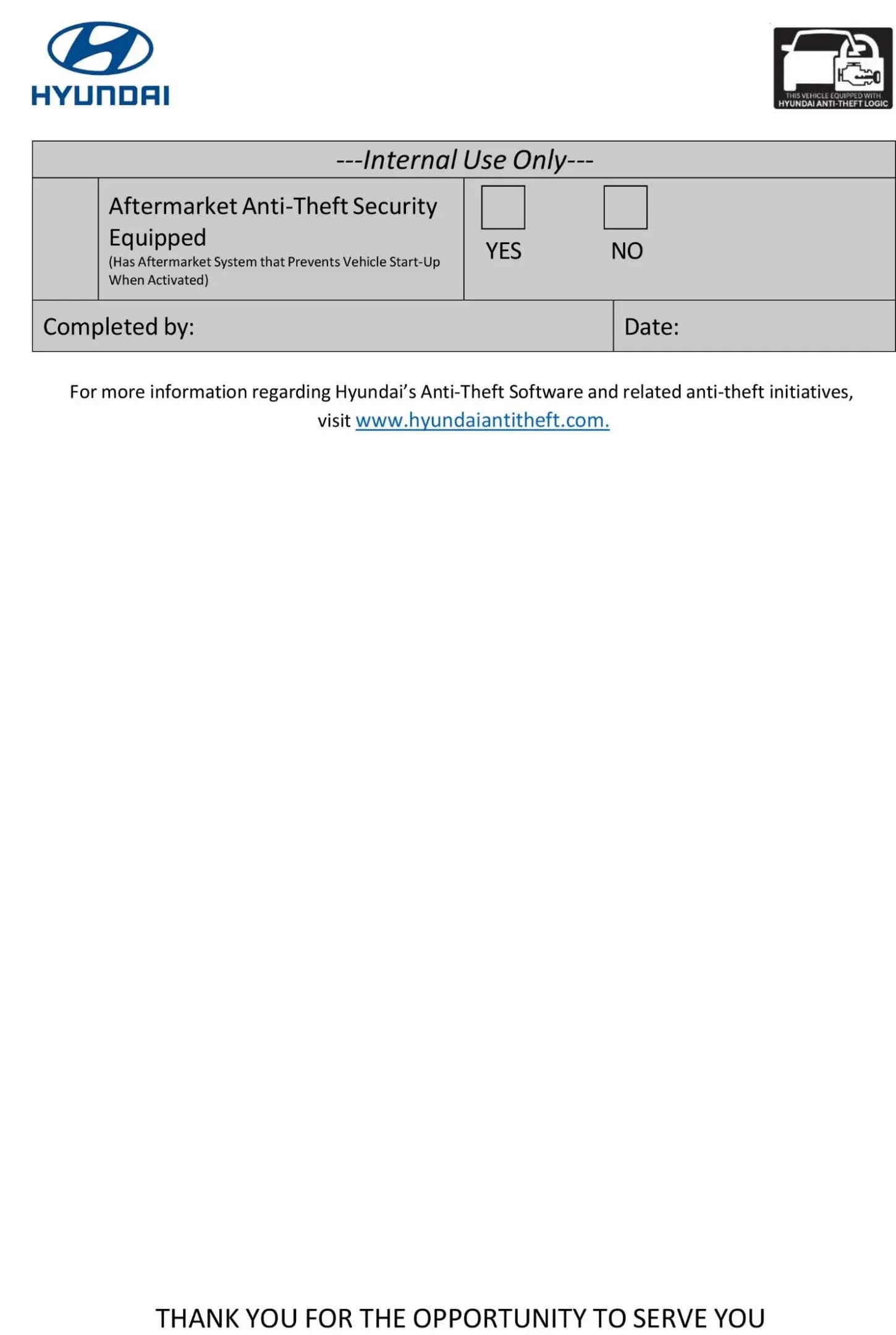
Gilt auch für
- Hyundai Accent
- 2021–2022
- Hyundai Elantra
- 2021–2022
- Hyundai Kona
- 2021–2022
- Hyundai Palisade
- 2021
- Hyundai Santa Fe
- 2021–2022
- Hyundai Veloster
- 2021
- Hyundai Venue
- 2021
▸ 1 weitere anzeigen▾ Weniger anzeigen
Hyundai has initiated Service Campaign 993, identified by Technical Service Bulletin (TSB) 24-01-009H-1, to address a security vulnerability in certain vehicles. This campaign, which supersedes TSB 24-01-009H, focuses on models that were manufactured without an engine immobilizer, making them more susceptible to theft. The solution involves a software update to the Integrated Body Control Unit/Body Control Module (IBU/BCM) and the application of new anti-theft decals.
This Hyundai anti-theft upgrade aims to revise the vehicle's burglar alarm system operation and ignition start logic. The update is crucial for owners of affected vehicles to improve their car's security features.
Important Owner Warnings
Owners should be aware of several critical points regarding this software upgrade and decal application:
- Key Fob Operation: "Once the software upgrade has been completed, the key fob buttons to lock and unlock the vehicle are required to activate/deactivate the anti-theft system. After using the key fob to activate the anti-theft system, the key fob must be used to first disarm the system prior to attempting to start the vehicle."
- Aftermarket Systems: This software upgrade "may be incompatible with aftermarket/add-on alarms and remote start systems." Installing the upgrade in vehicles with these devices "may cause the software upgrade, the aftermarket/add-on alarm, and/or the remote start system not to function properly."
- OEM Remote Start Honking: "Vehicles equipped with the OEM Genuine Hyundai remote start system may exhibit the horn honking when remote starting the vehicle after receiving the software upgrade." If this occurs, refer to TSB 23-BE-010H (or its latest version) to upgrade the remote start module and eliminate the honking.
- Tinted Windows: "If the window is tinted with a non-legal shade, inform the customer of the possible poor visibility of the anti-theft decals."
What's Being Addressed
This service campaign, TSB 24-01-009H-1, provides a procedure to enhance the anti-theft capabilities of specific Hyundai models. The primary goal is to upgrade the Integrated Body Control Unit/Body Control Module (IBU/BCM) software. This software revision will modify the OEM Hyundai burglar alarm system operation and ignition start logic, making the vehicle more secure.
In addition to the software update, two anti-theft decals will be installed on the front windows. Dealers may also install additional decals in the rear windows if the customer requests it. This comprehensive Hyundai anti-theft upgrade aims to deter theft effectively.
How to Determine if Your Vehicle Needs the Upgrade
Your Hyundai dealer will perform an inspection to determine if your vehicle requires the anti-theft software upgrade. The inspection process involves checking for two key features:
- START/STOP Button: The technician will visually confirm if your vehicle is equipped with a START/STOP button. If it is, the inspection is complete, and the vehicle does not require the software upgrade. A photo of the START/STOP button will be taken using the Service Technical Update Information (STUI) system, including the last 6 digits of the VIN and the inspection date.
- Immobilizer Lamp: If your vehicle does not have a START/STOP button and uses a mechanical key ignition, the technician will turn the ignition to the ON position. They will then visually confirm if an immobilizer lamp is displayed on the instrument cluster. If an immobilizer lamp is present, the inspection is complete, and the vehicle does not require the software upgrade. A photo of the immobilizer lamp will be taken using STUI, including the last 6 digits of the VIN and the inspection date.
If your vehicle is NOT equipped with either a START/STOP button or an immobilizer lamp, then it is eligible and will proceed with the software upgrade and anti-theft decal installation under Service Campaign 993.
The Hyundai Anti-Theft Upgrade Procedure
The software upgrade for the Integrated Body Control Unit/Body Control Module (IBU/BCM) is performed using the Global Diagnostic System (GDS). The general procedure for this Hyundai anti-theft upgrade is as follows:
- System Selection: The technician will select the IBU/BCM as the system to be upgraded within the GDS.
- ID Check: An ID Check will be performed to determine the vehicle's current IBU/BCM ROM ID. This ROM ID is compared against a table in the TSB to confirm if an upgrade is necessary. Technicians are instructed to record the current ROM ID in case a manual update is required.
- GDS Software Upgrade: The upgrade is typically performed in Auto Mode. Technicians must refer to TSB 15-GI-001 for detailed tablet-based Mobile GDS ECU upgrade procedures.
- Decal Installation: While the software is upgrading, the anti-theft decals are installed.
- Verification: After the upgrade, the technician ensures the software upgrade was successful and that the latest ROM ID is installed.
- DTC Check: Diagnostic Trouble Codes (DTCs) are checked in all menus, and any present DTCs are erased.
Anti-Theft Decal Installation
Two anti-theft decals (Part Number NP001-SC993) are installed on the front driver and passenger windows. The installation process is as follows:
- Template Preparation: The last page of TSB 24-01-009H-1 serves as a template. It is printed, folded upward at the solid line, and two rectangular cut-outs are made.
- Window Cleaning: The inside lower left corner of the front driver's side window and the lower right corner of the front passenger's side window are cleaned with rubbing alcohol and a new rag.
- Window Position: Both front driver and passenger windows are rolled up to their highest position.
- Template Alignment: The template is aligned approximately 1/4 inch next to the existing label or decal's edge on the window. Masking tape is used to secure the template to the glass and door panel.
- Decal Application: Without touching the glue side of the decal (to avoid reducing adhesive strength), the paper backing is peeled halfway. The decal is then aligned within the cut-out rectangle template and firmly pressed onto the window glass with a thumb.
- Final Press: After removing the template, the decal is pressed firmly to ensure no visible bubbles remain.
- Repeat: Steps 5-9 are repeated for the other front window.
- STUI Photos: Technicians must take STUI pictures of both installed anti-theft decals on the front windows. These photos must clearly show the decals, along with a piece of paper displaying the last 6 digits of the VIN and the date of the repair.
Required Tools or Parts
- Anti-Theft Decal: Part Number NP001-SC993 (two decals per vehicle). Ordering information is available in the SC993 Parts Bulletin found in the Documents Library in WebDCS (HD.com/Parts/DocumentsLibrary/ReferenceMaterials/Parts Bulletin). Decals are supplied in rolls of 500.
- GDS (Global Diagnostic System): For software upgrades.
- STUI (Service Technical Update Information): For photo documentation.
- Rubbing Alcohol and Clean Rag: For window preparation.
Warranty Information
Claims for this service campaign must be submitted on the Claim Entry Screen as a "Campaign" type. The causal part is 114 and the nature is ZZ3. Specific operation codes and time units (M/H) are provided based on the vehicle model and the work performed:
- Inspection Only: 0.1 M/H for vehicles equipped with a START/STOP button or immobilizer lamp.
- Inspection and BCM/IBU Upgrade and Decal Application: 0.3 M/H or 0.4 M/H, depending on the specific model.
It is crucial that STUI photos of the installed anti-theft decals, clearly showing the last 6 digits of the VIN and the repair date, are uploaded. Claims without valid or complete opt-out forms or STUI photos will be subject to debit.
Important Notes for Technicians
- ROM ID for Manual Updates: Before performing any AUTO software upgrade, technicians must record the current ROM ID. This information is critical for selecting the correct MANUAL passcode/event if a manual update becomes necessary.
- Manual Mode Upgrade: "If Auto Mode upgrade is not available due to unidentified ROM ID, then DO NOT perform the upgrade using Manual Mode, call Techline for further instructions."
- Failed Upgrades: If the software upgrade fails (not due to GDS disconnection or battery issues), technicians should "Select OK when the error message pops up, and DO NOT SELECT ANYTHING ELSE, LEAVE EVERYTING AS IS." Then, turn the ignition OFF for 15 seconds, turn it back ON, and proceed with the MANUAL update procedure following GDS screen instructions.
- Passcode Selection: When choosing a MANUAL PASSCODE, technicians must carefully match the part number and software version to what was originally in the vehicle.
Owner Action
If your vehicle falls within the affected model years and does not have an engine immobilizer, it is recommended to contact your authorized Hyundai dealer to schedule the Hyundai anti-theft upgrade. Dealers must perform this service campaign on all affected vehicles prior to customer retail delivery and whenever an affected vehicle is in the shop for any maintenance or repair. This upgrade is provided free of charge under Service Campaign 993.
If you have an aftermarket alarm or remote start system, discuss potential incompatibilities with your dealer. If you decline the upgrade because of an aftermarket system, an opt-out form will be required.
Source: NHTSA TSB 24-01-009H-1
Galerie
18 Bilder
Frequently Asked Questions
- What is Service Campaign 993 (TSB 24-01-009H-1)?
- Service Campaign 993 is a Hyundai initiative to provide a software upgrade for the Integrated Body Control Unit/Body Control Module (IBU/BCM) and install anti-theft decals on certain vehicles that lack an engine immobilizer, enhancing their security against theft.
- Will this Hyundai anti-theft upgrade affect my aftermarket alarm or remote start system?
- The software upgrade may be incompatible with aftermarket or add-on alarms and remote start systems. Installing the upgrade in vehicles with these devices might cause the software, the aftermarket system, or the remote start system to malfunction. If you have an OEM Genuine Hyundai remote start system and experience "horn honking when remote starting the vehicle" after the upgrade, refer to TSB 23-BE-010H for a remote start module update.
- What should I do after the anti-theft software upgrade is completed?
- After the software upgrade, you must use the key fob buttons to lock and unlock the vehicle to activate/deactivate the anti-theft system. Crucially, the "key fob must be used to first disarm the system prior to attempting to start the vehicle" to ensure proper operation.
- Are there any special instructions for the anti-theft decals?
- The anti-theft decals (Part Number NP001-SC993) are installed on the front windows. If your window has a non-legal tint, you should be informed that the decals might have poor visibility. Also, avoid touching the glue side of the decal during installation, as fingerprints can reduce its adhesive strength.
- How do I know if my vehicle needs this Hyundai anti-theft upgrade?
- Your Hyundai dealer will inspect your vehicle to determine if it is equipped with a START/STOP button or an immobilizer lamp. If your vehicle has neither, it is eligible for the software upgrade and decal installation under Service Campaign 993.
Related Articles
2021 Hyundai Tucson Health Check: Engine & Paint TSBs
For the 2021 Hyundai Tucson, there are no reported recalls, owner complaints, or federal investigations. However, owners should be aware of several manufacturer service bulletins (TSBs) addressing engine emissions, potential engine bearing issues, white paint peeling, and an anti-theft ignition…
2021 Hyundai Tucson Emissions Logic Update (9C2)
Hyundai Service Campaign 9C2 addresses elevated engine-out emissions in certain 2021 Hyundai Tucson models by updating the Engine Control Module (ECM) software. This update helps ensure compliance with emissions standards and prevents failed inspections.
2015 Hyundai Sonata GDS Event 1383 Campaign Suspended
Hyundai Motor America has temporarily suspended Service Campaign 9C2, related to software GDS event #1383, for the 2015 Hyundai Sonata (LFA) 2.4L. Vehicles will not show this campaign as open in WebDCS during the suspension period.
2021 Hyundai Tucson GDS Event #1383 Engine Investigation
Hyundai is actively investigating a software-related engine issue, identified as GDS event #1383. While primarily concerning 2015 Sonata 2.4L vehicles, this manufacturer communication is linked by NHTSA to the 2021 Hyundai Tucson, indicating an ongoing review for a resolution.
2010-2021 Hyundai Engine Bearing TSB 26-01-033H
Hyundai Technical Service Bulletin (TSB) 26-01-033H is a critical reference for Op codes and part numbers under Service Campaign T6G. This campaign addresses engine bearing inspection and replacement for various Hyundai models from 2010-2021, often triggered by DTC P1326 and "Abnormal Engine Noise."
Leave a comment
Comments are moderated and may take a moment to appear. Only your first name and the initial of your last name are shown publicly.
Comments
Be the first to comment.