2024-2026 Hyundai Bluelink Connectivity Loss TSB 26-01-035H
Hyundai has issued Technical Service Bulletin (TSB) 26-01-035H, also known as Service Campaign 9C0, to address instances of Bluelink connectivity loss or interruptions in various 2024-2026 models. This bulletin outlines a procedure to inspect and reset the Data Communication Unit (DCU) network…
 Sarah Mitchell2026 Hyundai Tucson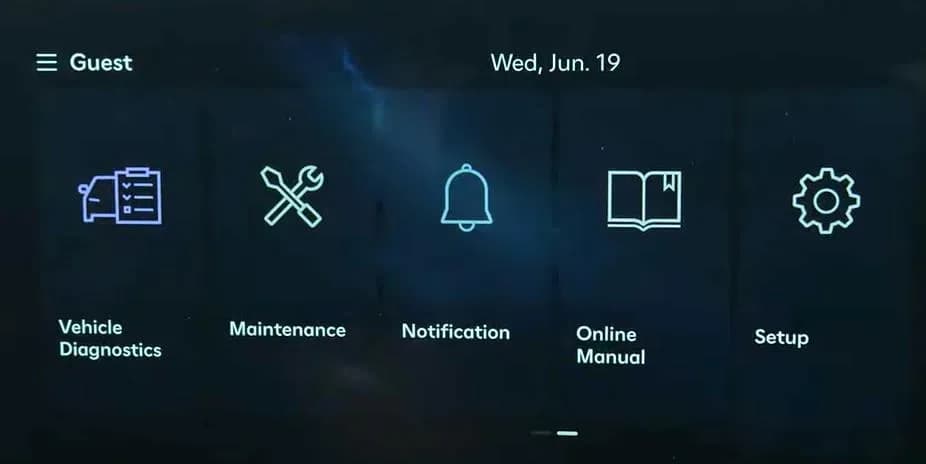
Also applies to
- Hyundai Ioniq 5
- 2025–2026
- Hyundai Ioniq 5 N
- 2025–2026
- Hyundai Kona
- 2024–2026
- Hyundai Palisade
- 2026
- Hyundai Santa Cruz
- 2025–2026
- Hyundai Santa Fe
- 2024–2026
- Hyundai Sonata
- 2024–2026
- Hyundai Tucson
- 2025
▸ Show 2 more▾ Show fewer
Hyundai has released Technical Service Bulletin (TSB) 26-01-035H, identified as Service Campaign 9C0, to address concerns regarding the Data Communication Unit (DCU) and Bluelink functionality in certain 2024-2026 models. This bulletin supersedes previous TSB 25-01-018H.
This service campaign aims to resolve issues where vehicles may experience a Hyundai Bluelink connectivity loss or interruptions in Bluelink functions. The problem is attributed to potential disconnections on Verizon's communication network, affecting the DCU.
Important Warnings for Owners and Dealers
- Dealers are required to perform this service campaign on all affected vehicles before customer retail delivery and whenever an affected vehicle is brought in for any maintenance or repair.
- Any affected IONIQ vehicles must have repairs performed at IONIQ certified dealers to prevent potential damage.
- When performing the 'Reset Network' step, technicians will NOT see any confirmation on the screen. The module resets in the background without showing status.
- If the DCU does NOT reset and Bluelink does NOT show activated after the procedure, technicians must contact Techline for further assistance.
Symptoms of Hyundai Bluelink Connectivity Loss
Owners may notice the following issues with their Bluelink services:
- Loss of connectivity: The Bluelink system may not be able to establish a connection.
- Interruptions in Bluelink functions: Services may cut out or fail to operate correctly during use.
These symptoms are often linked to an occasional disconnection from Verizon's communication network, impacting the vehicle's Data Communication Unit (DCU).
Diagnosis and Trigger Conditions
To diagnose the issue, technicians will verify the Bluelink DCU network connection. This involves accessing the vehicle's infotainment system to check the Bluelink activation status. If the system displays messages like "Service subscription is required. Please press the Activate button, or contact a customer service representative. Bluelink: 855-2-BLUELINK/855-225-8354", or if Bluelink does not activate successfully, a DCU reset is required.
Repair Procedure Summary
The repair procedure outlined in TSB 26-01-035H involves two main phases: initial verification and, if necessary, resetting the DCU in Dealer Mode.
Initial Verification of Connection
- The technician turns on the vehicle's ignition.
- They navigate through the infotainment system to select 'Setup', then 'Bluelink'.
- The system will prompt to 'Activate' or 'Reconfigure' Bluelink.
- After attempting activation, the technician checks for the message "Bluelink has been activated". If this message appears, the initial verification is complete, and the issue is resolved (warranty Op. Code 50D052R0).
Resetting the DCU Network
If Bluelink does not activate successfully, the technician proceeds to reset the DCU:
- The ignition is turned on.
- The technician selects 'Setup', then 'General' from the infotainment screen.
- A specific sequence of volume adjustments and screen taps in radio FM mode is performed to access a hidden menu.
- The password 2400 is entered to access 'Dealer Mode'. This password applies to all models.
- Within Dealer Mode, 'Connected Car Service' is selected.
- The 'Reset Network' option is chosen. The system will reset the module in the background without visual confirmation.
- The technician exits Dealer Mode and returns to the main menu.
Verification of Connection After Resetting DCU
After resetting the DCU, the technician repeats the initial verification steps to ensure Bluelink activates successfully. If the message "Bluelink has been activated" appears, the repair is complete (warranty Op. Code 50D052R1).
Warranty Information
This service campaign is covered under warranty. The following codes are used for claims:
- Operation Codes:
- 50D052R0: Initial Verification of Connection (0.2 M/H)
- 50D052R1: Resetting the DCU Network in Dealer Mode & Verification of Connection After Resetting DCU (0.3 M/H)
- Causal Part: NTF00-00000
- Nature Code: M73
- Cause Code: ZZ3
If any other part is found to require replacement during this campaign and is still under warranty, a separate claim should be submitted. For out-of-warranty parts, a Prior Approval request for goodwill consideration is necessary.
Owner Action
If you are experiencing a Hyundai Bluelink connectivity loss or interruptions in Bluelink functions in your 2024-2026 Hyundai vehicle, you should contact your authorized Hyundai dealer. Inform them about Technical Service Bulletin 26-01-035H (Service Campaign 9C0) and the symptoms you are experiencing. The dealer will perform the necessary inspection and DCU reset to restore your Bluelink services.
Source: NHTSA ID 11031315
Gallery
12 images
Frequently Asked Questions
- What is Service Campaign 9C0 for Hyundai vehicles?
- Service Campaign 9C0, detailed in TSB 26-01-035H, is a Hyundai initiative to address issues with Bluelink connectivity. It involves inspecting and potentially resetting the Data Communication Unit (DCU) to resolve 'loss of connectivity' or 'interruptions in Bluelink functions' caused by Verizon network disconnections.
- Which Hyundai models are affected by the Bluelink connectivity issue?
- The Bluelink connectivity issue, covered by TSB 26-01-035H, affects various 2024-2026 Hyundai models, including the Kona, Kona Electric, Santa Fe, Santa Fe Hybrid, Sonata, Sonata Hybrid, IONIQ 5, IONIQ 5 N, Santa Cruz, Tucson, Tucson Hybrid, Tucson PHEV, Palisade, and Palisade HEV.
- What should I do if my Hyundai Bluelink is not working?
- If your Hyundai Bluelink is not working or you are experiencing a 'Hyundai Bluelink connectivity loss', you should schedule an appointment with an authorized Hyundai dealer. They will perform the diagnostic and reset procedures outlined in TSB 26-01-035H (Service Campaign 9C0) to restore functionality.
- Is the DCU reset procedure for Bluelink covered under warranty?
- Yes, the inspection and DCU reset procedure for Bluelink connectivity issues, as described in TSB 26-01-035H, is covered under warranty. Dealers will use operation codes 50D052R0 or 50D052R1 for the service.
Related Articles
2026 Hyundai Tucson Instrument Panel Recall & Connectivity Issues
The 2026 Hyundai Tucson faces a significant safety recall concerning its instrument panel display, which can prevent critical driving information from being shown. Additionally, owners may encounter issues with Bluelink connectivity and suspended software updates, as detailed in manufacturer…
2026 Hyundai Tucson Instrument Panel Recall
Hyundai Motor America has issued recall 293 (NHTSA ID 26V047000) for certain 2026 Hyundai Tucson, Sonata, and Kona vehicles due to a software error that can cause the instrument panel display to fail. This issue prevents critical safety information from being shown, increasing the risk of a crash…
2025-2026 Hyundai Tucson Software Update Suspension
Hyundai has temporarily halted service campaigns TDF, TDFA, TDFB, and TDFC for 2025-2026 Hyundai Tucson vehicles. This suspension is due to an ongoing investigation into Data Communication Unit (DCU) software upgrade failures, identified as GDS event #1297, which prevents successful updates.
2024 Hyundai Ioniq 5 Health Check: TSBs and Known Issues
The 2024 Hyundai Ioniq 5 has no reported recalls, owner complaints, or federal investigations. However, Hyundai has issued several service bulletins addressing issues such as motor grinding noise, charging door gaps, and BlueLink activation problems. Owners should be aware of these potential…
2024 Hyundai Tucson Health Check: Recalls and Bulletins
The 2024 Hyundai Tucson has faced two recalls, including a critical power steering issue, alongside numerous service bulletins addressing engine, electrical, and structural concerns. This report details the key problems and what owners should know.
Leave a comment
Comments are moderated and may take a moment to appear. Only your first name and the initial of your last name are shown publicly.
Comments
Be the first to comment.