2021-2022 Audi MIB3 Software Update for Lost Favorites and Blue Screen
This Technical Service Bulletin (TSB) addresses software-related issues in 2021-2022 Audi vehicles equipped with MIB3 infotainment systems, including lost navigation favorites, blue screen displays, and the MMI getting stuck on the welcome screen. A software update resolves these problems.
 Ahmet Topcu2021 Audi e-tron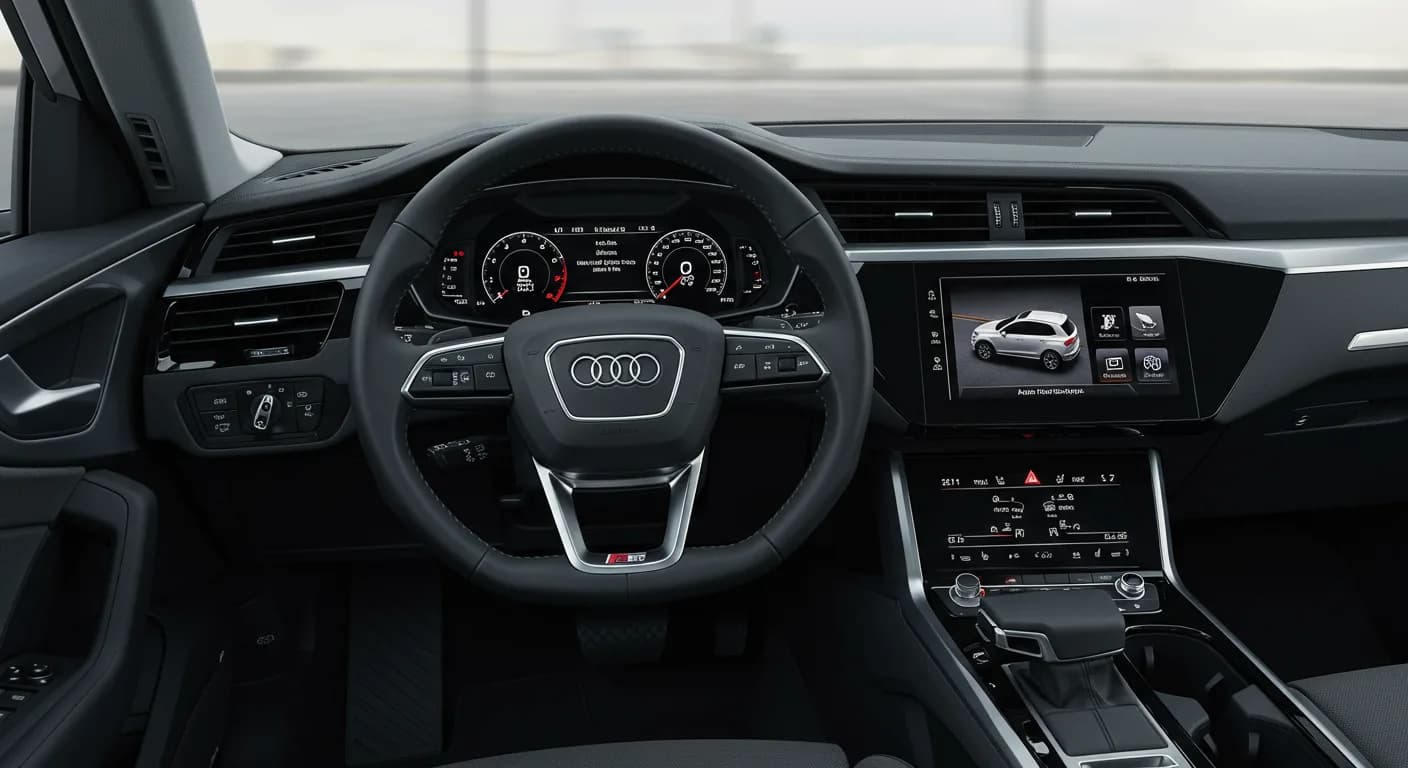
Also applies to
- Audi A3
- 2022
- Audi A4
- 2021–2022
- Audi A4 allroad
- 2021–2022
- Audi A5
- 2021–2022
- Audi A6
- 2021–2022
- Audi A6 allroad
- 2021–2022
- Audi A7
- 2021–2022
- Audi A7 e
- 2021–2022
- Audi A8 L e
- 2021
- Audi e-tron
- 2022
- Audi e-tron GT
- 2022
- Audi e-tron Sportback
- 2022
- Audi Q3
- 2022
- Audi Q5
- 2021–2022
- Audi Q7
- 2021–2022
- Audi Q8
- 2021–2022
- Audi RS 3
- 2022
- Audi RS 5
- 2021–2022
- Audi RS 6 Avant
- 2021–2022
- Audi RS 7
- 2021–2022
- Audi RS e-tron GT
- 2022
- Audi RS Q8
- 2021–2022
- Audi S3
- 2022
- Audi S4
- 2021–2022
- Audi S5
- 2021–2022
- Audi S6
- 2021–2022
- Audi S7
- 2021–2022
- Audi S8
- 2021–2022
- Audi SQ5
- 2021–2022
- Audi SQ7
- 2021–2022
- Audi SQ8
- 2021–2022
▸ Show 25 more▾ Show fewer
This Technical Service Bulletin (TSB) addresses various software-related issues affecting the MIB3 infotainment system in certain 2021-2022 Audi vehicles. Owners may experience problems with saved navigation data, screen display, or system startup.
Symptoms
Owners of affected Audi vehicles may observe the following issues with their MIB3 infotainment system:
- "Saved addresses (including the home address), favorites, last destinations, and/or icon and shortcut order are lost sporadically."
- In rare cases, "the screen may turn completely blue until a bus sleep, or an MMI reboot is performed."
- For MY22 Audi Q3 models specifically, "The MMI gets stuck on the welcome screen while loading user information from the backend on startup."
Diagnosis and Trigger Conditions
These symptoms are typically caused by a software-related issue within the MIB3 system. Importantly, workshop findings indicate that "No relevant DTCs are stored" in conjunction with these specific complaints. This means traditional diagnostic trouble codes will not appear, pointing directly to a software malfunction rather than a hardware failure.
Important Warnings
Before any software update is performed, technicians must ensure all prerequisites are met. For 2021 Model Year vehicles, Safety Recall 91DZ must be completed prior to performing the update described in this TSB. Additionally, for 2020 Model Year vehicles, an update according to TSB 2067021 (addressing various malfunctions including B129B11, B129C22, B123B13, B123C13 or B200000) is required.
Repair Procedure Summary
The resolution for these MIB3 infotainment system issues is a software update. The procedure involves checking the current software version of the information electronics -J794- (address word 005F). If the software version is lower than 3696, the update should proceed.
The update can be performed using one of two methods:
- Automated Update: Utilizing the ODIS Tester for an automated process.
- Manual Update: A manual update can be performed if there are SVM code or server issues, following instructions from TSB 2060523: "91 MIB3 Software Update Instructions."
The appropriate SVM code must be used based on the vehicle model. For A3, A4, A5, Q3, and Q5 models, the SVM code is CL35MH13P3853, associated with SD Creator Part Number 8W0906961BB. For A6, A7, A8, Q7, Q8, e-tron, and e-tron GT models, the SVM code is CL35MPR3P3853, associated with SD Creator Part Number 8W0906961AT.
The entire update process, including the software update and SVM work, is estimated to take approximately 30-60 minutes.
Required Tools or Parts
To perform the MIB3 software update, the following equipment and parts are necessary:
- ODIS Tester: For diagnostic and programming functions.
- SVM code: Specific to the vehicle model for the update.
- MIB3 Software update on USB Flash Drive: This can be obtained via a USB Flash Drive (part numbers listed below) or downloaded from MirrorServer using the SD Creator Program.
- USB Flash Drive (for A3/A4/A5/Q3/Q5): Part Number 8W0906961BB (Quantity: 01, Shop tool)
- USB Flash Drive (for A6/A7/A8/Q7/Q8/e-tron/e-tron GT): Part Number 8W0906961AT (Quantity: 01, Shop tool)
Additional Technical Service Bulletins that provide necessary instructions for this procedure include TSB 2011732 (00 Software Version Management (SVM), operating instructions), TSB 2060523 (91 MIB3 Software Update Instructions), and TSB 2047812 (00 SD Creator: how to set up and use the SD Creator for obtaining vehicle software updates via the MirrorServer).
Warranty Information
This software update is covered under warranty for vehicles up to 48 months or 50,000 miles. For Audi Certified Pre-Owned (CPO) vehicles, coverage falls under G10, requiring owner verification. If the vehicle is outside of warranty, this bulletin serves as informational guidance only.
- Service Number: 9196
- Damage Code: A839
- Labor Operations: Software Update (Includes checking for DTCs) - 0151 0000 (refer to TSB 2060523 for details)
- Diagnostic Time (GFF): No allowance (0 TU)
- Road test prior to service: No allowance (0 TU)
- Road test after service: No allowance (0 TU)
This TSB, 91 23 98 2069112/3, supersedes Technical Service Bulletin Group 91 number 23-74 dated February 16, 2023, and has undergone revisions, including adding SVM for A3 (Revision 3) and revising the condition (Revision 2, 02/16/2023).
NHTSA ID: 10238191
Frequently Asked Questions
- What are the common MIB3 infotainment issues addressed by this Audi e-tron MIB3 software update?
- Owners may experience lost saved addresses, favorites, or icon order, a blue screen display, or the MMI getting stuck on the welcome screen during startup. This Audi e-tron MIB3 software update is designed to fix these problems.
- Are there any diagnostic trouble codes (DTCs) associated with these MIB3 problems?
- No, the Technical Service Bulletin states that "No relevant DTCs are stored" for these specific MIB3 issues. This indicates the problems are software-related rather than a hardware fault that would trigger a DTC.
- Is there a specific recall or prerequisite for the MIB3 software update?
- Yes, for 2021 Model Year vehicles, Safety Recall 91DZ must be completed before performing this MIB3 software update. For 2020 Model Year vehicles, an update according to TSB 2067021 is required first.
- How long does the Audi e-tron MIB3 software update take, and what parts are needed?
- The software update process is estimated to take between 30 to 60 minutes. It requires an ODIS Tester, the correct SVM code (CL35MH13P3853 or CL35MPR3P3853 depending on your model), and a specific USB Flash Drive (part numbers 8W0906961BB or 8W0906961AT).
Related Articles
2021 Audi e-tron Electrical Malfunction and Power Loss
A 2021 Audi e-tron owner reported a severe 'Electrical Malfunction' resulting in complete loss of power on the highway. The issue has persisted despite dealer attempts to fix it over five months, posing significant safety risks.
2021-2026 Audi UTR Troubleshooting & FAQs TSB 2081409/1
This Audi Technical Service Bulletin (TSB 2081409/1) provides comprehensive answers to frequently asked questions and troubleshooting steps for the Audi Universal Traffic Recorder (UTR) accessory, covering topics like SD card compatibility, video playback, Wi-Fi issues, and more.
2021-2025 Audi Emergency Call System Fault TSB
Audi has released Technical Service Bulletin 2059528/18 to address an "Emergency call function: malfunction! Function unavailable. Please contact service" warning, often accompanied by a red SOS LED and DTC B200000. This issue affects various 2021-2025 Audi models and is due to a software problem…
2021-2026 Audi Adaptive Light System Fault C12B3FA TSB
Audi has released Technical Service Bulletin 2054202/7 to address an intermittent 'Audi adaptive light: system fault' message and DTC C12B3FA in various 2021-2026 models. This TSB outlines diagnosis and resolution for driver assistance system malfunctions.
2021-2026 Audi Parking Aid False Warnings TSB 2024323/12
This Technical Service Bulletin (TSB 2024323/12) details diagnostic and repair procedures for 2021-2026 Audi vehicles experiencing false parking aid warnings. Learn about environmental factors, sensor checks, and proper installation to resolve issues like 'Parking aid does not work / warning is…
Leave a comment
Comments are moderated and may take a moment to appear. Only your first name and the initial of your last name are shown publicly.
Comments
Be the first to comment.