2024-2025 Audi MIB3 MMI Software Update TSB 2079670/3
Audi Technical Service Bulletin 2079670/3 provides a critical software update for the MMI and connectivity box in 2024-2025 Audi A4, A5, Q5, S4, S5, RS5, and SQ5 vehicles. This update resolves various MMI functions problems and the 'Emergency call fault' message, ensuring optimal infotainment…
 Ahmet Topcu2024 Audi A5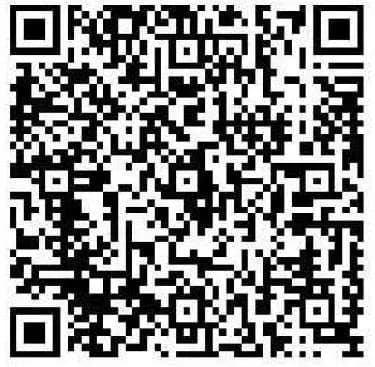
Şu araçlar için de geçerli
- Audi A4
- 2024–2025
- Audi A4 allroad
- 2024–2025
- Audi Q5
- 2024–2025
- Audi Q5 e
- 2024–2025
- Audi RS 5
- 2024
- Audi S4
- 2024–2025
- Audi S5
- 2024
- Audi SQ5
- 2024–2025
▸ 2 tane daha göster▾ Daha az göster
Introduction to Audi TSB 2079670/3
Audi has released Technical Service Bulletin (TSB) 2079670/3 to address various software-related issues affecting the Multi Media Interface (MMI) and connectivity box in specific 2024-2025 Audi models equipped with the MIB3 infotainment system. This bulletin outlines a crucial software update designed to enhance the functionality and reliability of these systems.
The update targets vehicles such as the 2024-2025 Audi A4, A5, Q5, S4, S5, RS5, and SQ5, aiming to resolve customer complaints related to MMI performance and specific warning messages. Owners experiencing problems with their infotainment system, including an "Emergency call fault" message, should be aware of this important service action. This TSB ensures that the 2024 Audi A5 MMI software update, along with updates for other models, is performed correctly.
Symptoms of MMI and Connectivity Box Issues
Owners of affected Audi vehicles may notice a range of symptoms indicating a need for this software update. The primary concerns reported include various problems with MMI functions, which can manifest as unresponsive controls, navigation glitches, or general system instability. These issues can significantly detract from the driving experience and the utility of the vehicle's advanced features.
Another critical symptom is the display of an "Emergency call fault" message in the instrument cluster. This warning indicates a potential malfunction in the vehicle's emergency call system, which is a vital safety feature. Additionally, the bulletin header mentions a "Connection offline" status, suggesting connectivity problems that could impact various online services and MMI functionalities.
Affected Software Versions
This software update specifically targets vehicles that currently have certain older software versions installed in diagnostic address 5F, which corresponds to the information electronics control unit. The identified software versions that necessitate this update include 4014, 4026, 4318, and 4404. If a vehicle's diagnostic system reports any of these versions, it is a strong indicator that the software update outlined in TSB 2079670/3 is required.
Technical Background of the Issue
The root cause of the MMI and connectivity box problems, including the "Emergency call fault," has been identified as software-related. These software issues affect the various control units responsible for the infotainment and communication systems within the vehicle. Audi has since implemented new, corrected software for these affected control units in production vehicles, but existing vehicles may still require the update.
Important Warnings for Owners and Technicians
Audi has provided several key warnings and instructions within TSB 2079670/3 to ensure the update process is handled correctly and to inform owners and technicians about specific conditions:
- Diagnostic Entries: "Diagnostic entries logged in diagnostic address 0075 will be repaired by a software update described in this TSB. The Guided Fault Finding test plans should not be carried out and cannot be invoiced." This means that for issues resolved by this TSB, specific diagnostic test plans should be bypassed to avoid unnecessary charges.
- Inactive Periods: "There will be extended inactive periods for some of the steps. You can work on a different vehicle during this time." Technicians should be aware that the update process can take a significant amount of time during which the vehicle is unusable.
- Warranty Billing: "When carrying out this TSB, time stamps are not required for billing under warranty." This simplifies the warranty claim process for this specific service.
- USB-C Stick Preparation: "Please prepare the required USB-C sticks (see parts information) before starting the repair." Proper preparation of the update media is crucial for a successful update.
- Media Type Restriction: "You must not use an SD card with an adapter USB stick." This explicit warning prevents potential issues that could arise from using incompatible storage media for the software update.
- Invoicing for Media Download: "The USB-C stick and downloading the software via FMC cannot be invoiced." This clarifies what can and cannot be charged under warranty for the update media.
- Guided Fault Finding: "The Guided Fault Finding test plans should not be carried out for diagnostic entries that are repaired by performing this TSB and cannot be invoiced." This reiterates the importance of following the TSB's specific repair procedure over general diagnostic steps for covered issues.
Repair Procedure Summary
The repair procedure detailed in TSB 2079670/3 involves a comprehensive software update for several key control units. This process ensures that the 2024 Audi A5 MMI software update, along with updates for other models, is applied systematically.
- Software Update Scope: The update targets the emergency call module (diagnostic address
0075), the gateway control unit (diagnostic address0019), and the information electronics module (diagnostic address005F). This multi-module approach ensures all interconnected systems are brought up to the latest software standard. - Flash Mode Activation: Technicians must initiate the update using the "SVM - Authorized Multiple Code Entry" function within the diagnostic system's flash mode. This specialized entry method is essential for correctly applying the software package.
- Hardware Version Identification: A critical preliminary step involves accurately determining the hardware version of the vehicle's diagnostic address
0019. This is achieved by inputting the specific SVM codeDUCIDENT0019. This identification is vital to ensure that the appropriate software variant is selected for the vehicle's specific configuration. - SVM Code Chain Entry: Following hardware identification, the correct SVM code chain must be entered into the diagnostic system. The TSB provides these codes, including convenient QR codes for scanning or direct copy-pasting, emphasizing the necessity for exact input without any alterations or spaces. This action triggers the commencement of the software update process.
- USB-C Media Requirement: The update process mandates the use of a USB-C stick, which serves as the medium for transferring the software files to the vehicle. This USB-C stick must have a minimum storage capacity of 32 GB and support USB 2.0. The bulletin explicitly cautions against using an SD card with an adapter USB stick, as this can lead to compatibility issues and update failures. General information regarding USB-C sticks for software updates can also be found in TSB 2060523.
- Automated Program Execution: Once the USB-C stick is connected and the process is initiated, the software update program runs automatically. During this period, the system will execute various update routines, which may involve extended inactive times. These inactive periods are factored into warranty accounting instructions, allowing technicians to manage their time efficiently.
- Bus Sleep Mode and MMI Restart: After the software update is completed, the vehicle must be put into bus sleep mode. This step allows the newly installed software to properly integrate with the vehicle's systems. Following bus sleep, the ignition is switched back on, and the MMI system is restarted to finalize the update sequence.
- Emergency Call LED Verification: A crucial post-update check involves verifying the status of the emergency call LED located in the roof module. The LED should illuminate green, confirming the successful operation of the emergency call system. If the LED does not turn green, technicians are instructed to refer to TSB 2079652 for further diagnostic steps.
- Diagnostic Session Conclusion: The final step of the procedure requires ending the diagnostic session and uploading the diagnostic log online. This ensures that the service record is properly updated and the completion of the TSB is documented.
Required Tools and Parts
To perform the software update outlined in TSB 2079670/3, specific tools and parts are necessary:
- USB-C Sticks: Technicians must prepare USB-C sticks with a minimum capacity of 32 GB and USB 2.0 compatibility. These are essential for transferring the update software to the vehicle. The bulletin specifies that an SD card with an adapter USB stick must not be used.
- ODIS Software: The diagnostic tester used must have the latest version of ODIS (Offboard Diagnostic Information System) software installed. This software includes the necessary test programs for the update.
- Software Part Numbers: The specific software part numbers for the MIB3 update media are
8W0906961GCand8W0906961GG, depending on the vehicle configuration. These part numbers correspond to the software versions4014,4026,4404, and4318for various Audi A4, A5, and Q5 models.
Warranty Information
For warranty claims related to TSB 2079670/3, Audi provides specific guidelines:
- Claim Type: If the vehicle is outside of its warranty period, this Technical Service Bulletin is considered informational only.
- Service Numbers: For complaints regarding emergency call function or online services, use service number
9145. For complaints concerning MMI functions, use service number9196. - Damage Code: The applicable damage code for this service is
0041. - Labor Operations: The labor operations are categorized as
0151 0010for preparing the repair (20 Technical Units or TU) and0151 0040for launching and concluding the software update for the MMI and emergency call module (60 TU). - Claim Comment: All warranty claims must include the comment "As per TSB 2079670/3" to ensure proper processing.
All warranty claims must adhere to the Audi Warranty Policies and Procedures Manual and are subject to review or audit by Audi Warranty.
NHTSA Source Citation
NHTSA ID: 11026230
Galeri
2 görsel
Frequently Asked Questions
- What is Audi TSB 2079670/3 about?
- Audi Technical Service Bulletin 2079670/3 details a software update for the MMI (Multi Media Interface) and connectivity box in specific 2024-2025 Audi models. This update aims to resolve various MMI function problems and address the "Emergency call fault" message displayed in the instrument cluster.
- Which Audi models are affected by this MMI software update?
- This TSB applies to various 2024-2025 Audi models, including the A4, A4 allroad, A5, Q5, Q5 e, RS 5, S4, S5, and SQ5, specifically those equipped with the MIB3 infotainment system and certain older software versions like 4014, 4026, 4318, or 4404.
- What symptoms indicate my Audi needs this MMI software update?
- You might need this update if you experience problems with various MMI functions, such as system unresponsiveness or glitches, or if your instrument cluster displays an "Emergency call fault" message. Connectivity issues leading to a "Connection offline" status can also be a symptom.
- Will I be charged for the software update described in TSB 2079670/3?
- If your vehicle is still under warranty, this software update should be covered, and time stamps are not required for billing under warranty. However, if your vehicle is outside of its warranty period, the bulletin states it is for informational purposes only, implying potential charges.
- What is the 'Emergency call fault' message?
- The 'Emergency call fault' message displayed in the instrument cluster indicates a malfunction in the vehicle's emergency call system. This system is designed to automatically contact emergency services in the event of a serious accident, making its proper function crucial for safety. The software update provided by TSB 2079670/3 is designed to resolve this specific fault.
Related Articles
2024-2025 Audi MMI & Emergency Call Software Update TSB
Audi Technical Service Bulletin 2079904/2 details a software update for MMI and emergency call system issues in 2024-2025 Audi A4, A5, S4, S5, RS 5, and A4 allroad models. Owners may experience MMI malfunctions or an 'Emergency call fault' message. The update requires specific USB-C media and ODIS…
2024-2025 Audi MMI and Emergency Call System Software Update
Audi Technical Service Bulletin 2079813/3 provides a software update for MIB3 vehicles to resolve MMI connectivity problems and the 'Emergency call fault' message in 2024-2025 Audi A4, A5, Q5, and other models. This update addresses software issues in the emergency call module and infotainment…
2024-2025 Audi MMI Emergency Call Fault TSB 2079671/4
Audi Technical Service Bulletin (TSB) 2079671/4 addresses issues with MMI functions and the "Emergency call fault" message in 2024-2025 Audi A4, A5, S4, S5, RS 5, Q5, and SQ5 models. A software update for the MMI and connectivity box is required to resolve these concerns.
2021-2026 Audi Cracking/Creaking Noises TSB 2062633/7
Audi Technical Service Bulletin 2062633/7 addresses cracking and creaking noises in 2021-2026 A4, A5, S4, S5, RS 5, Q5, and SQ5 models. These noises can occur during load changes or severe vehicle body torsion due to a loose bonded joint in the subframe area.
2021-2025 Audi Driver Assist Fault TSB 2061932/11
Audi Technical Service Bulletin 2061932/11 addresses issues where 2021-2025 Audi vehicles display 'Traffic Jam Assist: unavailable' or 'Active Lane Assist: fault' messages. This is often accompanied by DTC U112300, indicating a data bus error related to the adaptive cruise control or front camera.
Yorum bırakın
Yorumlar moderasyondan geçer ve görünmesi biraz zaman alabilir. Sadece adınız ve soyadınızın baş harfi herkese açık olarak gösterilir.
Yorumlar
İlk yorum sizden olsun.