2022-2024 Audi MMI Software Update for Connectivity Box
This Technical Service Bulletin (TSB 2079133/4) addresses MMI connectivity issues and 'Emergency call fault' messages in 2022-2024 Audi vehicles equipped with MIB3. A software update resolves these problems, ensuring proper function of infotainment and safety systems.
 Marcus Weber2023 Audi e-tron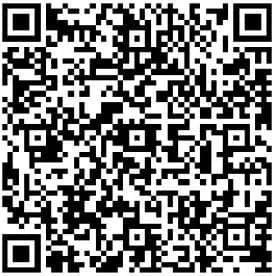
Também se aplica a
- Audi A4
- 2021–2023
- Audi A4 allroad
- 2021–2023
- Audi A5
- 2021–2023
- Audi A6
- 2021–2023
- Audi A6 allroad
- 2021–2023
- Audi A7
- 2021–2023
- Audi A7 e
- 2021–2022
- Audi A8 L e
- 2021
- Audi e-tron
- 2021–2022
- Audi e-tron Sportback
- 2021–2022
- Audi Q3
- 2022–2024
- Audi Q5
- 2021–2023
- Audi Q5 e
- 2021, 2023
- Audi Q7
- 2021–2023
- Audi Q8
- 2021–2023
- Audi RS 5
- 2021–2023
- Audi RS 6 Avant
- 2021–2023
- Audi RS 7
- 2021–2023
- Audi RS Q8
- 2021–2023
- Audi S4
- 2021–2023
- Audi S5
- 2021–2023
- Audi S6
- 2021–2023
- Audi S7
- 2021–2023
- Audi S8
- 2021–2023
- Audi SQ5
- 2021–2023
- Audi SQ7
- 2021–2023
- Audi SQ8
- 2021–2023
▸ Mostrar mais 21▾ Mostrar menos
Owners of 2022-2024 Audi vehicles may experience issues with their Multi Media Interface (MMI) system or receive an "Emergency call fault" message. These problems, including the display of "Connection offline", are addressed by a software update outlined in Technical Service Bulletin (TSB) 2079133/4. This update targets the connectivity box for MIB3 vehicles, specifically those with NAR version ST37 software.
This Audi MMI software update is crucial for maintaining the full functionality of your vehicle's infotainment and safety systems. The TSB, released on February 6, 2026, provides comprehensive instructions for dealerships to perform the necessary software upgrade.
Revision History
This Technical Service Bulletin has undergone several revisions to ensure accuracy and completeness:
- Revision 4: The header was updated for improved visibility.
- Revision 3 (December 16, 2026): The header was revised, model years were added, the 'Condition' section was updated with a model table, and the 'Service' section was revised to include updated QR codes and SV codes.
- Revision 2 (October 7, 2025): The header was revised to include additional models, and the 'Warranty' table was updated.
Symptoms
Owners may notice several issues indicating the need for this software update. The most common complaints include problems with various MMI functions, which can manifest in different ways, such as unresponsive controls or incorrect displays. A critical symptom is the display of an "Emergency call fault" message in the instrument cluster, indicating a potential issue with the vehicle's emergency communication system. Additionally, the message "Connection offline" may appear, signaling a loss of connectivity for the MMI system.
Diagnosis
For technicians, the primary diagnostic finding for these issues is a vehicle still operating with a software version below 3900 in diagnostic address 5F. This indicates that the MIB3 infotainment system requires the latest software package. The TSB also notes that diagnostic entries logged in diagnostic address 0075, related to the emergency call module, will be repaired by this software update.
Important Warnings and Information for Owners
Audi has provided several important advisories regarding this TSB 2079133/4 and the software update process:
- Do Not Invoice Guided Fault Finding: Diagnostic entries logged in diagnostic address 0075 will be repaired by this software update. Therefore, Guided Fault Finding test plans related to these entries should not be carried out and cannot be invoiced.
- Extended Inactive Periods: The software update procedure will involve extended inactive periods for some steps. Technicians can work on other vehicles during this time, and this is accounted for in warranty billing.
- No Time Stamps Required: When performing this TSB, time stamps are not required for billing under warranty.
- Specialized Test Program: A new test program is used to input the SVM code. Dealerships must ensure their diagnostic tester has the latest ODIS update, which includes this new test program.
- Acoustic and Visual Cues: The vehicle will use acoustic signals and flashing lights to indicate when user input is required during and at the end of the test program.
- USB-C Stick Preparation: It is important to prepare the required USB-C sticks (as detailed in the parts information section) before starting the repair. The update media can be used for multiple vehicles.
- MIB3 Infotainment System: This update package also includes new software for the MIB3 infotainment system. Further information on MIB3 software updates can be found in TSB 2060523, titled "91 MIB3: Software Update Instructions."
- Interrupted Procedure: If the procedure has been interrupted, please repeat step 1. The test program will then automatically perform the missing part of the update.
Repair Procedure Summary
The repair involves a multi-step software update process for the emergency call module (0075) and information electronics (005F). This Audi MMI software update is performed using specific tools and software, ensuring the MIB3 system is brought up to date.
Software Update for Emergency Call Module (0075) and Information Electronics (005F):
- Technicians must use the function "SVM – Multiple authorized code inputs" in "Flash" mode within the ODIS system.
- For the new software update program, a specific SVM code chain must be entered exactly, including commas and without spaces. It is recommended to scan the provided QR code with a hand-held scanner or copy and paste the SVM code chain to avoid errors.
- For Audi A4, A5, A6, A7, A8, Q5, Q7, Q8, and e-tron (GE) models, the SVM code chain is:
DUCDTCPR0075MLB,FLIGHTON0075MLB,ZGDOIP,CL37A001US,TGU1MDMVB,CL37A002US,FLIGHTOFF0075MLB. - For the Audi Q3 model, the SVM code chain is:
TGU1MDMVB,CL37A001US,CL37A002US. - The test program will initially prompt the technician to use a USB medium. The automatic execution of software updates will result in inactive time, which is accounted for in warranty instructions.
Bus Sleep Mode:
- After the software update is completed, the vehicle must be put into bus sleep mode. This involves switching the ignition off and allowing the vehicle to enter a low-power state.
- Then, the ignition should be switched back on, and the MMI system started.
Check Emergency Call LED:
- The technician must verify that the emergency call LED in the roof module illuminates green. This indicates proper function of the emergency call system.
- If the LED does not turn green, further diagnosis is required, referring to TSB 2079652, titled "91 Emergency call LED in roof module not lit up in green."
End Diagnostic Session:
- Finally, the diagnostic session should be ended, and the diagnostic log sent to GFF paperless for documentation.
Required Tools or Parts
To perform this Audi MMI software update, specific USB-C sticks are required to create the update media. Technicians must prepare these sticks before starting the repair. It is important to note that you must not use an SD card with an adapter USB stick. The software must be downloaded onto a USB-C stick that complies with the USB 2.0 specification and has a capacity of 32GB using the Flash Media Creator (FMC). Please do not use a USB-C stick with a larger storage capacity as such USB sticks have a different formatting process.
Specific part numbers for the software media are provided based on the vehicle model and whether it is equipped with Sirius radio:
- Audi Q3 without Sirius (I8W with QV0): Part number
8W0906961DJ - Audi Q3 with Sirius (I8W with QV3): Part number
8W0906961GA - Audi Q3 without Sirius (I8Y with QV0): Part number
8W0906961DK - Audi Q3 with Sirius (I8Y with QV3): Part number
8W0906961FT - Audi A4, A5, Q5 without Sirius (PR number QV0): Part number
8W0906961DK - Audi A4, A5, Q5 with Sirius (PR number QV3): Part number
8W0906961FT - Audi A6, A7, Q7, Q8, A8, e-tron without Sirius (PR number QV0): Part number
8W0906961DL - Audi A6, A7, Q7, Q8, A8, e-tron with Sirius (PR number QV3): Part number
8W0906961FS
Warranty Information
Warranty claims for this Audi MMI software update must adhere to the Audi Warranty Policies and Procedures Manual. Claims are subject to review and audit by Audi Warranty. If a vehicle is outside of any warranty, this Technical Service Bulletin is informational only.
Service numbers associated with complaints are:
- Complaints about emergency call function or online services: Service number
9170(for Q3) and9145(for A4, A5, A6, A7, A8, Q5, Q7, Q8, e-tron GE). - Complaints about MMI functions: Service number
9196.
The damage code for these issues is 0041.
Labor operations and estimated time units (TU) for this repair are:
- Prepare repair (Labor Operation 0151 0010): This includes parking the vehicle and charging the 12V battery, estimated at 20 TU.
- Launch software update for MMI and emergency call module (Labor Operation 0151 0040): This comprehensive step involves connecting the tester, starting ODIS, entering flash mode, using the function 'Authorized Multiple Code Entry', copying/pasting the code chain, and inserting the USB stick. The program runs automatically, and this step is estimated at 60 TU.
After the automatic program runs, the technician concludes the software update by ending the current test program, removing the USB stick, performing a bus sleep cycle, checking the emergency call LED, quitting the diagnostic session, and disconnecting the charger.
NHTSA ID: 11029392
Galeria
1 imagem
Frequently Asked Questions
- What are the common symptoms addressed by Audi TSB 2079133/4?
- Audi TSB 2079133/4 addresses issues such as "Connection offline" messages, various problems with MMI functions, and the display of an "Emergency call fault" in the instrument cluster for 2022-2024 Audi vehicles.
- How is the Audi MMI software update performed according to TSB 2079133/4?
- The Audi MMI software update involves using a specialized test program in ODIS, entering specific SVM code chains (like DUCDTCPR0075MLB...) in 'Flash' mode, and flashing the emergency call module (0075) and information electronics (005F) via a prepared USB-C stick. After the update, a bus sleep cycle and an emergency call LED check are performed.
- What tools or parts are required for this Audi MMI software update?
- Technicians need to prepare a 32GB USB 2.0 compatible USB-C stick with the specific software downloaded via the Flash Media Creator (FMC). SD cards with adapters are explicitly not to be used. Specific part numbers for the software media vary by vehicle model and Sirius radio configuration, such as `8W0906961DJ` for a Q3 without Sirius.
- Will I be charged for the Audi MMI software update if my vehicle is under warranty?
- If your vehicle is under warranty, the software update described in TSB 2079133/4 should be covered. The TSB specifies that time stamps are not required for billing under warranty, and certain diagnostic steps, like Guided Fault Finding for diagnostic address 0075, should not be invoiced.
- What should I do if the emergency call LED does not turn green after the update?
- If the emergency call LED in the roof module does not turn green after the software update, technicians are instructed to refer to Audi TSB 2079652, titled "91 Emergency call LED in roof module not lit up in green," for further diagnostic steps to resolve the issue.
Related Articles
2023 Audi e-tron Problems: Recalls, Complaints & TSBs
The 2023 Audi e-tron has faced several significant safety concerns, including recalls for potential charging cable overheating and brake pedal detachment. Owners have also reported serious issues like sudden unintended acceleration and electrical system malfunctions. This profile details these…
2023 Audi e-tron Brake Pedal Recall
Audi has issued a recall (NHTSA ID: 26V240000, Audi Recall 46P7) for certain 2019-2024 E-Tron and 2020-2024 E-Tron Sportback vehicles, including the 2023 Audi e-tron. The recall addresses a potential issue where the brake pedal may detach from the brake booster, leading to a loss of brake function.
2015-2027 Audi Noise Diagnosis with Frequency Analysis App TSB
Audi has released Technical Service Bulletin 2051095/11 detailing the Audi Frequency Analysis app. This app helps technicians diagnose noise complaints more precisely across 2015-2027 Audi models. Learn how the app works, where to download it, and its features for effective vehicle noise analysis.
2023 Audi e-tron AC/DC Charging Not Possible TSB
This manufacturer communication (NHTSA ID 11031035) provides critical information for 2023 Audi e-tron owners facing issues with AC/DC charging. It specifically highlights problems linked to software version 00C6: 0093/3119, which can prevent the vehicle from charging.
2023-2025 Audi Rear Seat Reminder Message TSB 2074943/2
Audi Technical Service Bulletin 2074943/2 explains the instrument cluster message 'Please check rear seats and be aware of door safelock' in various 2023-2025 Audi models. This informational TSB details the rear occupant detection system designed to prevent children and pets from being left in…
Leave a comment
Comments are moderated and may take a moment to appear. Only your first name and the initial of your last name are shown publicly.
Comments
Be the first to comment.