2024-2026 Audi MMI & Emergency Call Fault Software Update
This Audi Technical Service Bulletin (TSB 2079670/2) provides a software update for MMI and connectivity box issues, including the 'Emergency call fault' message, affecting 2024-2026 Audi vehicles.
 David Chen2024 Audi Q8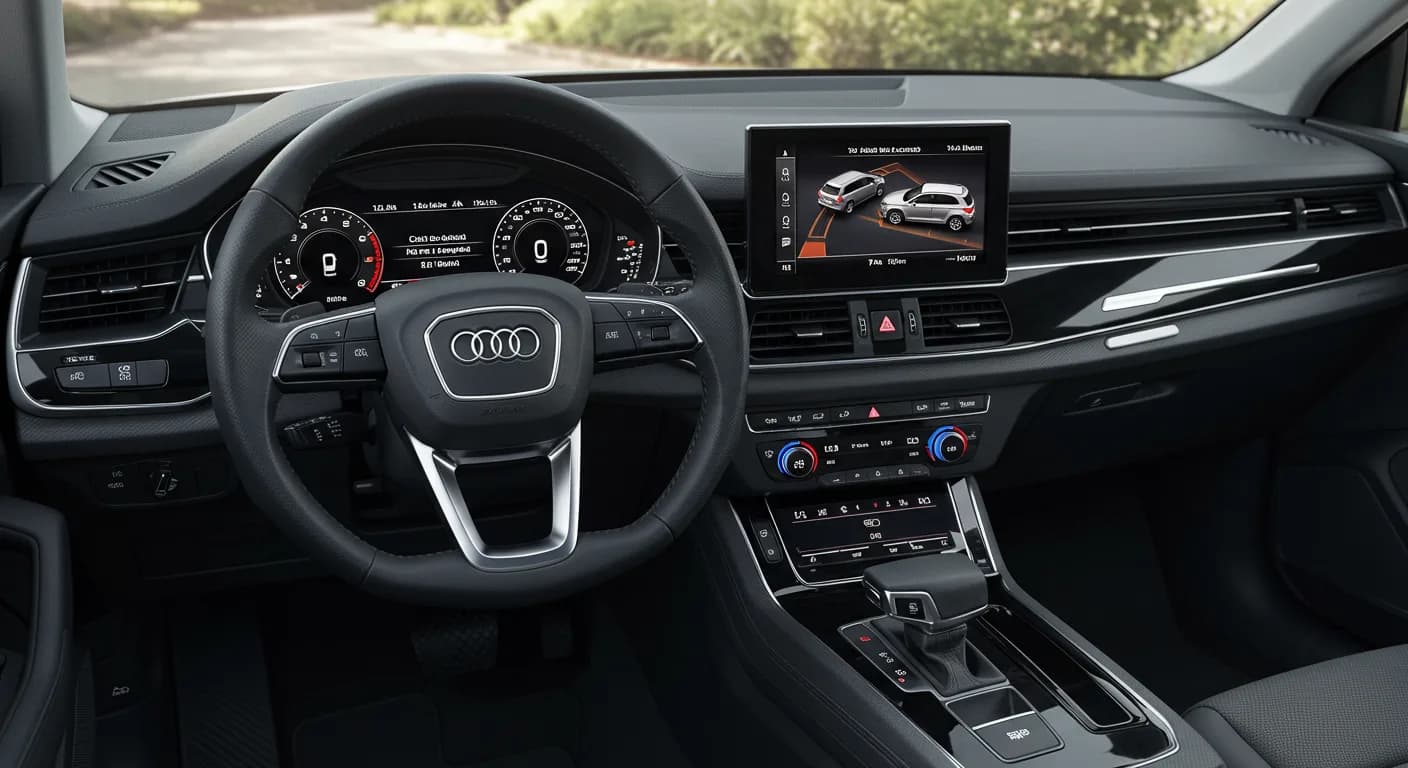
Si applica anche a
- Audi A6
- 2024–2025
- Audi A6 allroad
- 2024–2025
- Audi A7
- 2024–2025
- Audi e-tron GT
- 2024–2025
- Audi Q7
- 2024–2025
- Audi Q8
- 2025
- Audi RS 6 Avant
- 2024–2025
- Audi RS 7
- 2024–2025
- Audi RS e-tron GT
- 2024
- Audi RS Q8
- 2024–2025
- Audi S e-tron GT
- 2026
- Audi S6
- 2024–2025
- Audi S7
- 2024–2025
- Audi S8
- 2024–2025
- Audi SQ7
- 2024–2025
- Audi SQ8
- 2024–2025
▸ Mostra altri 10▾ Mostra meno
This Technical Service Bulletin (TSB) 2079670/2, with a release date of October 24, 2025, outlines a software update for the MMI (Multi Media Interface) and connectivity box in MIB3 vehicles. This update is specifically for models with version MLB G1 ST3BP without AED. The bulletin aims to resolve a range of MMI functionality issues and address instances where an "Emergency call fault" message appears in the instrument cluster.
Revision History
This bulletin has undergone revisions to ensure accuracy and completeness. The initial publication of TSB 2079670/2 occurred on October 14, 2025. Revision 2 involved a revised header, specifically updating the PR (Primary Requirement) codes relevant to the affected vehicles.
Symptoms
Owners of affected 2024-2026 Audi vehicles may experience various problems with MMI functions. A key indicator of this issue is the display of an "Emergency call fault" message in the instrument cluster. Other reported symptoms, categorized under infotainment system functionality, include:
- "information, navigation, communication, entertainment -> Infotainment system operation with multifunction steering wheel"
- "information, navigation, communication, entertainment -> operation, control, speech input"
- "information, navigation, communication, entertainment -> screen settings"
- "information, navigation, communication, entertainment -> audio, video, television"
- "information, navigation, communication, entertainment -> navigation mode"
- "information, navigation, communication, entertainment -> controlling infotainment with buttons, controls, screen"
- "information, navigation, communication, entertainment -> audio playback, audio settings"
- "information, navigation, communication, entertainment -> telephone operation"
- "information, navigation, communication, entertainment -> media playback"
- "information, navigation, communication, entertainment -> settings"
- "information, navigation, communication, entertainment -> Telematics, online services"
- "information, navigation, communication, entertainment -> Online Services"
- "information, navigation, communication, entertainment -> instrument cluster, displays, screens"
- "information, navigation, communication, entertainment -> radio operation"
- "information, navigation, communication, entertainment -> radio, navigation, MMI and drive device functions"
- "information, navigation, communication, entertainment -> malfunction display symbols -> interference display for emergency call service" which "activates"
- "information, navigation, communication, entertainment -> telephony"
Affected Software Versions
This software update targets vehicles where the diagnostic address 5F (Information electronics) still has one of the following software versions:
- 4014
- 4026
- 4318
- 4404
These versions are found in MIB3 systems for model years 2024 and 2025, including configurations both with and without AED (Audi Entertainment Mobile).
Technical Background and Production Solution
The underlying cause of these issues is identified as software-related problems within the MIB3 infotainment system and associated control units. Audi has implemented new software for the affected control units in production vehicles to prevent these issues in newly manufactured units. This TSB provides the necessary software update for vehicles already in the field.
Diagnosis and Trigger Conditions
Diagnosis for the Audi MMI Emergency Call Fault and related MMI issues involves identifying the presence of the symptoms described above. Technicians will confirm the vehicle's diagnostic address 5F (Information electronics) is running one of the specific older software versions (4014, 4026, 4318, or 4404). Additionally, diagnostic entries logged in diagnostic address 0075 will indicate the need for this software update. A different TSB may have previously directed technicians to this bulletin for a software update involving multiple control units.
Important Warnings for Owners and Technicians
Owners and technicians should be aware of several critical points regarding this TSB 2079670/2:
- Do not perform Guided Fault Finding test plans: For diagnostic entries logged in diagnostic address 0075 that will be repaired by this TSB, the Guided Fault Finding test plans should not be carried out and cannot be invoiced. This prevents unnecessary diagnostic work.
- Extended Inactive Periods: The software update procedure will involve extended inactive periods for some of the steps. During this time, technicians are permitted to work on a different vehicle, which is accounted for in warranty instructions.
- No Time Stamps Required: When performing this TSB, time stamps are not required for billing under warranty, offering flexibility for service centers.
- ODIS Update Requirement: A newly developed test program is used to input the SVM (Software Version Management) code. Technicians must ensure that the tester being used has the latest ODIS update, as the new test program for software updates is included in the ODIS software.
- User Input Indicators: The vehicle uses acoustic signals and flashing lights to indicate when user input is required during and at the end of the test program.
- USB-C Stick Preparation: It is crucial to prepare the required USB-C sticks before starting the repair. The update media can be used for multiple vehicles.
- USB-C Stick Restrictions: You must not use an SD card with an adapter USB stick. Furthermore, do not use a USB-C stick with a larger storage capacity than 32 GB (USB 2.0 compatible), as such sticks may have a different formatting process that can cause issues with the update.
- Procedure Interruption: If the software update procedure is interrupted, it is crucial to repeat step 1. The test program is designed to automatically perform any missing parts of the update.
- Additional MIB3 Information: This update package also includes new software for the MIB3 infotainment system. Further useful information for MIB3 software updates can be found in TSB 2060523, titled "91 MIB3: Software Update Instructions."
Repair Procedure Summary
This TSB, identified as 2079670/2, provides a comprehensive software update for the MMI, connectivity box, and MIB3 system. The update specifically targets the emergency call module (0075), gateway (0019), and information electronics (005F). The procedure involves several key steps:
- Software Update Initiation: Technicians will begin by parking the vehicle and connecting a 12V battery charger to maintain voltage during the process. They will then connect the ODIS tester and start the flash mode. The "SVM – Authorized Multiple Code Entry" function is used in flash mode to initiate the update.
- Hardware Version Identification: The next step is to determine the hardware version in diagnostic address 0019 using the SVM code DUCIDENT0019. This SVM code is part of the "SVM – Authorized Multiple Code Entry" process. The document includes QR codes to facilitate this process, visually representing the SVM code chains for different hardware versions.
- SVM Code Chain Application: Based on the identified hardware version, the appropriate SVM code chain is then copied and pasted to start the update. For hardware version H08 in diagnostic address 0019, the code chain is FLIGHTON0075MLB,ZGDOIP,CL3BPA001US,TGU1MDMVB,CL3BPA002US,FLIGHTOFF0075MLB. For all other versions in diagnostic address 0019, the code chain is FLIGHTON0075MLB,ZGDOIP,CL3BPA001US,19A027,19B027,TGU1MDMVB,CL3BPA002US,FLIGHTOFF0075MLB. The test program will prompt the technician to insert a USB-C stick containing the update software.
- Software Update Execution: The software update program runs automatically. During this process, the vehicle may use acoustic signals and flashing lights to indicate when user input is required. The automatic execution of software updates results in inactive time, which is accounted for in warranty instructions. Once the program is complete, the USB-C stick can be removed.
- Bus Sleep Mode Activation: After the software update is concluded, the vehicle must be put into bus sleep mode. Following this, the ignition should be switched back on, and the MMI system restarted.
- Emergency Call LED Verification: A crucial step is to check if the emergency call LED in the roof module illuminates green. If it does not turn green, technicians are instructed to refer to TSB 2079652, titled "Emergency call LED in roof module not lit up in green," for further guidance.
- Diagnostic Session Conclusion: Finally, the diagnostic session must be ended, the current test program concluded, and the diagnostic log sent online. The charger should then be disconnected.
Required Tools and Parts
To perform the software update outlined in TSB 2079670/2, specific tools and parts are necessary:
- USB-C sticks: Minimum 32 GB capacity (USB 2.0) are required to create the update media. These are essential for transferring the software to the vehicle. It is critical to use USB-C sticks and not SD cards with adapters, and to avoid sticks larger than 32 GB due to potential formatting issues.
- ODIS Tester: The diagnostic tester used must have the latest ODIS update to ensure compatibility with the new test program for software updates.
- 12V Battery Charger: A battery charger is required to maintain the vehicle's 12V battery during the repair process, which can be lengthy.
- Software Part Numbers: The specific software part numbers depend on the existing MIB3 software version and vehicle type:
- Part number 8W0906961GC: Used for MIB3 SW versions 4014, 4026, and 4404. This applies to Audi A4, A5, and Q5 models.
- Part number 8W0906961GG: Used for MIB3 SW version 4318. This also applies to Audi A4, A5, and Q5 models.
General information regarding USB-C sticks for software updates can also be found in TSB 2060523, specifically titled "91 MIB3: Software Update Instructions."
Warranty Information
This Technical Service Bulletin is primarily informational if the vehicle is outside of its warranty period. For in-warranty repairs, specific service numbers and damage codes apply, and claims must comply with the Audi Warranty Policies and Procedures Manual.
- Claim Type: If the vehicle is outside of any warranty, this Technical Service Bulletin is informational only.
- Service Number 9145: Used for complaints about the emergency call function or online services. This is valid for Audi A4, A5, and Q5 vehicle models.
- Service Number 9196: Used for complaints concerning general MMI functions.
- Damage Code 0041: This is the specific damage code to be used for these repairs.
Labor operations are standardized to ensure consistent billing:
- Labor Operation 0151 0010: For preparing the repair, including parking the vehicle and charging the 12V battery. This operation is allocated 20 Time Units (TU).
- Labor Operation 0151 0040: For launching the software update for the MMI and emergency call module, which includes connecting the tester, starting ODIS, flash mode, using the "Function Authorized Multiple Code Entry," copying/pasting the code chain, and inserting the USB stick. This operation is allocated 60 Time Units (TU).
Notably, time stamps are not required for billing under warranty for this TSB, and non-productive personnel are permitted to perform the update. All warranty claims submitted for payment must be in accordance with the Audi Warranty Policies and Procedures Manual and are subject to review or audit by Audi Warranty.
Source: NHTSA ID 11025407
Frequently Asked Questions
- What is the main issue addressed by Audi TSB 2079670/2?
- Audi TSB 2079670/2 addresses various MMI functionality problems and the display of an "Emergency call fault" message in the instrument cluster of affected vehicles. It provides a software update for the MIB3 infotainment system and related control units.
- Which Audi models and years are affected by the MMI and "Emergency call fault" issues?
- This TSB applies to a range of 2024-2026 Audi models, including the Q8, Q7, SQ7, SQ8, RS Q8, A7, S7, RS 7, A6, S6, RS 6 Avant, A6 allroad, S8, e-tron GT, and RS e-tron GT. It also specifically mentions A4, A5, and Q5 models in the context of warranty claims.
- What are the key symptoms of the Audi MMI Emergency Call Fault?
- The primary symptom is the "Emergency call fault" message appearing in the instrument cluster. Owners may also experience issues with infotainment controls, navigation, audio/video playback, telephone operation, and general MMI functionality, as detailed in the TSB's list of complaint objects.
- What specific software versions are targeted by this update?
- The software update targets vehicles where the diagnostic address 5F (Information electronics) is running older software versions such as 4014, 4026, 4318, or 4404. These are found in MIB3 systems for model years 2024 and 2025.
- What tools and parts are needed for this software update?
- Technicians will need USB-C sticks (minimum 32 GB), an ODIS tester with the latest updates, and a 12V battery charger. Specific software part numbers like 8W0906961GC or 8W0906961GG are required depending on the vehicle's current MIB3 software version and model (Audi A4, A5, Q5).
Related Articles
2023-2025 Audi MMI Emergency Call Fault Software Update
Audi has released Technical Service Bulletin 2079680/3 to address MMI function problems and 'Emergency call fault' messages in 2023-2025 Audi Q7, Q8, A6, A7, A8, and other models. A software update is available.
2024-2025 Audi Bluetooth / Smartphone Interface Connection Issue
Audi has identified a software issue causing slow Bluetooth and smartphone interface connections in certain 2024-2025 models. A solution is expected by Q2 2026, and component replacement is not recommended as it will not resolve the problem.
2024-2025 Audi MIB3: No Tiles in Main Menu, Phone Controls Not Working
This Technical Service Bulletin (TSB 2080958/2) addresses an issue in 2024-2025 Audi vehicles equipped with the MIB3 infotainment system where owners may find 'no tiles in main menu' or encounter a phone menu with 'controls are not working'. A software update is available.
2024-2025 Audi MMI Connectivity and Infotainment TSB
Audi Technical Service Bulletin 2079416/4 provides an overview of customer service packages for MLB and MQB vehicles with MIB3 systems, addressing common infotainment and connectivity complaints in 2024-2025 Audi models. Learn about diagnostic steps and related software updates.
2021-2025 Audi Q8/SQ8/RS Q8 Window Reversal TSB
If your 2021-2025 Audi Q8, SQ8, or RS Q8 window opens again after attempting to close it, Technical Service Bulletin 2080696/1 details a software issue. This TSB addresses the diagnostic trouble code B148754 related to the window regulator and provides a software update.
Leave a comment
Comments are moderated and may take a moment to appear. Only your first name and the initial of your last name are shown publicly.
Comments
Be the first to comment.