2022-2023 Audi MMI Software Update for Connectivity Box Issues
Audi has released Technical Service Bulletin (TSB) 2079134/1 to address various MMI functionality issues and the display of an 'Emergency call fault' message in 2022-2023 Audi A3, S3, RS 3, e-tron GT, and RS e-tron GT models. This update targets the MIB3 infotainment system's connectivity box.

También aplica a
- Audi A3
- 2022–2023
- Audi e-tron GT
- 2022–2023
- Audi RS 3
- 2022–2023
- Audi RS e-tron GT
- 2022–2023
- Audi S3
- 2022
Audi has issued Technical Service Bulletin (TSB) 2079134/1, released on August 29, 2025, to address various software-related issues affecting the Modular Infotainment Toolkit (MIB3) system in certain 2022-2023 Audi vehicles. This TSB specifically targets the connectivity box within the MIB3 system, which is crucial for many vehicle functions. Owners of affected models, including the Audi A3, S3, RS 3, e-tron GT, and RS e-tron GT, may experience a range of MMI (Multi Media Interface) problems or see a specific warning message displayed in their instrument cluster. This document provides a comprehensive software update to restore proper functionality and prevent further issues with the infotainment system.
The focus keyword for this issue is the 2023 Audi S3 MMI software update, as it directly addresses the core problem for a common model. This software update is essential for maintaining the full functionality and safety features of your Audi's infotainment system.
Symptoms
Owners may notice a variety of issues with their MMI system, indicating a need for the software update described in TSB 2079134/1. These problems can manifest in several areas related to information, navigation, communication, and entertainment functionalities. Common complaints include difficulties with:
- Operation, control, and speech input
- Screen settings
- Telematics and online services
- Infotainment system operation with the multifunction steering wheel
- Telephony functions
- Radio, navigation, MMI, and drive device functions
- Audio playback and audio settings
- Controlling infotainment with buttons, controls, and the screen
- Navigation mode
- Audio, video, and television functions
- Media playback
- Instrument cluster, displays, and screens
- Telephone operation
- Radio operation
- Settings
A critical symptom that owners may encounter is the display of an explicit warning message: "Emergency call fault". This message indicates a potential problem with the vehicle's emergency call service, which is a significant safety concern. The 2023 Audi S3 MMI software update aims to resolve these diverse issues.
Fault Codes / Diagnostic Addresses
This software update addresses issues related to specific diagnostic addresses within the MIB3 system. Technicians will focus on these control units during diagnosis and repair:
| Diagnostic Address | Control Unit Description | Associated Software Versions |
|---|---|---|
| 005F | Information electronics 1 | 36*, 38* |
| 0075 | Emergency call module | N/A |
| 0693 | Volume control module | N/A |
Diagnosis / Trigger Conditions
Audi service technicians will diagnose the issue by checking the vehicle's current software version. The primary indicator for this TSB's applicability is a software version below 3900 in diagnostic address 5F, which corresponds to the information electronics control unit. If a vehicle presents with MMI functionality problems or the "Emergency call fault" message and has this older software version, it qualifies for the update. The TSB also notes that other TSBs might direct technicians to this specific bulletin for software updates involving multiple control units, highlighting the interconnected nature of the MIB3 system components.
Important Warnings for Owners and Technicians
This Technical Service Bulletin includes several critical advisories for both owners and service technicians to ensure the correct and efficient resolution of the MMI software issues:
- Diagnostic entries logged in diagnostic address 0075 will be repaired by a software update described in this TSB. The Guided Fault Finding test plans should not be carried out and also cannot be invoiced. This means technicians should not spend time diagnosing issues related to the emergency call module (diagnostic address 0075) using standard test plans, as the software update will inherently fix them. Owners should be aware that such diagnostic work should not be charged.
- A lengthy period of inactive time is to be expected during the software update. You can work on a different vehicle during this time. This is taken into account in the warranty accounting instructions. The update process is time-consuming, and technicians are permitted to work on other vehicles while the update is in progress.
- When carrying out this TSB, time stamps are not required for billing under warranty. This simplifies the warranty claim process for this specific repair.
- You are therefore permitted to work on other vehicles at the same time. The update can also be performed by non-productive personnel. This flexibility in labor allocation helps streamline service operations.
- Please prepare the 2 required USB-C sticks (see parts information) before starting the repair. Proper preparation of the update media is crucial for a smooth process.
- You must not use an SD card with an adapter USB stick. Only dedicated USB-C sticks are suitable for this update procedure.
- The USB-C stick and downloading the software via the Flash Media Creator (FMC) cannot be invoiced. These preparatory steps are considered part of the overall repair process and are not separately billable.
- Please do not use a USB-C stick with a larger storage capacity as such USB sticks have a different formatting process. Using incorrect USB-C stick capacities can lead to formatting issues and prevent the update from succeeding.
- If the procedure has been interrupted, please repeat step 2. The test program will then automatically perform the missing part of the update. This instruction provides guidance for recovery in case of an interrupted update, ensuring the process can be completed without starting entirely over.
Repair Procedure Overview
The repair involves a comprehensive software update for the MIB3 system, specifically addressing the volume control (diagnostic address 0693), the emergency call module (diagnostic address 0075), and information electronics (diagnostic address 005F). This process requires specialized tools and careful execution by trained technicians. The 2023 Audi S3 MMI software update is performed in several key steps to ensure all affected modules receive the necessary software.
Detailed Repair Steps
1. Manual Software Update of Volume Control (0693) via Red Menu
First, the volume control module is updated. This is done through a hidden "red menu" in the MMI. The technician inserts a USB update medium into the USB connection. The red menu is accessed by pressing specific buttons. From there, "Update" is selected, and the source of the update medium is chosen. All control units to be updated are displayed, and the technician scrolls down to start the update. Once this manual update is successfully completed, the technician must exit the red menu entirely before proceeding to a diagnostic session.
2. SVM Code Entry for MIB3 Modules
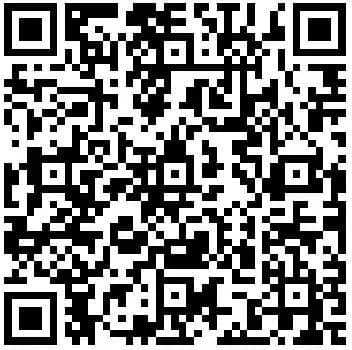
Next, the technician uses the "SVM – Multiple authorized code inputs" function in "Flash" mode. This is a critical step for updating the emergency call module (0075) and information electronics (005F). For the new software update program, a specific SVM code must be entered exactly, including commas and without spaces. Audi recommends scanning a QR code with a hand-held scanner or copying and pasting the SVM code chain to avoid errors.
- For e-tron GT vehicle models, the SVM code is:
693A001,FLIGHTON0075MLB,ZGDOIP,CL37A001US,TGU1MDMVB,CL37A002US,FLIGHTOFF0075MLB - For A3 vehicle models, the SVM code is:
693A001,TGU1MDMVB,ZGDOIP,CL37A001US,CL37A002US
3. Bus Sleep Mode
After performing the software update, the vehicle must be put into bus sleep mode. This ensures that all changes are properly integrated and the system stabilizes.
4. Check Emergency Call LED
The technician must then switch the ignition back on and start the MMI. A check is performed to ensure the emergency call LED in the roof module lights up green again, indicating proper functionality.
5. End Diagnostic Session
Finally, the diagnostic session is ended, and the diagnostic log is sent to GFF paperless, completing the repair process.
Required Parts and Tools
To perform this software update, specific tools and parts are necessary:
Two USB-C sticks: These are required for the update process. One is for the volume control software update, and the other for the MIB3 infotainment system update. It is crucial to use USB-C sticks that comply with the USB 2.0 specification (32GB) and not SD cards with adapters or USB-C sticks with larger storage capacity due to formatting differences.
Latest ODIS update: The tester being used must have the latest ODIS software, which includes the new test program for software updates.
Flash Media Creator (FMC): This tool is used to download the software onto the USB-C sticks.
Specific Update Media Part Numbers:
Volume Control Update Media (Diagnostic Address 0693):
Software Version Readout Part Number <SW0150 8W0.906.961.CR =SW0200 8W0.906.961.CS MIB3 Update Media:
Vehicle Type Part Number Audi A3 without Sirius (with PR number QV0) 8W0.906.961.DK Audi A3 with Sirius (with PR number QV3) 8W0.906.961.FT Audi e-tron GT without Sirius (with PR QV0) 8W0.906.961.DL Audi e-tron GT with Sirius (with PR number QV3) 8W0.906.961.FS
General information on USB-C sticks for software updates can also be found in TSB 2060523: 91 MIB3: Software Update Instructions.
Warranty and Labor Information
This Technical Service Bulletin provides specific guidelines for warranty claims and labor operations:
- Claim Type: If the vehicle is outside of any warranty, this TSB is informational only. Otherwise, it falls under standard warranty procedures.
- Service Number:
- Complaints about emergency call function or online services: 9170-A3 (for A3 models) and 9145-e-tron GT (for e-tron GT models).
- Complaints about MMI functions: 9196.
- Damage Code: T202
- Labor Operations:
| Labor Operation ```json {
Galería
3 imágenes
Frequently Asked Questions
- What kind of problems does Audi TSB 2079134/1 address?
- TSB 2079134/1 addresses a range of MMI functionality issues, including problems with navigation, communication, entertainment, and the display of an "Emergency call fault" message in the instrument cluster for 2022-2023 Audi models.
- Which Audi models are affected by this MMI software update?
- This software update applies to 2022-2023 Audi A3, S3, RS 3, e-tron GT, and RS e-tron GT vehicles equipped with the MIB3 infotainment system.
- What is the 'Emergency call fault' message, and how does TSB 2079134/1 fix it?
- The "Emergency call fault" message indicates a malfunction in the vehicle's emergency call service, which is linked to diagnostic address 0075. TSB 2079134/1 provides a software update that directly repairs diagnostic entries related to this module, restoring proper emergency call functionality.
- Are there any specific tools or parts required for this update?
- Yes, technicians need two USB-C sticks and the latest ODIS software. Specific part numbers for the update media vary by vehicle model and SiriusXM configuration, such as 8W0.906.961.DK for an Audi A3 without Sirius or 8W0.906.961.FS for an Audi e-tron GT with Sirius.
- Will I be charged for the diagnostic work related to this TSB?
- According to the TSB, diagnostic entries logged in diagnostic address 0075 will be repaired by the software update, and Guided Fault Finding test plans for these issues should not be carried out or invoiced. This suggests that related diagnostic charges should not apply under warranty.
What Audi S3 owners report
Counted from the records in our database across 8 model years.
- 88
- Owner complaints
- 12
- Recalls
- 1,590
- Service bulletins
- 1
- Crashes reported
- 0
- Fires reported
- 2
- Injuries reported
Electrical System, the system this article covers, accounts for 11 of 88 complaints (13%).
Complaints by model year
| 2015 | 53 | |
|---|---|---|
| 2016 | 14 | |
| 2017 | 9 | |
| 2018 | 5 | |
| 2019 | 2 | |
| 2020 | 1 | |
| 2022 | 2 | |
| 2024 | 2 |
Most-reported systems
- Air Bags — 49
- Electrical System — 11
- Fuel/Propulsion System — 10
- Power Train — 10
- Seats — 8
Latest recalls for the 2023 model year
- 22V901000 — Equipment (Dec 2022)
Complaints are owner reports filed with NHTSA. They are unverified, and counts depend on how many vehicles were sold, so they are not a failure rate.
Related Articles
2023-2024 Audi A3, S3, RS 3 Driver Assist System Faults
Audi has released Technical Service Bulletin (TSB) 2079574/2 to address various driver assist system complaints in 2023-2024 Audi A3, S3, and RS 3 vehicles. Owners may see warning messages like 'Traffic sign recognition: fault' or 'Adaptive cruise assist not working' due to an intermittent front…
2017-2023 Audi A3, S3, TT Transmission Oil Leak TSB 2067365/3
Audi has released Technical Service Bulletin 2067365/3 to address oil leaks near the transmission cooler in various 2017-2023 Audi A3, S3, and TT models equipped with the DQ-381 transmission. This bulletin outlines diagnostic steps and repair procedures for technicians.
2022-2024 Audi A3, S3, RS 3 Airbag Control Module DTC P000000
Audi has released Technical Service Bulletin (TSB) 2070322/5 to address communication and configuration issues with the airbag control module (J234) in 2022-2024 A3, S3, and RS 3 models, often indicated by DTC P000000. This TSB outlines a software update remedy.
2022-2023 Audi MIB3 MMI Software Update TSB
Audi has released Technical Service Bulletin 2079134/2 addressing various MMI functionality issues and 'Emergency call fault' messages in 2022-2023 A3, S3, RS 3, e-tron GT, and RS e-tron GT models. A software update for the MIB3 system and connectivity box is available to resolve these concerns.
2023-2024 Audi S3 / A3 Driver Assist System Fault TSB 2079574/1
Audi has released Technical Service Bulletin 2079574/1 for 2023-2024 Audi S3 and A3 models experiencing various driver assist system malfunctions, including warning messages like 'Traffic sign recognition: fault'. The fix involves a software update for the front camera.
Leave a comment
Comments are moderated and may take a moment to appear. Only your first name and the initial of your last name are shown publicly.
Comments
Be the first to comment.