2023-2025 Audi MMI Connectivity Box Software Update
Audi has released Technical Service Bulletin (TSB) 2079680/2 to address various MMI functions problems and the 'Emergency call fault' warning in 2023-2025 Audi vehicles. This update targets the MMI, connectivity box, and MIB3 infotainment system.
 Marcus Weber2024 Audi Q8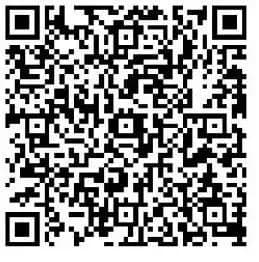
También aplica a
- Audi A6
- 2024–2025
- Audi A6 allroad
- 2024–2025
- Audi A7
- 2024–2025
- Audi Q7
- 2023–2025
- Audi Q8
- 2023, 2025
- Audi RS 6 Avant
- 2024–2025
- Audi RS 7
- 2024–2025
- Audi RS Q8
- 2023–2025
- Audi S6
- 2024–2025
- Audi S7
- 2024–2025
- Audi S8
- 2024–2025
- Audi SQ7
- 2023–2025
- Audi SQ8
- 2023–2025
▸ Mostrar 7 más▾ Mostrar menos
Audi has issued Technical Service Bulletin (TSB) 2079680/2 to address concerns related to the Multi Media Interface (MMI) functions and an "Emergency call fault" message that may appear in the instrument cluster of certain 2023-2025 Audi vehicles. This TSB outlines a software update designed to resolve these issues, specifically targeting the MMI, connectivity box, and MIB3 infotainment system. This update is crucial for maintaining optimal functionality of your Audi MMI connectivity box software.
Revision History
This Technical Service Bulletin, identified as 2079680/2, was released on November 26, 2025. It supersedes the initial publication, Revision 1, dated October 14, 2025. Revision 2 includes a revised header with adjusted models and updated service instructions, specifically removing a Gateway (GW) check that was previously required.
Symptoms of MMI and Emergency Call Issues
Owners of affected Audi vehicles may observe various problems with MMI functions or an "Emergency call fault" message displayed in the instrument cluster. These symptoms are typically present in vehicles with specific software versions in diagnostic address 5F, including 4014, 4026, 4318, and 4404. These software versions indicate that the MIB3 infotainment system may not be operating correctly, leading to the observed issues.
Technical Background
The root cause of these MMI and emergency call issues is identified as software-related. To address this, new software for the affected control units was implemented in production models starting from model year 2025. For earlier models, a software update is necessary to bring them up to the latest specifications and resolve the existing problems with the Audi MMI connectivity box software.
Important Warnings and Information for Owners
When addressing the Audi MMI connectivity box software update, there are several key points for owners to be aware of:
- Diagnostic Entries: Diagnostic entries logged in diagnostic address 0075 will be repaired by the software update described in this TSB. The Guided Fault Finding test plans for these specific entries should not be carried out and cannot be invoiced by service centers.
- Inactive Periods: The software update process will involve extended inactive periods for some of the steps. Technicians are permitted to work on other vehicles during this time, which is accounted for in warranty accounting instructions.
- Warranty Billing: Time stamps are not required for billing under warranty when this TSB is carried out. This allows the update to be performed by non-productive personnel.
- USB-C Media: You must not use an SD card with an adapter USB stick for the update. Additionally, do not use a USB-C stick with a larger storage capacity than 32 GB, as these types of USB sticks may have a different formatting process that could interfere with the update.
- Out-of-Warranty Vehicles: If your vehicle is outside of any warranty, this Technical Service Bulletin is informational only, providing guidance on the issue and its resolution.
Detailed Repair Procedure
The repair involves a comprehensive software update for the emergency call module (0075), gateway (0019), and information electronics (005F). The procedure requires specific steps to ensure the new Audi MMI connectivity box software is installed correctly:
- Preparation: The vehicle must be parked, and the 12V battery charged. The technician will use the ODIS diagnostic system in "Flash" mode, utilizing the function "SVM - Authorized Multiple Code Entry."
- SVM Code Entry: A critical step is to accurately enter a specific SVM code. It is highly recommended to scan the provided QR code with a hand-held scanner or copy and paste the exact code chain to ensure accuracy. The SVM code is:
DUCDTCPR0075MLB,FLIGHTON0075MLB,ZGDOIP,CL3BPA001US,19A027,19B027,TGU1MDMVB,CL3BPA002US,FLIGHTOFF0075MLB. - USB Medium Insertion: The test program will initially prompt the technician to use a USB-C medium containing the update software. The USB-C stick can be removed after the program is completed.
- Automatic Update Execution: The software update will run automatically, which includes extended inactive periods. If the procedure is interrupted for any reason, it should be repeated from step 1. The test program will then automatically perform the missing part of the update.
- Bus Sleep Mode and MMI Restart: After the software update is complete, the vehicle must be put into bus sleep mode. Following this, the ignition should be switched back on, and the MMI system started.
- Emergency Call LED Check: Verify that the emergency call LED in the roof module illuminates green. If the LED does not turn green, technicians are advised to refer to TSB 2079652, titled "Emergency call LED in roof module not lit up in green," for further diagnosis and resolution.
- End Diagnostic Session: Conclude the diagnostic session and send the diagnostic log online.
Required Tools and Parts
To perform this software update, specific USB-C sticks are required. The software must be downloaded to the USB-C stick with a minimum capacity of 32 GB using the corresponding part number. It is crucial not to use an SD card with an adapter USB stick, or USB-C sticks with a larger storage capacity, as these may have different formatting processes. General information regarding USB-C sticks for software updates can be found in TSB 2060523, titled "91 MIB3: Software Update Instructions."
| Vehicle type | MIB3 SW version | Part number |
|---|---|---|
| Audi A6, A7, A8, Q7, Q8, e-tron (GE) | 4014, 4026 | 8W0906961GB |
| Audi A6, A7, A8, Q7, Q8, e-tron (GE) | 4318 | 8W0906961GF |
Warranty Information
Warranty claims for this TSB must adhere to the Audi Warranty Policies and Procedures Manual. The service numbers associated with this bulletin are 9145 for "Complaints about emergency call function or online services" and 9196 for "Complaints about MMI functions." The damage code is 0041. The labor operations include 0151 0010 for preparing the repair (20 time units) and 0151 0040 for launching the software update (60 time units). As previously mentioned, time stamps are not required for billing under warranty, and Guided Fault Finding test plans for issues resolved by this TSB should not be carried out or invoiced. The claim comment for this procedure is "As per TSB 2079680/2." If the vehicle is outside of warranty, this Technical Service Bulletin serves as informational guidance for addressing the Audi MMI connectivity box software issues.
NHTSA ID: 11026232
Frequently Asked Questions
- What is TSB 2079680/2 about?
- TSB 2079680/2 is an Audi Technical Service Bulletin that provides a software update for the MMI (Multi Media Interface) and connectivity box in MIB3-equipped 2023-2025 Audi vehicles. It aims to resolve various MMI function problems and the 'Emergency call fault' message, ensuring proper operation of the Audi MMI connectivity box software.
- Which Audi models and software versions are affected by the 'Emergency call fault' and MMI issues?
- This issue affects a range of 2023-2025 Audi models including the A6, A7, A8, Q7, Q8, S6, S7, S8, SQ7, SQ8, RS 6 Avant, RS 7, and RS Q8. It specifically targets vehicles with MIB3 software versions 4014, 4026, 4318, or 4404 in diagnostic address 5F.
- Will I be charged for the software update to fix the Audi MMI connectivity box software?
- If your vehicle is still under warranty, the software update described in TSB 2079680/2 should be covered free of charge. Audi explicitly states that time stamps are not required for warranty billing for this procedure, and diagnostic steps for issues resolved by the update should not be invoiced. If your vehicle is out of warranty, the TSB serves as informational guidance.
- What is the SVM code mentioned in the repair procedure?
- The SVM code `DUCDTCPR0075MLB,FLIGHTON0075MLB,ZGDOIP,CL3BPA001US,19A027,19B027,TGU1MDMVB,CL3BPA002US,FLIGHTOFF0075MLB` is a specific code that technicians must enter precisely into the ODIS diagnostic system during the software update process to ensure the correct Audi MMI connectivity box software is installed. It's recommended to scan the provided QR code for accuracy.
- What should I do if my emergency call LED does not turn green after the update?
- If the emergency call LED in the roof module does not turn green after the software update, your service technician should refer to Audi TSB 2079652, which provides specific guidance for diagnosing and resolving issues with the 'Emergency call LED in roof module not lit up in green'.
Related Articles
2023-2025 Audi MMI Emergency Call Fault Software Update
Audi has released Technical Service Bulletin 2079680/3 to address MMI function problems and 'Emergency call fault' messages in 2023-2025 Audi Q7, Q8, A6, A7, A8, and other models. A software update is available.
2024-2025 Audi Bluetooth / Smartphone Interface Connection Issue
Audi has identified a software issue causing slow Bluetooth and smartphone interface connections in certain 2024-2025 models. A solution is expected by Q2 2026, and component replacement is not recommended as it will not resolve the problem.
2024-2025 Audi MIB3: No Tiles in Main Menu, Phone Controls Not Working
This Technical Service Bulletin (TSB 2080958/2) addresses an issue in 2024-2025 Audi vehicles equipped with the MIB3 infotainment system where owners may find 'no tiles in main menu' or encounter a phone menu with 'controls are not working'. A software update is available.
2024-2025 Audi MMI Connectivity and Infotainment TSB
Audi Technical Service Bulletin 2079416/4 provides an overview of customer service packages for MLB and MQB vehicles with MIB3 systems, addressing common infotainment and connectivity complaints in 2024-2025 Audi models. Learn about diagnostic steps and related software updates.
2021-2025 Audi Q8/SQ8/RS Q8 Window Reversal TSB
If your 2021-2025 Audi Q8, SQ8, or RS Q8 window opens again after attempting to close it, Technical Service Bulletin 2080696/1 details a software issue. This TSB addresses the diagnostic trouble code B148754 related to the window regulator and provides a software update.
Leave a comment
Comments are moderated and may take a moment to appear. Only your first name and the initial of your last name are shown publicly.
Comments
Be the first to comment.