2025 BMW Personal Assistant Inop After Software Update
BMW has identified an issue where the Intelligent Personal Assistant, including the 'Hey BMW' activation, becomes inoperative in certain 2025 models after software updates or profile changes. Service Bulletin SIB 65 02 26 outlines diagnostic and repair steps, involving HU-H6 software programming…
 Ahmet Topcu2025 BMW X1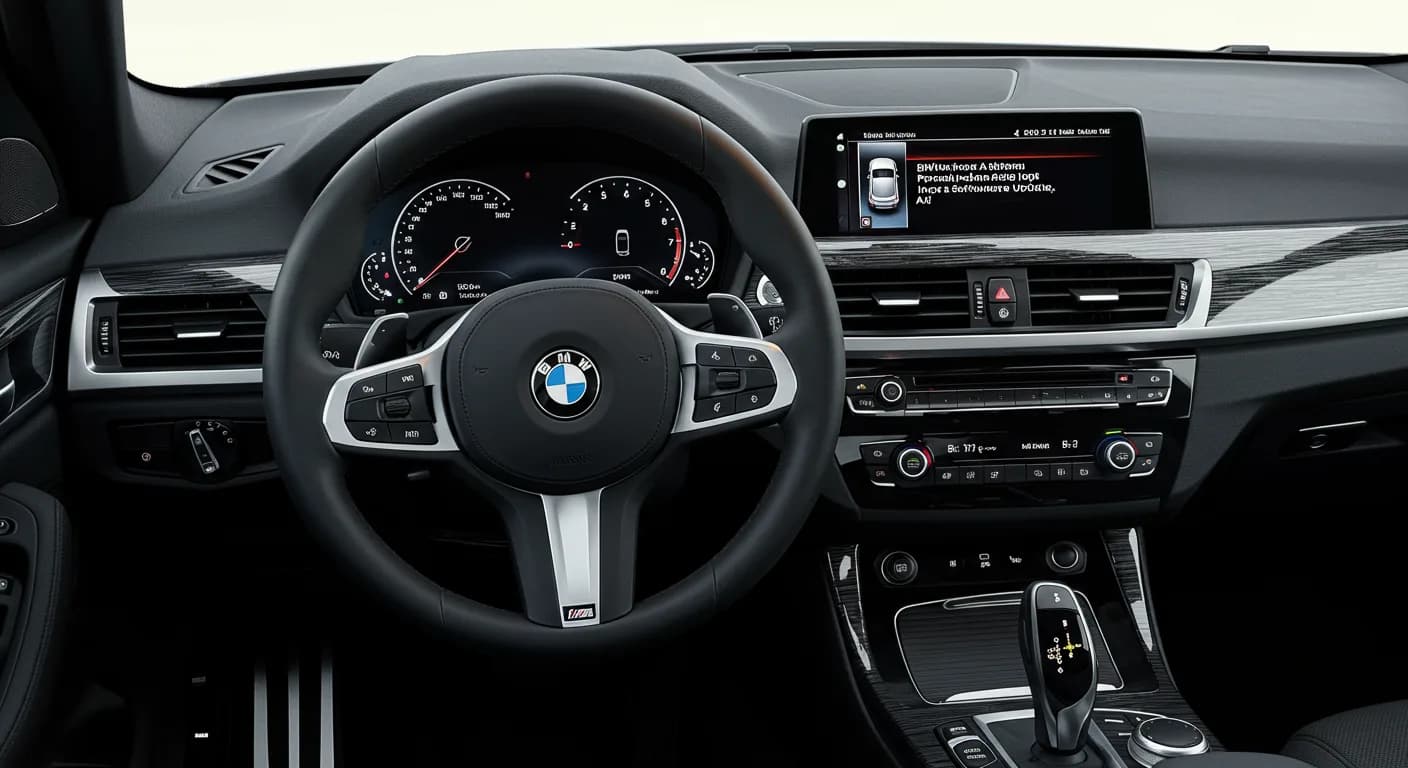
Gilt auch für
- BMW 230i
- 2025
- BMW X2
- 2025
- BMW X3
- 2025
BMW has released Service Information Bulletin (SIB) 65 02 26 to address an issue where the BMW Intelligent Personal Assistant becomes inoperative after software installations or customer profile changes. This affects various 2025 BMW models, including the X1, X2, X3, and 2 Series Coupe, equipped with the HU-H6 head unit. Owners experiencing a non-responsive "Hey BMW" activation or requiring repeated setup after updates should be aware of this bulletin.
This repair is categorized as both "MOBILE FRIENDLY" and "REMOTE SOFTWARE UPGRADE (RSU) FRIENDLY," indicating flexibility in how the service can be performed.
Symptoms
Owners may notice that the BMW Intelligent Personal Assistant's activation word, "Hey BMW," needs to be reactivated after every terminal change, BMW Remote Software Upgrade, or customer profile change. Additionally, the setup process for the voice assistant may need to be run again following a BMW Remote Software Upgrade, which was not previously the case. This indicates that the 2025 BMW X1 Personal Assistant inop condition is present.
Cause and Diagnosis
The primary causes identified are unfavorable software within the Headunit 6 (HU-H6) and the Voice Assistant App being an outdated version, specifically below 1.8.15. To diagnose this, technicians will first check the Voice Assistant App version via the BMW ConnectedDrive App. If the version is below 1.8.15, an update is required.
After updating the app, the vehicle's current I-level (integrated software level) will be determined using BMW's Aftersales Workplace (AWP) or AIR applications. If the I-level is ...25-07-550 or higher and the issue persists, standard diagnosis procedures will follow. However, if the I-level is lower than ...25-07-550, a software programming update is necessary to resolve the 2025 BMW X1 Personal Assistant inop issue.
Repair Procedure Summary
The repair procedure outlined in SIB 65 02 26 involves several key steps to address the inoperative Personal Assistant:
- App Version Check and Update: Verify the Voice Assistant App version in the BMW ConnectedDrive App. If it is below 1.8.15, update the app to the latest version.
- I-level Determination: Ascertain the vehicle's current I-level using BMW's diagnostic tools (AIR or Key Reader/AWP).
- Software Programming (if needed): If the I-level is lower than ...25-07-550, the vehicle must be programmed to I-level ...25-07-550 or higher using ISTA 4.55.3x (released September 15, 2025) or a newer version.
- During programming, a battery charger must be connected to the vehicle.
- The programming system (ISTA 4) should also be connected.
- Technicians will determine and accept the measures plan, ensuring all control units are programmed, encoded, and enabled.
- A rework list must be followed.
- Depending on the rework list, a vehicle test will be performed, and the fault memory will be cleared if necessary.
- Functionality Check: After programming, the functionality of the BMW Intelligent Personal Assistant system must be verified.
Required Tools or Parts
To perform this repair, specific tools and software are necessary:
- ISTA 4.55.3x or higher: This is the required programming system for updating the vehicle's software I-level.
- BMW-approved battery charger/power supply: Always connect a BMW-approved battery charger/power supply (refer to SI B04 23 10) during programming to maintain stable voltage.
Important Warnings for Owners
- Automatic Reprogramming: BMW's ISTA system will automatically reprogram and code all programmable control modules that do not have the latest software during this process.
- Claiming Repairs: During a workshop visit, your vehicle may also have other open programming and encoding Technical Campaign repairs. The programming and encoding procedure for this specific issue should only be invoiced once. If additional work is performed due to ISTA diagnostics or related test plans, it should be claimed under the applicable Repair Code listed in AIR.
- Documentation for Diagnosis Time: For proper documentation, claiming, and explanation of diagnosis work time, refer to BMW Service Information Bulletins SI B01 01 20 or B01 07 20.
Warranty Information
This repair falls under Repair Code 6512580200, described as "Headunit High HU-H Software error / internal device fault." The following labor operations are applicable:
- 00 00 006: Carrying out vehicle test (Main work)
- 00 00 556: Carrying out vehicle test (Plusposition)
- 61 21 528: Supporting voltage of the vehicle electrical system / recharging vehicle battery
- 61 00 006:* Carrying out vehicle diagnosis, ABL (Work time)
- 00 58 500:* Diagnosis Worktime Flat Rate
- 61 00 730: Program/encode control unit(s), includes deleting the fault memory
If a Main labor code from another repair is used, labor operation 00 00 556 should be used instead of 00 00 006, or these operations (including 61 21 528) should be excluded if the vehicle test is part of another repair. Work time labor operations 61 00 006 and 00 58 500 are not considered Main labor operations. Technicians can use the BMW Group's AIR Application Resource to obtain Flat Rate Unit (FRU) allowance information by entering the VIN or specific labor operation codes.
Owner Action
If you own a 2025 BMW X1, X2, X3, or 2 Series Coupe and are experiencing issues with your BMW Intelligent Personal Assistant, particularly after a software update or profile change, contact your authorized BMW dealer. Inform them about the symptoms you are experiencing, such as the "Hey BMW" function not working or requiring repeated setup. Reference Service Information Bulletin SIB 65 02 26 to ensure they are aware of the specific repair procedure for this issue.
Source: NHTSA ID 11027776, SIB 65 02 26, Copyright ©2026 BMW of North America, Inc.
Related Articles
2025 BMW Augmented View Arrows Incorrect SIB 65 03 26
BMW has released Service Information Bulletin SIB 65 03 26 addressing an issue in 2025 BMW X1, X3, X2, and 230i vehicles where the Augmented View navigation arrows are displayed incorrectly, appearing rotated by 180° on the Central Information Display (CID). This problem is caused by unfavorable…
2025 BMW X1/X2/X3 B-Pillar Creaking Noise TSB SIB 51 03 26
If your 2025 BMW X1, X2, or X3 is making a "creaking" noise from the B-pillar trim panels, BMW Technical Service Bulletin SIB 51 03 26 identifies the cause as loosely fitted clips and provides a repair procedure involving felt tape.
2025 BMW X1/X2 FC 034AEF Exhaust Cold Start Not Controllable
BMW has issued Service Information Bulletin SIB 12 03 24 for 2025 X1 and X2 models regarding an engine malfunction warning and fault code FC 034AEF, indicating an "Exhaust Cold Start, Not Controllable" condition. This TSB outlines software updates and specific repair procedures.
2025 BMW X1 Sunroof Moves Slowly or Not At All TSB
BMW has issued Service Information Bulletin SIB 54 03 25 for the 2025 BMW X1, addressing panoramic sunroofs that open/close slowly or are stuck. The issue is caused by contamination on the sunroof cassette's outer tracks, requiring cleaning and lubrication.
2025 BMW SiriusXM Radio Sporadically Unavailable
A Service Information Bulletin (SIB 65 23 25) has been issued for certain 2025 BMW models, including the X1, X2, X3, and 2 Series Coupe, addressing instances where the SiriusXM satellite radio may become sporadically unavailable in the HU-H6 head unit. The issue is attributed to unfavorable…
Leave a comment
Comments are moderated and may take a moment to appear. Only your first name and the initial of your last name are shown publicly.
Comments
Be the first to comment.