2022-2023 Audi A3, S3, RS 3 Incorrect Date Display TSB
This Technical Service Bulletin (TSB) 91 23 85 2067330/3 addresses an issue in 2022-2023 Audi A3, S3, and RS 3 models where an incorrect date, often far in the future, is displayed on the instrument cluster and MMI screen. The date cannot be manually corrected by the owner and is linked to a…
 Sarah Mitchell2023 Audi S3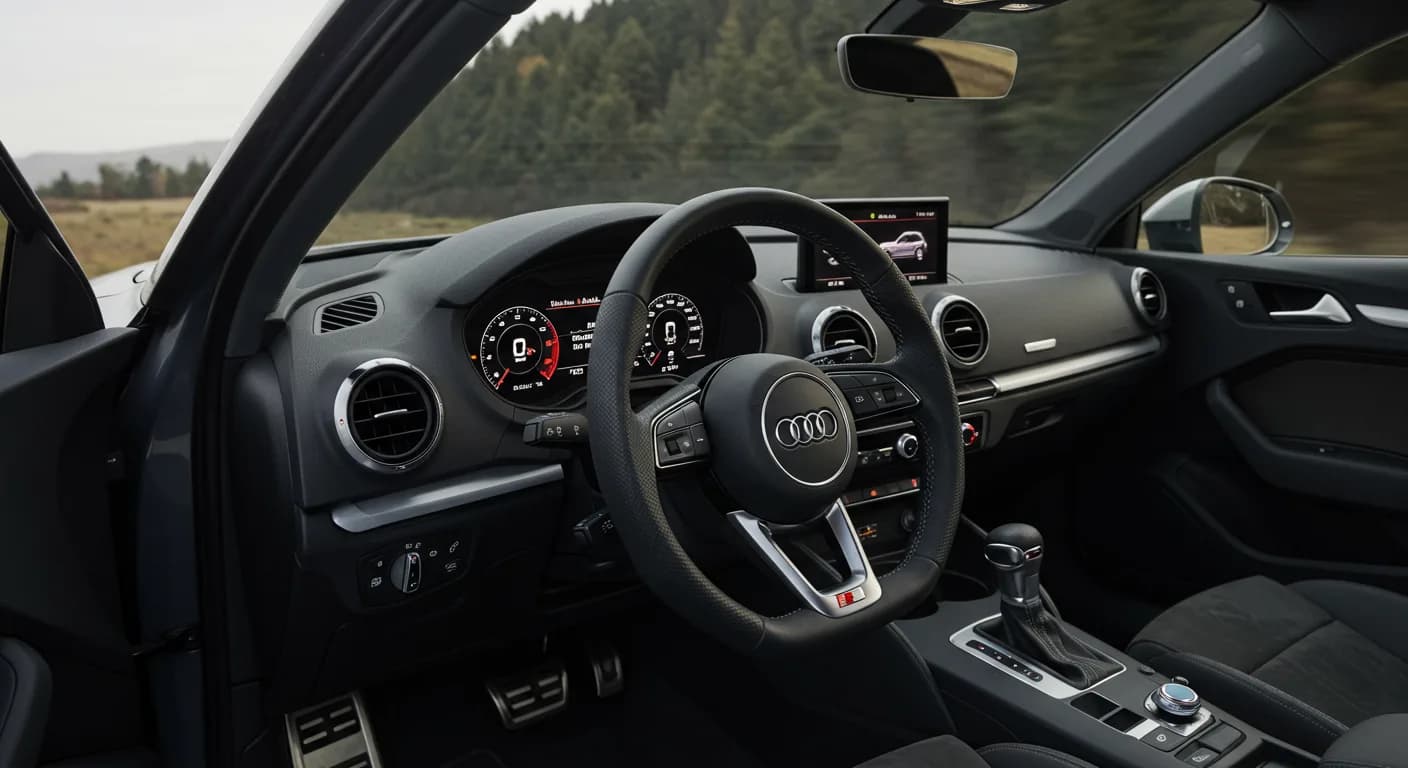
Gilt auch für
- Audi A3
- 2022–2023
- Audi RS 3
- 2022–2023
- Audi S3
- 2022
Owners of 2022-2023 Audi A3, S3, and RS 3 vehicles equipped with Virtual Cockpit Gen2+ may encounter a frustrating issue where an Audi S3 incorrect date display appears on both the instrument cluster and the MMI screen. This TSB, identified as 91 23 85 2067330/3, provides the necessary steps for technicians to resolve this problem.
This bulletin, dated March 31, 2023, supersedes an earlier version, TSB 23-66, which was issued on January 31, 2023. The update includes revised instructions and an added SVM flash table to ensure accurate repairs.
Symptoms
If your 2022-2023 Audi A3, S3, or RS 3 is affected, you will observe the following:
- "An incorrect date is displayed on the instrument cluster and MMI screen."
- "The date displayed is far in the future (≥ year 2040)."
- "It is not possible to manually correct the date via the MMI."
This persistent Audi S3 incorrect date display can be a nuisance for drivers relying on accurate time and date information within their vehicle's systems.
Technical Background
The root cause of the incorrect date display has been identified as a hardware issue within the emergency call module J949. This module's malfunction can lead to the system incorrectly reporting the date, causing the futuristic display on the instrument cluster and MMI.
Audi has implemented an optimized software solution for the instrument cluster in production vehicles to prevent this issue from occurring in new units.
Important Warnings
When performing diagnostic or repair procedures related to this TSB, technicians are advised to: "Always use DoIP when flashing a control module via ODIS in supported vehicles."
Repair Procedure Summary
Resolving the Audi S3 incorrect date display involves a multi-step process performed by a qualified Audi technician. The procedure outlined in TSB 91 23 85 2067330/3 includes:
- Ordering a new emergency call module J949 (diagnostic address 0075) using the ETKA parts catalog.
- Updating the Audi virtual cockpit (diagnostic address 0017) using SVM code 17A046. This involves selecting "flash" on the workshop tester and entering the SVM code.
- Disconnecting the starter battery and waiting at least 5 minutes.
- Replacing the emergency call module J949 with the new, ordered unit.
- Connecting the starter battery and then adapting the new emergency call module control unit and communication unit (J949, diagnostic address 0075) using the workshop tester.
- Parking the vehicle in an area with good mobile phone reception.
- Switching the ignition off and then on again (terminal 15 reset).
- Verifying that the correct date now appears on the instrument cluster and MMI immediately or shortly after.
- If the date is still incorrect after one hour, repeat steps 7 and 8.
Required Parts and Software
The primary component that may require replacement is the emergency call and communications unit. Technicians should consult ETKA for the latest part numbers. The repair also involves software updates for the Audi virtual cockpit using SVM code 17A046.
The following table details the old and new software versions for the emergency call module:
| Part number | Old SW Version | New SW Version | SVM code |
|---|---|---|---|
| 8Y0 920 790 | 84, 86, 88, 92 | 94 | |
| 8Y0 920 790 A | 128, 158, 160, 162, 166, 168 | 170 | 17A046 |
| 8Y0 920 790 B | 158, 160, 162, 166, 168 | 170 | |
| 8Y0 920 790 C | 218, 220, 222, 224, 226 | 228 | |
| 8Y0 920 790 D | 308, 310, 314, 316 | 318 |
Warranty Information
For vehicles still under warranty, this repair is covered. The claim type is 110 for vehicles up to 48 months or 50,000 miles. For Audi Certified Pre-Owned (CPO) vehicles, the claim type is G10, requiring owner verification. The service number for this operation is 9170, with a damage code of 0040. Labor operations include removing and installing the telematics control unit J949 (9170 1950), loosening and securing the ground strap (9785 0999), and the software update (0151 0000).
All warranty claims must adhere to the Audi Warranty Policies and Procedures Manual.
Owner Action
If your 2022-2023 Audi A3, S3, or RS 3 is displaying an incorrect date on the instrument cluster or MMI, and you cannot manually correct it, schedule an appointment with your authorized Audi dealer. Reference TSB 91 23 85 2067330/3 when you speak with the service department. The repair involves specialized tools and software updates that only a dealership can perform.
Source: NHTSA ID: 10233752
Frequently Asked Questions
- What is the problem addressed by TSB 91 23 85 2067330/3?
- TSB 91 23 85 2067330/3 addresses an issue where 2022-2023 Audi A3, S3, and RS 3 vehicles display an incorrect date on the instrument cluster and MMI screen, often showing a date far in the future (e.g., year 2040), which cannot be manually corrected.
- Which Audi models are affected by the incorrect date display?
- This issue primarily affects 2022-2023 Audi A3, S3, and RS 3 models that are equipped with Virtual Cockpit Gen2+.
- What is the cause of the Audi S3 incorrect date display?
- The incorrect date display is caused by a hardware issue within the emergency call module J949. This module's malfunction leads to the system providing an erroneous date to the vehicle's display systems.
- How is the incorrect date display fixed?
- The fix involves a multi-step repair procedure performed by an Audi technician, including potentially replacing the emergency call module J949 and updating the Audi virtual cockpit software using SVM code 17A046. This process ensures the correct date is displayed.
- Is the repair for the incorrect date display covered under warranty?
- Yes, if your vehicle is within the warranty period (typically up to 48 months or 50,000 miles) or is an Audi Certified Pre-Owned (CPO) vehicle, the repair should be covered. Always confirm with your Audi dealer.
Related Articles
2023-2024 Audi A3, S3, RS 3 Driver Assist System Faults
Audi has released Technical Service Bulletin (TSB) 2079574/2 to address various driver assist system complaints in 2023-2024 Audi A3, S3, and RS 3 vehicles. Owners may see warning messages like 'Traffic sign recognition: fault' or 'Adaptive cruise assist not working' due to an intermittent front…
2017-2023 Audi A3, S3, TT Transmission Oil Leak TSB 2067365/3
Audi has released Technical Service Bulletin 2067365/3 to address oil leaks near the transmission cooler in various 2017-2023 Audi A3, S3, and TT models equipped with the DQ-381 transmission. This bulletin outlines diagnostic steps and repair procedures for technicians.
2022-2024 Audi A3, S3, RS 3 Airbag Control Module DTC P000000
Audi has released Technical Service Bulletin (TSB) 2070322/5 to address communication and configuration issues with the airbag control module (J234) in 2022-2024 A3, S3, and RS 3 models, often indicated by DTC P000000. This TSB outlines a software update remedy.
2022-2023 Audi MIB3 MMI Software Update TSB
Audi has released Technical Service Bulletin 2079134/2 addressing various MMI functionality issues and 'Emergency call fault' messages in 2022-2023 A3, S3, RS 3, e-tron GT, and RS e-tron GT models. A software update for the MIB3 system and connectivity box is available to resolve these concerns.
2023-2024 Audi S3 / A3 Driver Assist System Fault TSB 2079574/1
Audi has released Technical Service Bulletin 2079574/1 for 2023-2024 Audi S3 and A3 models experiencing various driver assist system malfunctions, including warning messages like 'Traffic sign recognition: fault'. The fix involves a software update for the front camera.
Leave a comment
Comments are moderated and may take a moment to appear. Only your first name and the initial of your last name are shown publicly.
Comments
Be the first to comment.