2020-2024 Audi Q5 e/A7 e Gearbox Malfunction P288200 TSB
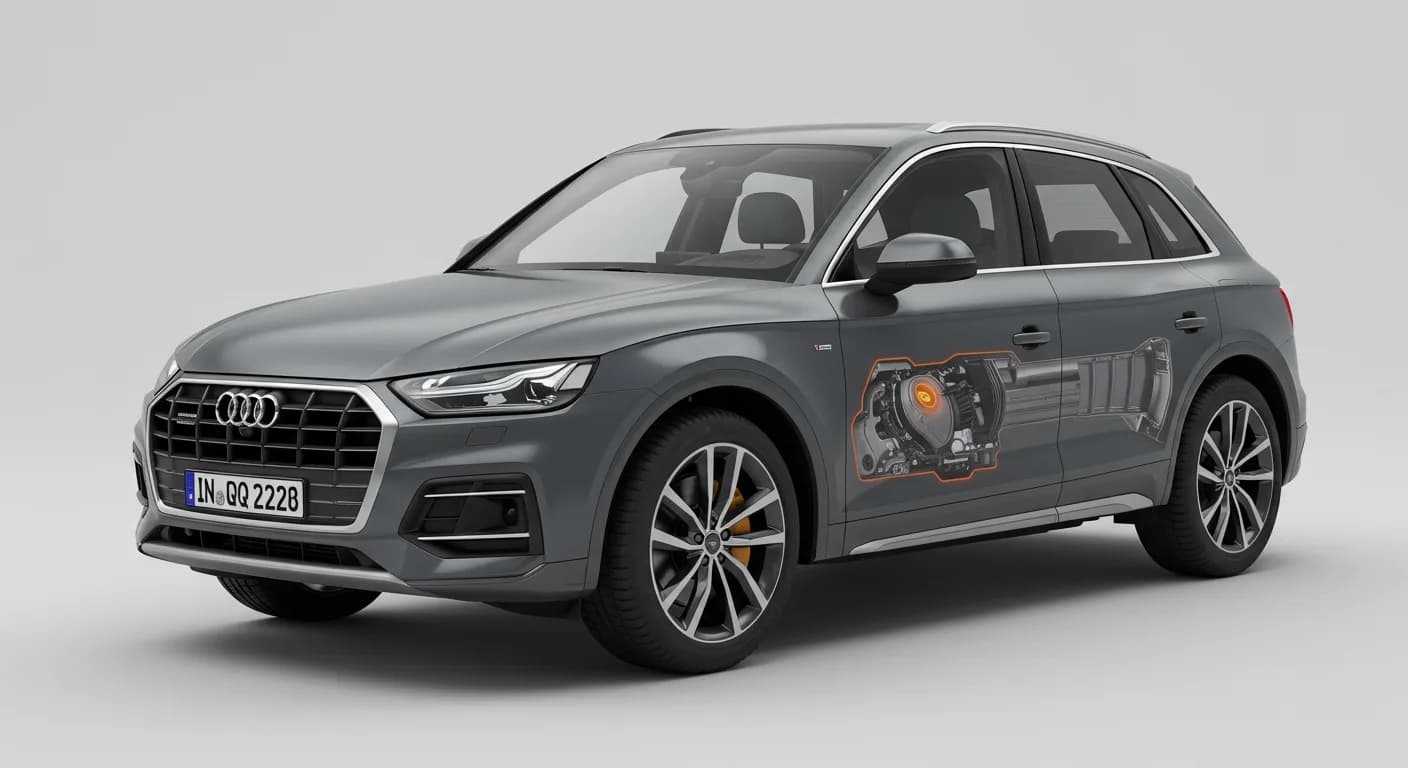
Audi has released Technical Service Bulletin (TSB) 93 24 85 2070965/3 to address a 'Gearbox malfunction' message and Diagnostic Trouble Code (DTC) P288200 (Engine Disconnect Clutch Excessive Slippage) in 2020-2024 Audi Q5 e quattro and 2021-2022 Audi A7 e quattro vehicles. This issue is caused by…

Şu araçlar için de geçerli
- Audi A7 e
- 2021–2022
- Audi Q5 e
- 2023–2024
Symptoms
Owners of affected 2020-2024 Audi Q5 e quattro and 2021-2022 Audi A7 e quattro vehicles may notice a specific warning message appearing in the instrument cluster. The primary symptom reported by customers is the display of: "The Gearbox malfunction message appears in the instrument cluster."
Fault Codes / DTCs
When diagnosing the Audi P288200 gearbox malfunction, technicians will find a specific Diagnostic Trouble Code (DTC) stored in the Transmission Control Module (TCM), specifically address word 0002 (-J217-). The relevant fault code is:
- DTC P288200: Engine Disconnect Clutch Excessive Slippage with Symptom code 20954.
Diagnosis / Trigger Conditions
This Audi P288200 gearbox malfunction is attributed to a software error within the transmission control module. Audi has implemented modified software for the gearbox control unit in series production for vehicles from model year 2023 onwards. For earlier models, the diagnostic procedure involves checking the software version and potentially updating it.
Technicians are instructed to first determine if the gearbox control unit can be updated. If the software part number is listed in the SVM table provided in the TSB, an update is performed. Otherwise, further diagnostic steps are followed, including using Guided Fault Finding (GFF) to precisely follow the test plan for the DTC memory entry.
Important Warnings
Audi has issued critical warnings for technicians performing the software update to prevent damage to vehicle components:
- "To prevent the high-voltage battery from charging during the software update, the high-voltage charging cable on vehicles with high-voltage components must be unplugged BEFORE the SVM code is entered. Charging the high-voltage battery during a software update can cause damage to the high-voltage components."
- "The parking brake must be released, and the diagnostic interface must be hardwired to the scan tool."
Additionally, the high-voltage battery's charge level must be between 35% and 90% for the electric motor check. If the charge is below 35%, it must be charged to a sufficient level before proceeding.
Repair Procedure Summary
The repair for the Audi P288200 gearbox malfunction primarily involves updating the Transmission Control Module (TCM) software. The procedure, outlined in Technical Service Bulletin 93 24 85 2070965/3, includes several steps:
- Software Update Check: For Q5 models, technicians first check if the gearbox control unit is eligible for a software update. If the current software part number matches those listed in the TSB's SVM table, the update proceeds.
- SVM Update: The Transmission Control Module (TCM) (-J217-) is updated using the SVM action code 02A220. This process requires following the instructions detailed in TSB 2011732: 00 Software Version Management (SVM), operating instructions.
- Battery and Diagnostic Preparation: Before the software update, the high-voltage charging cable must be unplugged, the parking brake released, and the diagnostic interface hardwired to the scan tool. The high-voltage battery charge level must also be verified to be within the 35-90% range.
- Guided Fault Finding (GFF): If the software update is not applicable or if issues persist, technicians use GFF to follow the specific test plan for DTC P288200. If GFF does not detect any faults, no component replacement is necessary.
- Manual Checks: If GFF is not possible (e.g., due to erased passive entries), manual checks include verifying and adjusting the Automatic Transmission Fluid (ATF) level as per the repair manual.
- Hydraulic Test and Basic Settings: A hydraulic test is performed, followed by the
Bu TSB'nin diğer revizyonları
What Audi Q5 e owners report
Counted from the records in our database across 6 model years.
- 64
- Owner complaints
- 851
- Service bulletins
- 1
- Crashes reported
- 1
- Fires reported
- 3
- Injuries reported
The 2021 model year
29 complaints, the 1st most of 6 model years on file. Owners reported 0 crashes, 0 fires and 1 injury for this year.
Power Train, the system this article covers, accounts for 9 of 64 complaints (14%), including 7 for 2021.
Complaints by model year
| 2020 | 12 | |
|---|---|---|
| 2021 | 29 | |
| 2022 | 1 | |
| 2023 | 7 | |
| 2024 | 14 | |
| 2025 | 1 |
Most-reported systems
- Electrical System — 25
- Engine — 12
- Power Train — 9
- Forward Collision Avoidance — 8
- Service Brakes — 8
Recent owner reports about power train
I and my wife were emerging from an intetstate highway entrance ramp when our car suddenly and completely lost power. A "Transmission Malfunction" warning suddenly (and for the first time) appeared on the dashboard.We had just completed a merge with heavy…
Read owner complaints →While driving one day, several warning messages appeared on the dashboard, but would then disappear. The next day, the car engine would not start and the vehicle dashboard would not turn on.
Complaints are owner reports filed with NHTSA. They are unverified, and counts depend on how many vehicles were sold, so they are not a failure rate.
Related Articles
2021-2022 Audi Q5 e Electrical System Malfunction TSB
Audi has issued TSB 2081028/1 for 2021-2022 Q5 e models regarding an 'electrical system malfunction' warning light and a no-drive condition. This document details common diagnostic trouble codes (DTCs) such as U01A000 and advises technicians to contact the Technical Assistance Center.
2021-2024 Audi Q5 e High-Voltage Battery Deterioration TSB
This Technical Service Bulletin (TSB) 2079556/1 addresses issues in 2021-2024 Audi Q5 e PHEV models where the MIL light illuminates due to deterioration in various high-voltage battery modules, indicated by DTCs such as P0A7F00, P0EDD00, P0EDE00, P0EDF00, P0EE000, P0EE100, P2CCC00, and P2CCD00…
2021, 2023-2024 Audi Q5 e 3-Phase Wire Chafing TSB
Audi has released Technical Service Bulletin 2077614/2 for 2021, 2023-2024 Audi Q5 e vehicles, addressing potential chafing of the 3-phase wiring in the front underbody area on the passenger side. This issue, typically found during routine service, involves the high-voltage wiring contacting the…
2021-2023 Audi Q5 e / A7 e Electrical System Fault TSB
Audi has released Technical Service Bulletin 2068630/5 to address an "Electrical System fault" that may appear in the instrument cluster of 2021-2023 Audi Q5 e and A7 e models. This issue is often linked to Diagnostic Trouble Code (DTC) U041300 and can prevent the vehicle from starting. The repair…
2020-2023 Audi e-tron Models myAudi App AC Timeout TSB
Audi Technical Service Bulletin 2076636/2 details a solution for 2020-2023 Audi e-tron models where the myAudi app times out when attempting to start the auxiliary air conditioner. This issue is often accompanied by error messages like 'Auxiliary air conditioner could not be started: Timeout' with…
Yorum bırakın
Yorumlar moderasyondan geçer ve görünmesi biraz zaman alabilir. Sadece adınız ve soyadınızın baş harfi herkese açık olarak gösterilir.
Yorumlar
İlk yorum sizden olsun.