2022-2026 Audi Apple CarPlay Audio Takeover TSB
Audi Technical Service Bulletin 91 24 68 2072959/1 addresses instances where Apple CarPlay unexpectedly displays or takes over audio in 2022-2026 Audi vehicles. This TSB provides troubleshooting steps for issues related to iPhone connectivity, third-party apps, and notification settings.

Também se aplica a
- Audi A3
- 2022–2025
- Audi A4
- 2021, 2022, 2024, 2025
- Audi A4 allroad
- 2021–2025
- Audi A5
- 2021–2025
- Audi A6
- 2021–2025
- Audi A6 allroad
- 2021–2025
- Audi A7
- 2021–2025
- Audi A7 e
- 2021–2022
- Audi A8 L e
- 2021
- Audi e-tron
- 2021, 2023
- Audi e-tron GT
- 2022–2025
- Audi Q3
- 2021–2025
- Audi Q5
- 2021–2025
- Audi Q5 e
- 2024–2025
- Audi Q7
- 2021–2025
- Audi Q8
- 2021–2025
- Audi R8
- 2021–2023
- Audi RS 3
- 2022–2025
- Audi RS 5
- 2021–2025
- Audi RS 6 Avant
- 2021–2025
- Audi RS 7
- 2021–2025
- Audi RS e-tron GT
- 2022–2024
- Audi RS Q8
- 2021–2025
- Audi S e-tron GT
- 2026
- Audi S3
- 2022–2025
- Audi S4
- 2021–2025
- Audi S5
- 2021–2025
- Audi S6
- 2021–2025
- Audi S7
- 2021–2025
- Audi S8
- 2021–2025
- Audi SQ5
- 2021–2025
- Audi SQ7
- 2021–2025
- Audi SQ8
- 2021–2025
- Audi TT
- 2021–2023
- Audi TT RS
- 2021–2022
- Audi TTS
- 2021–2023
▸ Mostrar mais 30▾ Mostrar menos
Owners of 2022-2026 Audi vehicles equipped with Audi Wireless ASI and Apple devices may experience an unexpected Audi Apple CarPlay audio takeover, where CarPlay either pops up on the screen or takes control of the vehicle's audio system without user input. This behavior, outlined in Audi Technical Service Bulletin (TSB) 91 24 68 2072959/1, can interrupt radio, media player, or navigation use.
Symptoms
Owners may notice the following symptoms:
- Apple CarPlay unexpectedly displays in the foreground on the MMI screen.
- Apple CarPlay takes over the vehicle's audio system without user intervention.
- A message stating "Smartphone interface deactivated" may briefly appear on the MMI screen if the iPhone loses and then re-establishes connection.
Diagnosis and Trigger Conditions
The TSB identifies several potential causes for the unexpected Audi Apple CarPlay audio takeover:
- iPhone Connection Loss: If the iPhone temporarily loses its connection to the vehicle and then reconnects, the MMI may switch to CarPlay after a few seconds. This is considered expected behavior.
- Third-Party App Activity: Background activity from third-party applications on the iPhone can trigger CarPlay to appear on the MMI. Even apps not directly supported by CarPlay or relevant to in-car use can cause this. An example cited is "Amazon Music" when "Alexa hands-free control" is enabled.
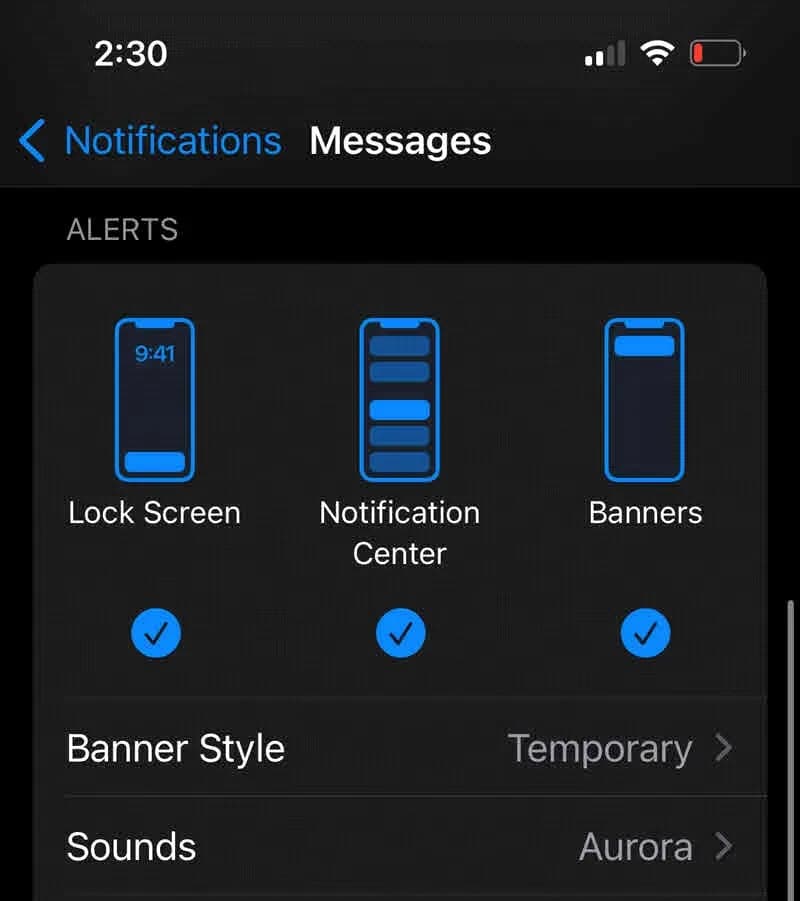
- iPhone Notifications: When "A notification is displayed on the iPhone," some applications support sending these notifications via Apple CarPlay. While the MMI screen should return to its previous context within a few seconds, frequent notifications can be disruptive.
Important Warnings
Audi's TSB 91 24 68 2072959/1 serves as a troubleshooting guide. It is crucial to note that if other TSBs addressing the customer's specific complaint are published, those TSBs should take precedence. This bulletin is for informational purposes only and does not apply to any Audi Warranty.
Repair Procedure Summary
To address the Audi Apple CarPlay audio takeover issue, the TSB suggests several steps focusing on iPhone settings and app management:
- Update iOS: Ensure the customer's iPhone has the latest iOS version installed.
- Disable CarPlay Auto-Start: To prevent CarPlay from automatically starting after a connection loss or vehicle startup, owners can adjust iPhone settings. Navigate to "Settings>General>CarPlay," select the vehicle, and then "Switch off radio button 'CarPlay'." After this, Apple CarPlay must be manually selected in the MMI.
- Manage iPhone Apps: To improve the security and stability of iPhone usage and reduce unexpected CarPlay activations:
- Verify all installed apps are updated to their latest software versions.
- Uninstall any apps that are no longer used.
- Review app permissions, removing any that are not essential for the app's intended use.
- Check background activity for all apps and disable it for those not requiring it.
- Review and switch off unnecessary app notifications.
Owner Action
If you are experiencing an Audi Apple CarPlay audio takeover in your 2022-2026 Audi, begin by checking your iPhone's iOS version and updating it if necessary. Next, follow the steps outlined above to disable CarPlay's auto-start feature and manage your iPhone's applications and notification settings. If the issue persists after these adjustments, it is recommended to contact your authorized Audi dealer for further diagnosis, referencing TSB 91 24 68 2072959/1.
Source: NHTSA ID: 10250336
Frequently Asked Questions
- What is Audi TSB 91 24 68 2072959/1 about?
- Audi Technical Service Bulletin 91 24 68 2072959/1 addresses situations where Apple CarPlay unexpectedly takes over the audio or displays on the screen in 2022-2026 Audi vehicles, providing troubleshooting steps for owners.
- Why does Apple CarPlay keep taking over my Audi's audio?
- This can happen due to your iPhone losing and re-establishing connection, background activity from third-party apps (like Amazon Music with 'Alexa hands-free control'), or frequent notifications displayed on your iPhone. These conditions can lead to an unexpected Audi Apple CarPlay audio takeover.
- How can I stop Apple CarPlay from automatically starting in my Audi?
- You can prevent CarPlay from automatically starting by going to your iPhone's settings, then 'Settings>General>CarPlay', selecting your vehicle, and switching off the radio button labeled 'CarPlay'. After this, you will need to manually select CarPlay in your Audi's MMI.
- What should I do if my iPhone shows 'Smartphone interface deactivated'?
- The message 'Smartphone interface deactivated' indicates that your iPhone temporarily lost and then re-established its connection to your Audi. This is considered normal behavior, and CarPlay may then display on the MMI screen. If you don't want CarPlay to auto-start, adjust your iPhone settings as described in TSB 91 24 68 2072959/1.
- Are there any specific iPhone app settings I should check?
- Yes, the TSB recommends ensuring all apps are updated, uninstalling unused apps, reviewing and limiting app permissions, managing background activity, and switching off unnecessary app notifications to help prevent an unexpected Audi Apple CarPlay audio takeover.
What Audi e-tron owners report
Counted from the records in our database across 5 model years.
- 158
- Owner complaints
- 14
- Recalls
- 1,706
- Service bulletins
- 7
- Crashes reported
- 6
- Fires reported
- 3
- Injuries reported
The 2022 model year
31 complaints, the 3rd most of 5 model years on file. Owners reported 1 crash, 2 fires and 2 injuries for this year, which also has 6 recalls on file.
Complaints by model year
| 2019 | 84 | |
|---|---|---|
| 2020 | 1 | |
| 2021 | 36 | |
| 2022 | 31 | |
| 2023 | 6 |
Most-reported systems
- Electrical System — 81
- Power Train — 24
- Engine — 23
- Fuel/Propulsion System — 18
- Service Brakes — 18
Latest recalls for the 2022 model year
- 26V240000 — Service Brakes, Hydraulic (Apr 2026)
- 25V900000 — Back Over Prevention (Dec 2025)
- 23V867000 — Electrical System (Dec 2023)
Complaints are owner reports filed with NHTSA. They are unverified, and counts depend on how many vehicles were sold, so they are not a failure rate.
Related Articles
2022 Audi e-tron Electrical System Problems: Complaints & TSBs
Owners of the 2022 Audi e-tron frequently report significant electrical system malfunctions, ranging from sudden power loss and charging hazards to software crashes. Braking issues and unexpected automatic emergency braking are also common concerns, alongside numerous technical service bulletins…
2022-2026 Audi Guided Fault Finding Reporting Obligation
Audi has issued Technical Service Bulletin TPI 2033392, also known as Transaction No. 2081531/1, regarding a reporting obligation for technicians when Guided Fault Finding produces an unexpected result. This TSB outlines the process for contacting Audi Product Support for diagnostic assistance.
2022-2026 Audi Infotainment System Complaints
Audi has released Technical Service Bulletin (TSB) 2081405/1 to address various customer complaints regarding infotainment systems in 2022-2026 Audi vehicles. This TSB helps technicians diagnose issues often caused by external media or mobile devices, rather than vehicle technology.
2018-2026 Audi Models Cracking Noise TSB 2061464/11
Audi Technical Service Bulletin 2061464/11 describes a cracking noise from the front or rear axle when changing direction in various 2018-2026 Audi models. The issue is due to stub axle movement and is resolved by bonding the stub axle to the wheel bearing with locking fluid.
2022-2026 Audi Parking Aid False Warnings TSB 2024323/13
Audi has released Technical Service Bulletin 2024323/13 to address customer complaints of false parking aid warnings. This bulletin details various environmental and vehicle-specific conditions that can cause the parking aid system to issue alerts even when no obstacles are present. It provides…
Leave a comment
Comments are moderated and may take a moment to appear. Only your first name and the initial of your last name are shown publicly.
Comments
Be the first to comment.