2026 Audi Q8 MMI and Emergency Call Fault TSB 2081197/1
Audi has released Technical Service Bulletin (TSB) 2081197/1 to address various MMI functions and "Emergency call fault" messages in 2026 Audi models. This TSB provides a software update for the MIB3 infotainment system and connectivity box.
 Ahmet Topcu2026 Audi Q8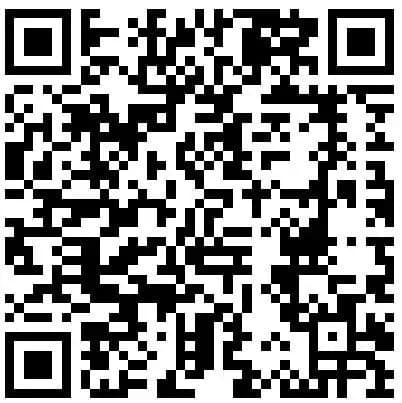
Şu araçlar için de geçerli
- Audi A6 allroad
- 2026
- Audi Q7
- 2026
- Audi RS 6 Avant
- 2026
- Audi RS 7
- 2026
- Audi RS Q8
- 2026
- Audi S8
- 2026
- Audi SQ7
- 2026
- Audi SQ8
- 2026
▸ 2 tane daha göster▾ Daha az göster
Owners of certain 2026 Audi models may experience problems with various MMI functions or see an "Emergency call fault" message displayed in the instrument cluster. These issues are addressed by Audi Technical Service Bulletin (TSB) 2081197/1, which outlines a software update for the vehicle's infotainment and communication systems.
This TSB specifically targets software-related problems affecting the MIB3 information electronics control unit and the emergency call module/connectivity box. The update aims to restore proper functionality and eliminate the "Emergency call fault" warning.
Symptoms
Owners might notice a range of issues related to the vehicle's infotainment system. The most common symptom is a general malfunction of various MMI functions. Additionally, a critical warning message, "Emergency call fault", may appear in the instrument cluster, indicating a problem with the vehicle's emergency communication system.
Technical Background
According to TSB 2081197/1, the root cause of these issues is identified as software problems within key control units. Specifically, the software update targets Diagnostic address 005F, which is Control unit 1 for information electronics (MIB3), and Diagnostic address 0075, corresponding to the emergency call module control unit and communication unit (connectivity box).
Important Warnings and Owner Information
Audi has provided several crucial advisories regarding this software update:
- Do Not Invoice Guided Fault Finding: The Guided Fault Finding test plans should not be performed or invoiced if the issue is resolved by this TSB.
- Warranty Accounting: Time stamps are not required for billing under warranty when carrying out this TSB. Technicians are permitted to work on other vehicles during the update process.
- Special Test Program: A new test program, "SVM - Authorized Multiple Code Entry", is used for the update. Ensure the diagnostic tester has the latest ODIS software.
- User Input Indicators: The vehicle will use acoustic signals and flashing lights to indicate when user input is required during the "SVM Authorized Multiple Code Entry" test program.
- USB-C Stick Requirement: Prepare the required USB-C sticks before starting the repair. These update media can be used for multiple vehicles.
- Specific SVM Code Entry: The SVM code
FLIGHTON0075MLB,ZGDOIP,CL3DA002,TGU1MDMVB,CL3DA001,FLIGHTOFF0075MLBmust be entered exactly, including commas and without spaces. Scanning the provided QR code is recommended. - Interrupted Procedure: If the update procedure is interrupted, repeat step 1. The test program will automatically resume the missing part.
- Bus Sleep Cycle: After the software update, the vehicle must enter a bus sleep mode for at least 30 minutes. Failure to adhere to this duration may lead to functional impairments.
- USB-C Stick Guidelines: Do not use an SD card with an adapter USB stick. Do not use USB-C sticks with larger storage capacity than 32 GB, as they may have different formatting processes. The USB-C stick and the loading of the software cannot be invoiced.
- Out-of-Warranty Vehicles: If the vehicle is outside of any warranty, this Technical Service Bulletin is informational only.
- Emergency Call LED Check: If the emergency call LED in the roof module does not turn green after the update, refer to TSB 2079652, "Emergency call LED in roof module not lit up in green."
Repair Procedure Summary
The repair involves a software update performed at an authorized Audi service center. The general steps are as follows:
- Preparation: The vehicle must be parked, and the 12V battery charged before starting the repair.
- Software Update Initiation: Technicians will connect a diagnostic tester, start ODIS, and enter "Flash" mode. They will then use the "SVM - Authorized Multiple Code Entry" function, copying or scanning the specific SVM code chain
FLIGHTON0075MLB,ZGDOIP,CL3DA002,TGU1MDMVB,CL3DA001,FLIGHTOFF0075MLBand inserting a prepared USB-C stick. - Automatic Update Process: The software update program will run automatically. After completion, the USB-C stick is removed, and the vehicle is put into bus sleep mode for a minimum of 30 minutes.
- Verification: The technician will check if the emergency call LED in the roof module lights up green. If not, further diagnosis using TSB 2079652 is required. Finally, the diagnostic session is ended, and the diagnostic log is sent online.
Required Parts and Tools
To perform this software update, specific items are needed:
- USB-C Sticks: Required USB-C sticks (minimum USB 2.0 with 32 GB capacity) must be prepared with the update software.
- Software Part Number: The software for the information electronics control unit (DA 005F) MIB3 update media is identified by part number
8W0906961GKfor applicable Audi A6, A7, A8, Q7, and Q8 models. - ODIS Software: The diagnostic tester used must have the latest ODIS update.
Warranty Information
For vehicles still under warranty, claims for this repair should be submitted in accordance with the Audi Warranty Policies and Procedures Manual. The repair is associated with the following codes:
- Service Number/Damage Code:
9145for complaints related to emergency call function or online services.9196for complaints related to MMI functions.
- Damage Code:
0041 - Labor Operations:
0151 0010for repair preparation (20 Technical Units).0151 0040for launching the software update for MMI and emergency call module (70 Technical Units).
All claims are subject to review and audit by Audi Warranty. The claim comment should state "As per TSB 2081197/1."
Source: NHTSA ID 11031039
Frequently Asked Questions
- What does TSB 2081197/1 address for my 2026 Audi?
- TSB 2081197/1 addresses issues with various MMI functions and the display of an "Emergency call fault" message in the instrument cluster for certain 2026 Audi models. It provides a software update for the MIB3 infotainment system and connectivity box.
- Will I receive a recall notice for the "Emergency call fault" in my Audi?
- This is a Technical Service Bulletin (TSB), not a recall. While it addresses a potential fault, manufacturers typically do not notify owners directly for TSBs. If you experience the "Emergency call fault" or MMI issues, you should contact an authorized Audi service center and reference TSB 2081197/1.
- What is the "SVM - Authorized Multiple Code Entry" mentioned in the TSB?
- The "SVM - Authorized Multiple Code Entry" is a special test program used by Audi technicians to input a specific SVM code during the software update process. This ensures the correct software is installed for the MIB3 information electronics and emergency call module.
- Are there any specific instructions for technicians performing this update?
- Yes, technicians must use the latest ODIS software, prepare USB-C sticks (min. USB 2.0, 32 GB), and accurately enter the SVM code `FLIGHTON0075MLB,ZGDOIP,CL3DA002,TGU1MDMVB,CL3DA001,FLIGHTOFF0075MLB`. After the update, the vehicle must remain in bus sleep mode for at least 30 minutes, and the emergency call LED must be checked for green illumination.
Related Articles
2026 Audi MMI and Emergency Call Software Update TSB
Audi has released Technical Service Bulletin (TSB) 2081193/1 to address various MMI functions issues and an "Emergency call fault" message in 2026 Audi A6, RS 6, RS 7, A8, S8, Q7, SQ7, Q8, SQ8, and RS Q8 models. The fix involves a software update for the MMI, AED2, and connectivity box control…
2024-2026 Audi 48V Starter Generator DTCs P0A1A00 P19F800
Audi has released Technical Service Bulletin 2076994/6 for 2024-2026 A6, A7, A8, Q7, and Q8 models equipped with the 48V belt starter generator. This TSB addresses various Diagnostic Trouble Codes (DTCs) such as P0A1A00 and P19F800, often indicated by an illuminated engine warning lamp (MIL). The…
2026 Audi iPhone 17 Wireless CarPlay / Wi-Fi Hotspot Issue
Owners of certain 2026 Audi models with MIB3 infotainment may find their iPhone 17 or newer unable to connect to wireless Apple CarPlay or the vehicle's Wi-Fi hotspot. Audi Technical Service Bulletin 2080171/1 details a WPA3 compatibility issue and offers a straightforward solution by adjusting…
2026 Audi Q8 Rear Seat Backrest Heating Not Working TSB
Audi has released Technical Service Bulletin (TSB) 2079319/1 for 2026 Audi Q8, SQ8, and RS Q8 models. This TSB addresses a software issue where the rear seat heating only warms the seat surface, not the backrest, requiring a control unit update.
2025-2026 Audi SVM Update Instructions TSB 2078548/1
Audi Technical Service Bulletin 2078548/1 provides comprehensive instructions for combined baseline updates and software version management (SVM) for 2025-2026 Audi vehicles. This TSB addresses common issues like SVM code failures, lost vehicle functions, and specific diagnostic trouble codes…
Yorum bırakın
Yorumlar moderasyondan geçer ve görünmesi biraz zaman alabilir. Sadece adınız ve soyadınızın baş harfi herkese açık olarak gösterilir.
Yorumlar
İlk yorum sizden olsun.