2022-2023 Audi MIB3 MMI Software Update for Emergency Call Fault
Audi has issued Technical Service Bulletin (TSB) 2079134/4 for 2022-2023 A3, S3, RS 3, e-tron GT, and RS e-tron GT vehicles equipped with MIB3 infotainment systems. This TSB addresses various MMI function problems and the 'Emergency call fault' message by providing a critical software update.
 Ahmet Topcu2022 Audi S3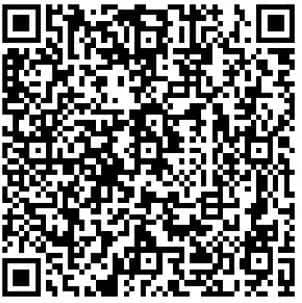
Si applica anche a
- Audi A3
- 2022–2023
- Audi e-tron GT
- 2022–2023
- Audi RS 3
- 2022–2023
- Audi RS e-tron GT
- 2022–2023
- Audi S3
- 2023
Owners of certain 2022-2023 Audi A3, S3, RS 3, e-tron GT, and RS e-tron GT models may experience issues with various MMI functions or see an "Emergency call fault" message displayed in the instrument cluster. These problems are addressed by a critical software update detailed in Audi Technical Service Bulletin (TSB) 2079134/4. This TSB provides instructions for updating the MIB3 infotainment system and associated control units to restore proper functionality and clear the warning messages.
This TSB, identified as 2079134/4, specifically targets software-related issues within the MIB3 system and the connectivity box. The update ensures that the vehicle's communication and infotainment systems operate as intended, preventing further disruptions and ensuring the emergency call function is fully operational. This Audi MIB3 MMI software update is crucial for maintaining the vehicle's safety features and user experience.
Revision History
Audi has updated this Technical Service Bulletin multiple times to refine the repair process and information:
- Revision 4: The header was revised for improved visibility.
- Revision 3 (December 16, 2026): The condition section was revised to include an updated model table.
- Revision 2 (October 7, 2025): The service section was revised, specifically updating the QR code and SVM code information.
- Revision 1: The warranty section was revised to update labor operations.
Symptoms
Owners may notice one or both of the following issues, indicating a need for the Audi MIB3 MMI software update:
- Problems with various MMI functions: This can manifest as erratic behavior, freezing, or unresponsiveness of the Multi Media Interface (MMI) system, affecting navigation, audio, or other integrated features.
- "Emergency call fault" displayed in the instrument cluster: This warning indicates a malfunction with the vehicle's emergency call system, which is a critical safety feature designed to automatically contact emergency services in the event of a crash.
Diagnosis and Trigger Conditions
Workshop findings indicate that affected vehicles typically have a software version below 3900 in diagnostic address 5F, which is associated with the infotainment system. The presence of this older software version is a key indicator that the software update is required. Diagnostic entries logged in diagnostic address 0075, related to the emergency call module, are also addressed and repaired by this software update. Additionally, issues related to information electronics (diagnostic address 005F) and volume control (diagnostic address 0693) are covered by this TSB.
Important Warnings and Owner Information
Audi has provided several crucial advisories regarding this software update. Owners and technicians should pay close attention to these points to ensure a successful repair and avoid unnecessary costs:
- Do not carry out Guided Fault Finding test plans: For diagnostic entries logged in diagnostic address 0075, the Guided Fault Finding test plans should not be carried out and cannot be invoiced. The software update itself will resolve these entries.
- Expect inactive time during update: A lengthy period of inactive time is to be expected during the software update. Technicians are permitted to work on other vehicles during this time, and this is considered in the warranty accounting instructions. Owners should be aware of the potential duration for the service.
- No time stamps for warranty billing: When carrying out this TSB, time stamps are not required for billing under warranty.
- New test program and ODIS update required: A newly developed test program is used to input the SVM code. Technicians must ensure that the tester being used has the latest ODIS update, which includes this new test program for software updates.
- Vehicle communication during update: The vehicle uses acoustic signals and flashing lights to indicate when user input is required during and at the end of the test program.
- Required USB-C sticks: Please prepare the 2 required USB-C sticks (as detailed in the parts information) before starting the repair. The update media can be used for multiple vehicles.
- Related TSB for MIB3 information: This update package also includes new software for the MIB3 infotainment system. Useful information for MIB3 software updates can be found in TSB 2060523: 91 MIB3: Software Update Instructions.
- Do not use SD cards: You must not use an SD card with an adapter USB stick for this procedure.
- USB-C stick storage capacity: Please do not use a USB-C stick with a larger storage capacity as such USB sticks have a a different formatting process. USB-C sticks must comply with the USB 2.0 specification and have a 32GB capacity.
- Interrupted procedure: If the procedure has been interrupted, please repeat step 2 of the repair. The test program will then automatically perform the missing part of the update.
- Emergency Call LED check: If the emergency call LED in the roof module does not turn green after the update, please refer to TSB 2079652, 91 Emergency call LED in roof module not lit up in green, for further diagnosis.
Repair Procedure Summary
The repair involves a two-part software update process, ensuring the comprehensive resolution of the MMI and emergency call system issues. This Audi MIB3 MMI software update requires specific tools and careful execution by a qualified technician.
Step 1: Manual Software Update of Volume Control (Diagnostic Address 0693) via Red Menu
This initial update focuses on the volume control module and is performed through the MMI's hidden red menu. The technician will follow these steps:
- Prepare USB Medium: Insert a prepared USB update medium into the vehicle's USB connection. The specific part number for the USB medium depends on the current software version of the volume control module (diagnostic address 0693).
- Access Red Menu: Access the red menu in the MMI. The TSB includes an image illustrating this, showing a hand pressing a button on the MMI screen, with other buttons labeled 'RADIO', 'MEDIA', 'NAV', 'TEL', 'CAR', 'SETUP' visible, indicating how to access this diagnostic menu.
- Select Update Source: Select the "Update" option and choose the USB connection as the source, using the volume control knob.
- Initiate Update: Review all control units slated for update, scroll down the list, and initiate the update process.
- Complete Manual Update: Once the manual update is successfully completed, the technician must leave the red menu entirely before starting a diagnostic session.
Step 2: SVM Code Update for Emergency Call Module (Diagnostic Address 0075) and Information Electronics (Diagnostic Address 005F)
This step utilizes the SVM (Software Version Management) system to update critical modules, including the emergency call module and information electronics. The technician will:
- Use SVM Function: Access the "SVM – Multiple authorized code inputs" function in "Flash" mode using the diagnostic tester.
- Enter SVM Code: Carefully enter the specific SVM code chain. The TSB strongly recommends scanning the provided QR code with a hand-held scanner or copying and pasting the code to ensure accuracy, as it must be entered exactly, including commas and without spaces.
- For e-tron GT vehicle models, the SVM code is:
693A001,DUCDTCPR0075MLB,FLIGHTON0075MLB,ZGDOIP,CL37A001US,TGU1MDMVB,CL37A002US,FLIGHTOFF0075MLB - For A3 vehicle models, the SVM code is:
693A001,TGU1MDMVB,ZGDOIP,CL37A001US,CL37A002US
- For e-tron GT vehicle models, the SVM code is:
- USB Medium Prompt: The test program will initially prompt for the USB medium. The USB-C stick can be removed after the program is complete.
- Interruption Handling: If the procedure is interrupted, step 2 must be repeated, and the test program will automatically perform the missing part of the update.
Post-Update Procedures
After both software updates are complete, the following steps are necessary to finalize the repair and verify functionality:
- Bus Sleep Mode: Put the vehicle into bus sleep mode after performing the software update. Then, switch the ignition back on and start the MMI.
- Emergency Call LED Check: Check whether the emergency call LED in the roof module lights up in green again. If the LED does not turn green, further diagnosis is required, referring to TSB 2079652: 91 Emergency call LED in roof module not lit up in green.
- End Diagnostic Session: Conclude the diagnostic session and send the diagnostic log to GFF paperless.
Required Tools and Parts
Performing this Audi MIB3 MMI software update requires specific update media and tools. Technicians must prepare the following:
- Two USB-C sticks: These are essential for the update process. They must be USB 2.0 compliant and have a 32GB capacity. Using larger capacity USB-C sticks or SD cards with adapters is explicitly prohibited.
- Flash Media Creator (FMC): This tool is used to download the software onto the USB-C sticks. The downloading process itself cannot be invoiced.
- Volume Control Update Media (Diagnostic Address 0693) Part Numbers:
- For software version <SW0150:
8W0906961CR - For software version =SW0200:
8W0906961CS
- For software version <SW0150:
- MIB3 Update Media Part Numbers:
- Audi A3 without Sirius (PR number QV0):
8W0906961DK - Audi A3 with Sirius (PR number QV3):
8W0906961FT - Audi e-tron GT without Sirius (PR number QV0):
8W0906961DL - Audi e-tron GT with Sirius (PR number QV3):
8W0906961FS
- Audi A3 without Sirius (PR number QV0):
General information regarding USB-C sticks for software updates can be found in TSB 2060523: 91 MIB3: Software Update Instructions.
Warranty Information
Warranty claims for this service must adhere to the Audi Warranty Policies and Procedures Manual, and all claims are subject to review or audit by Audi Warranty. The specific details for claiming this repair are:
- Damage Code:
0041 - Claim Comment: As per TSB
2079134/4 - Labor Operations:
- Software Update (Prepare repair): Labor operation
0151 0010, allocated20Technical Units (TU). This includes tasks such as ensuring the vehicle is parked and the 12V battery is charged. - Software Update (Volume control update (manual), Launch software update for MMI and emergency call module): Labor operation
0151 0040, allocated100TU. This comprehensive operation covers:- Connecting the tester and starting ODIS.
- Entering Flash mode.
- Using the Function Authorized Multiple Code Entry.
- Copying/pasting the code chain to start the update.
- Inserting the USB stick.
- Allowing the program to run automatically (service technician is not required for this phase).
- Concluding the software update, which involves ending the current test program, removing the USB stick, performing a bus sleep cycle, checking the emergency call LED, quitting the diagnostic session, and disconnecting the charger.
- Software Update (Prepare repair): Labor operation
For vehicles outside of any warranty, this Technical Service Bulletin serves as informational guidance. Complaints related to the emergency call function or online services are categorized under service number 9170 for A3 models and 9145 for e-tron GT models. Complaints about MMI functions are also covered under these service numbers.
Source: NHTSA ID: 11029393
Galleria
2 immagini
Frequently Asked Questions
- What is Audi TSB 2079134/4 about?
- Audi TSB 2079134/4 addresses software issues in the MIB3 infotainment system and connectivity box for 2022-2023 Audi A3, S3, RS 3, e-tron GT, and RS e-tron GT vehicles. It provides a software update to resolve problems with MMI functions and the 'Emergency call fault' message.
- What are the common symptoms addressed by this Audi MIB3 MMI software update?
- The primary symptoms are various MMI function problems, such as system malfunctions or unresponsiveness, and the display of an 'Emergency call fault' message in the instrument cluster. These indicate a need for the software update.
- Are there any special requirements for performing the software update?
- Yes, the update requires two specific USB-C sticks (USB 2.0, 32GB capacity) and the diagnostic tester must have the latest ODIS software. It is crucial not to use SD cards with USB adapters, and the SVM code must be entered precisely. Specific part numbers, like 8W0906961CR or 8W0906961DK, are also required depending on the vehicle and module.
- Will I be charged for the Audi MIB3 MMI software update?
- If your vehicle is within warranty, the software update should be covered, with labor operations like 0151 0010 and 0151 0040 detailed for warranty claims. For vehicles outside of warranty, the TSB is informational, and charges may apply. It's best to consult your Audi dealer regarding specific costs.
- What is the SVM code mentioned in the TSB?
- The SVM (Software Version Management) code is a unique identifier used to authorize and perform specific software updates. TSB 2079134/4 provides different SVM codes for e-tron GT models (e.g., 693A001,DUCDTCPR0075MLB...) and A3 models (e.g., 693A001,TGU1MDMVB...) to update the emergency call module (diagnostic address 0075) and information electronics (diagnostic address 005F).
Related Articles
2021-2024 Audi A3/S3/TT Whining Noises TSB 2074764/2
Audi Technical Service Bulletin 2074764/2 describes whining noises from the rear end of 2021-2024 Audi A3, S3, and TT models during acceleration or deceleration. This TSB clarifies that these noises are comfort-related and replacing parts will not resolve the issue.
2022-2025 Audi MIB3 Volume Control Not Working TSB U11B900
Audi has released Technical Service Bulletin 2072873/6 to address issues with the MIB3 infotainment system's volume control and skip buttons not working in 2022-2025 A3, S3, RS 3, e-tron GT, and RS e-tron GT models. The problem is linked to DTC U11B900, indicating a software issue requiring an…
2022-2023 Audi MIB3 Conbox Software Update
Audi has released a software update for the conbox component within the MIB3 infotainment system. This update, detailed in manufacturer communication NHTSA ID 11027377, applies to various 2022-2023 Audi A3, S3, RS 3, e-tron GT, and RS e-tron GT models.
2022-2024 Audi A3/S3/RS3 Exterior Lighting Warning TSB 2074786/3
Audi Technical Service Bulletin 2074786/3 details a 'Warning lamp for exterior lighting' issue in 2022-2024 A3, S3, RS3, and Q4 e-tron vehicles. This TSB addresses DTCs U112100, U110B00, and B126A29, often resolved by light switch replacement.
2021-2022 Audi MIB3 Phone Distorted Voice TSB 2079348/1
Audi has issued Technical Service Bulletin (TSB) 2079348/1 to address customer complaints regarding intermittently distorted voice output during phone calls in certain 2021-2022 Audi vehicles equipped with the MIB3 MEB system. This issue, often described as a scratching or tinny noise, is resolved…
Leave a comment
Comments are moderated and may take a moment to appear. Only your first name and the initial of your last name are shown publicly.
Comments
Be the first to comment.