2021 Nissan Rogue Infotainment Software Update
Nissan has released Technical Service Bulletin NTB21-085A for 2021 Rogue S grade vehicles to address various infotainment system software concerns. This update requires a special USB tool and specific procedures to ensure proper installation.

Nissan has issued Technical Service Bulletin (TSB) NTB21-085A to address various software-related concerns affecting the infotainment system in certain 2021 Nissan Rogue S grade vehicles. This bulletin, which supersedes the original NTB21-085 published on September 13, 2021, provides a detailed procedure for technicians to update the infotainment software.
Symptoms
Owners of affected 2021 Nissan Rogue vehicles may experience various Nissan Rogue infotainment issues that are attributed to software-related concerns. While no specific error messages or malfunctions are detailed, the update aims to resolve general software problems within the infotainment system.
Important Warnings for Owners and Technicians
This bulletin contains several critical warnings to ensure the software update is performed correctly and to prevent damage or further issues:
- Nissan Bulletins are intended for use by qualified technicians, not 'do-it-yourselfers'. Qualified technicians are properly trained individuals who have the equipment, tools, safety instruction, and know-how to do a job properly and safely. If you believe that a described condition may apply to a particular vehicle, DO NOT assume that it does. See your Nissan dealer to determine if this applies to your vehicle.
- Do not use any other USB drive to perform the procedure in this bulletin except for the special tool USB drive J-52727-1.
- The update software must be the only file on the USB drive.
- The update software is estimated to take 4 hours to download to the USB drive.
- Do not remove the USB drive during the update to the vehicle until instructed to.
- Do not insert the USB drive into a charging port. If used, the update software and/or USB drive may become damaged. Only insert the USB drive in a USB media port. Charging ports are marked in the vehicle with a “lightning bolt” symbol.
- Follow the steps to safely remove the USB drive from the computer. If not followed, the USB drive may corrupt the infotainment update software.
- Steps 20-29 of the procedure must be completed. If they are not completed, the update may become corrupted.
- Ensure that all doors remain closed during the 5-minute wait period after the update. If a door is opened during this period, the update may not complete, and the AV control unit may become inoperable.
Diagnosis and Software Version Check
To determine if a 2021 Nissan Rogue requires this update for Nissan Rogue infotainment issues, technicians must first confirm the current software version of the infotainment system. This involves a specific sequence of steps:
- While holding the menu button down, turn the tune knob left-right-left.
- Select "Confirmation/Adjustment" from the System Diagnostic Menu.
- Select "Version Information".
- Confirm if the “Overall SW version” displayed is 4619. If the software version is 4619, this bulletin does not apply.
Required Tools and Parts
The software update procedure requires a specific USB drive:
- Special tool USB drive J-52727-1: This USB drive has been previously shipped to each dealer. Additional USB drives may be purchased from nissantechmate.com or by calling 1-800-662-2001. It is crucial that this is the only USB drive used for the procedure, and the update software must be the only file on it.
Repair Procedure Summary
The repair involves updating the AV Control Unit software via a special USB drive. The high-level steps are as follows:
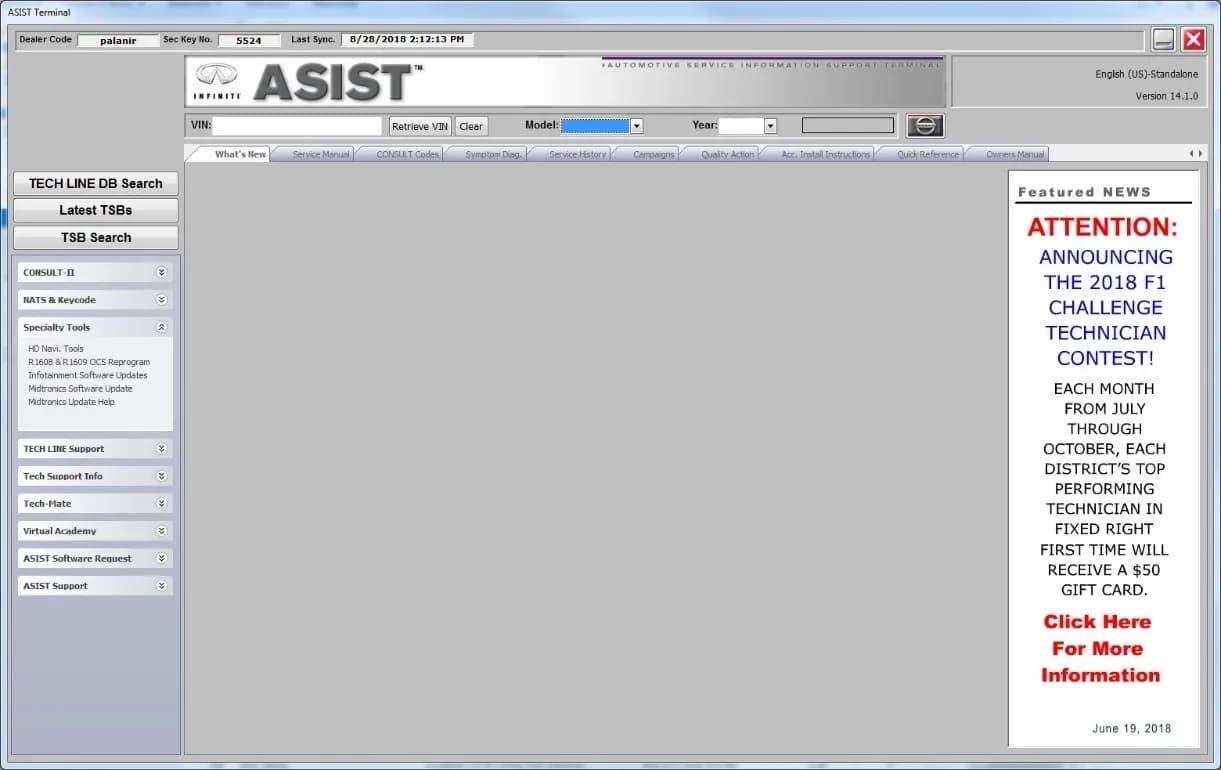
- Prepare the USB Drive: Connect the ASIST system to the internet and ensure it is synchronized. Insert the special tool USB drive J-52727-1 into a CONSULT PC. Open ASIST, navigate to "Specialty Tools," then "Infotainment Software Updates." Select the checkbox next to infotainment update-software ID "IVI4619" and the correct USB drive location, then click "Download." This download process is estimated to take up to 4 hours. Once complete, safely remove the USB drive from the PC.
- Vehicle Preparation: Set the parking brake and start the engine, allowing 60 seconds for the system to load. The engine needs to idle throughout the update to maintain battery charge.
- Perform the Update: Insert the prepared USB drive into the vehicle's USB media port (not a charging port). The system will display "Software Update Initializing..." and then proceed with the update. The update process in the vehicle may take 15-25 minutes. Do not remove the USB drive during this time.
- Post-Update Reboot: Once the screen displays "Software Update successful. System will reboot now.", remove the USB drive. The system will then reboot. Allow approximately 30 seconds for the reboot, during which the Nissan logo will be displayed. Turn the ignition OFF.
- System Reset Cycle: To fully reboot the infotainment system, a specific two-cycle reset procedure must be followed:
- Open and close the driver door, ensuring all doors are closed.
- Lock the doors.
- Wait 5 minutes, ensuring all doors remain closed during this period.
- Unlock the doors.
- Turn the ignition ON (engine OFF) and wait for the Nissan logo to appear, then wait about 1 minute for the "MENU (Home)" screen to display.
- Turn the ignition OFF.
- Repeat this entire reset cycle one more time.
Claims Information
Dealers should submit claims using the following coding:
| DESCRIPTION | OP CODE | SYM | DIA | FRT |
|---|---|---|---|---|
| Perform Software Check | RX4ZAA | ZE | 32 | 0.2 |
| Perform Software Check and Update | RX5AAA | ZE | 32 | 0.3 |
Amendment History
This bulletin has been revised as follows:
- September 13, 2021: NTB21-085 (Original bulletin published)
- February 1, 2022: NTB21-085A (Updated software version number throughout)
NHTSA ID: 10210080
Galerie
18 images
Frequently Asked Questions
- What is TSB NTB21-085A about?
- TSB NTB21-085A addresses software-related concerns with the infotainment system in 2021 Nissan Rogue S grade vehicles, providing a procedure for a software update to resolve various Nissan Rogue infotainment issues.
- How can I tell if my 2021 Nissan Rogue needs this infotainment update?
- A qualified technician will check your vehicle's infotainment system software version. If the "Overall SW version" is not 4619, the update specified in NTB21-085A will be applied.
- What is the special tool required for this update?
- The software update requires a special USB drive, identified as J-52727-1, which is specifically approved for this procedure and must be the only file on the drive. It is critical not to use any other USB drive or insert it into a charging port.
- Can I perform the Nissan Rogue infotainment issues software update myself?
- No, Nissan Bulletins are intended for use by qualified technicians, not 'do-it-yourselfers'. Attempting to perform this update yourself could lead to further complications or damage to the infotainment system, as specific tools and procedures are required.
- How long does the infotainment software update take?
- The software download to the USB drive can take up to 4 hours, and the actual update process in the vehicle takes approximately 15-25 minutes, followed by a specific two-cycle system reset procedure.
What Nissan Rogue owners report
Counted from the records in our database across 21 model years.
- 7,429
- Owner complaints
- 45
- Recalls
- 837
- Service bulletins
- 342
- Crashes reported
- 116
- Fires reported
- 323
- Injuries reported
The 2021 model year
295 complaints, the 13th most of 21 model years on file. Owners reported 22 crashes, 3 fires and 11 injuries for this year, which also has 10 recalls on file.
Equipment and Electrical System, the system this article covers, accounts for 1,000 of 7,429 complaints (13%), including 63 for 2021.
Complaints by model year
| 2008 | 429 | |
|---|---|---|
| 2011 | 363 | |
| 2013 | 610 | |
| 2014 | 440 | |
| 2015 | 554 | |
| 2016 | 543 | |
| 2017 | 600 | |
| 2018 | 671 | |
| 2021 | 295 | |
| 2023 | 759 |
Most-reported systems
- Power Train — 1,861
- Engine — 1,227
- Electrical System — 988
- Air Bags — 835
- Service Brakes — 669
Latest recalls for the 2021 model year
- 25V437000 — Engine And Engine Cooling (Jun 2025)
- 23V791000 — Service Brakes, Hydraulic (Nov 2023)
- 22V772000 — Back Over Prevention (Oct 2022)
Recent owner reports about equipment and electrical system
I was sitting in my car in the passenger seat. The car was in Park, engine was idling to warm up the car. No one was in the drivers seat. After about 5 mins, the car started moving forward without me touching or bumping anything.
Read owner complaints →I have two major safety concerns for my 2021 Nissan Rogue. 1) FAILED REAR DOOR ACTUATORS ON BOTH THE DRIVER AND PASSENGER SIDE OF VEHICLE: I own a 2021 Nissan Rogue with approximately 68,000 miles.
Complaints are owner reports filed with NHTSA. They are unverified, and counts depend on how many vehicles were sold, so they are not a failure rate.
Related Articles
2021-2023 Nissan Infotainment Control Unit Replacement TSB
This Technical Service Bulletin (TSB) outlines the essential three-step procedure for replacing the infotainment control unit in various 2021-2023 Nissan models, ensuring Over The Air (OTA) updates and other functions work correctly.
2021-2022 Nissan Rogue Infotainment Issues TSB
Nissan has released a technical service bulletin (TSB) for 2021-2022 Rogue models to resolve various infotainment system issues through a software update. This update also relates to the back-over prevention and electrical systems.
2021-2023 Nissan Rogue Rear Differential Noise TSB
Nissan Technical Service Bulletin NTB10-0291 details the diagnosis and repair for abnormal noise, vibration, or binding feelings originating from the rear differential in 2021-2023 Nissan Rogue and other AWD models. Learn about common causes and the recommended repair procedures.
2021 Nissan Rogue P0780 Shift Error TSB
A Technical Service Bulletin (NTB22-093) has been issued for the 2021 Nissan Rogue (T33) regarding Diagnostic Trouble Code P0780, indicating a "SHIFT ERROR" stored in the Transmission Control Module (TCM). This TSB outlines a reprogramming procedure for the TCM and Shift Control Module (SCM) to…
2021 Nissan Rogue DTC P0780 in TCM TSB Superseded
Nissan Technical Service Bulletin NTB21-023C, concerning diagnostic trouble code P0780 in the Transmission Control Module (TCM) for the 2021 Nissan Rogue, has been superseded by NTB22-093. Owners should refer to the latest bulletin for current repair procedures.
Leave a comment
Comments are moderated and may take a moment to appear. Only your first name and the initial of your last name are shown publicly.
Comments
Be the first to comment.