2025 Hyundai Tucson DCU Software Update
Hyundai's Service Campaign 25-01-060H addresses a Data Communication Unit (DCU) software error in 2025 Tucson (NX4M) vehicles that could disable telematics services after one year. A software update is required to fix the internal timer initialization logic.

Why This Matters
Certain 2025 Hyundai Tucson (NX4M) vehicles may experience a Data Communication Unit (DCU) software error. This issue stems from the internal timer initialization logic not being properly implemented, which can lead to the DCU module shutting down telematics services after approximately one year of operation. This means essential connected car features may become unavailable.
What's Being Addressed
Hyundai has released Technical Service Bulletin (TSB) 25-01-060H, also identified as Service Campaign TDFB, to correct a specific software error within the Data Communication Unit (DCU) of the 2025 Hyundai Tucson (NX4M). The TSB outlines a procedure to perform a software update on the DCU module. This update ensures the internal timer initialization logic functions correctly, preventing the premature shutdown of telematics services.
Symptoms of the Hyundai Tucson DCU Error
Owners of affected 2025 Hyundai Tucson vehicles may notice a loss of telematics services after about one year of vehicle operation. This is a direct result of the Hyundai Tucson DCU error where the Data Communication Unit's internal timer initialization logic is not correctly implemented, causing the module to shut down.
Important Warnings for Owners
- Dealer Action: Dealers must perform this service campaign on all affected vehicles prior to customer retail delivery and whenever an affected vehicle is in the shop for any maintenance or repair. Owners should ask their dealer to check for open campaigns.
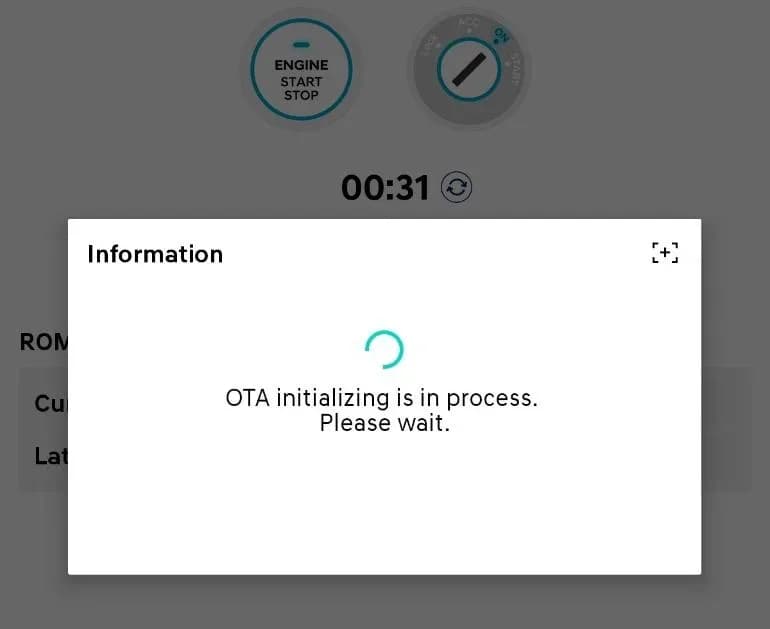
- Over-the-Air (OTA) Update: The software update for this
Hyundai Tucson DCU errormay be available via an Over-the-Air (OTA) update for customers with active Bluelink Services subscriptions. - Battery Condition: Ensure the vehicle's battery charge is above 11.0 Volts and the tablet's battery charge is above 30% before performing a software update to avoid update failure.
- During Update:
- Turn OFF all lamps (do NOT leave head lamp switch in auto mode) and all accessories.
- Perform the update with the ignition switch in the ON position.
- Do NOT disconnect any cables connected to the vehicle or scan tool during the update.
- Do NOT start the engine during the update.
- Do NOT turn OFF the ignition switch during the update.
- Update Failure: If the update fails, remove the power connector from the in-cabin fuse box for at least 5 seconds, or disconnect the negative (-) 12V battery terminal then wait at least 5 seconds. Reassemble and retry the update.
Repair Procedure Summary
Dealers will perform a software update on the Data Communication Unit (DCU) using the Global Diagnostic System (GDS). The procedure for Service Campaign 25-01-060H involves several key steps:
- Preparation: Ensure the vehicle's battery is adequately charged (above 11.0 Volts) and the diagnostic tablet's battery is above 30%. All vehicle lamps and accessories must be turned off, and the ignition switch must be in the ON position.
- Connection: Connect the diagnostic equipment (VCI 2 or VCI 3 with the Ethernet Communication Interface Kit) to the vehicle's OBD port and the tablet PC. Refer to TSB 23-GI-006H for Ethernet communication setup and TSB # 25-GI-011H for GDS-Smart ECU update procedures.
- Software Update: The ECU update should initially be performed in Auto Mode. If the update fails in Auto Mode, it can be attempted in Manual Mode.
- ROM ID Verification: Before proceeding, the technician will verify the current ROM ID against the latest available version (120.NA.012054.012054 for ECU Part Number 96510-N9140).
- Post-Update: After the update reaches 100%, the ignition must be cycled OFF for at least 10 seconds (up to 30 seconds for some models) to reset the control unit. A screenshot of the
Galeria
7 imagens
Frequently Asked Questions
- What is Service Campaign 25-01-060H?
- Service Campaign 25-01-060H is a Hyundai initiative to update the software of the Data Communication Unit (DCU) in certain 2025 Tucson (NX4M) vehicles. This update corrects an internal timer initialization logic error that could cause telematics services to shut down after one year.
- What is the Hyundai Tucson DCU error?
- The Hyundai Tucson DCU error refers to a software flaw in the Data Communication Unit (DCU) of 2025 Tucson (NX4M) models. This error prevents the internal timer initialization logic from functioning correctly, potentially leading to the loss of telematics services after the vehicle has been in use for about one year.
- Can I perform the DCU software update myself?
- While the software update may be available via Over-the-Air (OTA) for vehicles with active Bluelink Services subscriptions, the official procedure outlined in TSB 25-01-060H requires specialized diagnostic tools and training typically found at a Hyundai dealership. It is recommended to have a certified technician perform this update.
- What should I do if the DCU update fails?
- If the DCU update fails, the TSB instructs technicians to remove the power connector from the in-cabin fuse box for at least 5 seconds, or disconnect the negative (-) 12V battery terminal for at least 5 seconds. After reassembling, the update can be retried. If the Auto Mode update fails, a manual update using a specific password (2419 for Event 1297, ECU Menu NX4M PE DCU 96510-N9140) is an alternative.
- What are the affected models for this Hyundai Tucson DCU error?
- This specific Hyundai Tucson DCU error, addressed by Service Campaign 25-01-060H, applies to certain 2025 Hyundai Tucson (NX4M) vehicles.
What Hyundai Tucson owners report
Counted from the records in our database across 22 model years.
- 6,738
- Owner complaints
- 37
- Recalls
- 564
- Service bulletins
- 276
- Crashes reported
- 145
- Fires reported
- 256
- Injuries reported
The 2025 model year
451 complaints, the 4th most of 22 model years on file. Owners reported 40 crashes, 2 fires and 25 injuries for this year, which also has 7 recalls on file.
Electrical System, the system this article covers, accounts for 849 of 6,738 complaints (13%), including 126 for 2025.
Complaints by model year
| 2012 | 255 | |
|---|---|---|
| 2013 | 266 | |
| 2014 | 202 | |
| 2015 | 229 | |
| 2016 | 1,626 | |
| 2017 | 1,095 | |
| 2018 | 399 | |
| 2019 | 385 | |
| 2022 | 509 | |
| 2025 | 451 |
Most-reported systems
- Engine — 2,451
- Power Train — 1,273
- Electrical System — 849
- Service Brakes — 761
- Forward Collision Avoidance — 432
Latest recalls for the 2025 model year
- 26V400000 — Electrical System (Jun 2026)
- 26V316000 — Forward Collision Avoidance (May 2026)
- 26V047000 — Electrical System (Jan 2026)
Recent owner reports about electrical system
I was driving home tonight and while driving the car lost all power on the full screen and headlights. This is the second report of the same problem. It was like a blackout at two o clock in the morning. I couldn’t see the speed and the lights went out.
Read owner complaints →Main LED SCREEN Black/Green OUT. BACK UP CAMERA SAFETY FUNCTIONS FAILED & SUFFERED RECURRING FAILURE AFTER BEING SERVICED 3X BY THE DEALER. CORPORATE NOW BEEN PUT ON NOTICE TO DISCUSS TESOLUTION OPTIONS.
Complaints are owner reports filed with NHTSA. They are unverified, and counts depend on how many vehicles were sold, so they are not a failure rate.
Related Articles
2025 Hyundai Tucson Health Check: Recalls and Bulletins
The 2025 Hyundai Tucson has faced several early recalls concerning critical safety components like airbags, engine fasteners, and wiring that could lead to a roll away risk. Additionally, numerous technical service bulletins address software updates for the Data Communication Unit (DCU) and…
2024-2025 Hyundai Sonata, Tucson DTC P2B59F0 TSB
Hyundai Technical Service Bulletin 26-EM-009H addresses a warning lamp and Diagnostic Trouble Code (DTC) P2B59F0 in 2024-2025 Sonata and Tucson models. This issue, related to the Integrated Thermal Management Module, requires an Engine Control Module (ECM) software update.
2021-2026 Hyundai Front View Camera Warning and Calibration
Hyundai Technical Service Bulletin (TSB) 26-AD-001H details issues with the front view camera in 2021-2026 Hyundai models, leading to warning lights and diagnostic trouble code C272246. This TSB outlines diagnosis and repair procedures for calibration problems.
2025 Hyundai Tucson Inoperative Horn TSB 26-BE-002H
Hyundai has issued Technical Service Bulletin (TSB) 26-BE-002H for 2025 Hyundai Tucson models experiencing an inoperative horn. This TSB outlines a procedure to replace both high and low-pitch horn assemblies due to internal oxidation, ensuring proper vehicle safety.
2025-2026 Hyundai Tucson DCU Software Update TDFC
Hyundai has re-launched Service Campaign TDFC for 2025-2026 Tucson (NX4A) vehicles to correct a Data Communication Unit (DCU) software error. This issue can cause telematics services to shut down after one year. The fix involves a software update, available via OTA for Bluelink subscribers or at a…
Leave a comment
Comments are moderated and may take a moment to appear. Only your first name and the initial of your last name are shown publicly.
Comments
Be the first to comment.