2021-2025 Hyundai Bluelink Connectivity Interruption Service Campaign 9C1
Hyundai has issued Service Campaign 9C1 for 2021-2025 models experiencing Bluelink connectivity interruptions. This campaign addresses issues with remote commands and other Bluelink services due to an irregular disconnection on Verizon's network. Owners can perform a simple AVN pinhole reset or…
 David Chen2022 Hyundai Tucson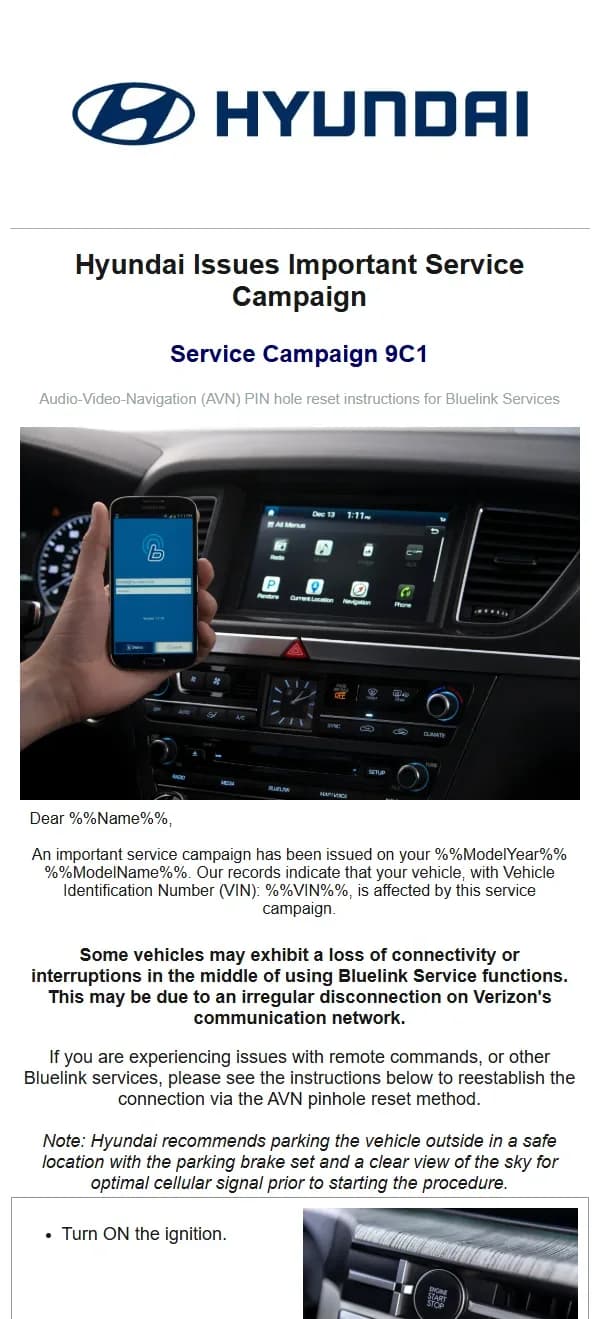
Si applica anche a
- Hyundai Elantra
- 2021–2025
- Hyundai Elantra N
- 2022–2025
- Hyundai Ioniq 5
- 2022–2025
- Hyundai Ioniq 6
- 2023–2025
- Hyundai Kona
- 2021–2023
- Hyundai Kona N
- 2022–2023
- Hyundai Nexo
- 2021–2025
- Hyundai Palisade
- 2021–2025
- Hyundai Sonata
- 2021–2023
- Hyundai Tucson
- 2021, 2023, 2024
- Hyundai Veloster
- 2021
- Hyundai Veloster N
- 2021–2022
- Hyundai Venue
- 2021–2025
▸ Mostra altri 7▾ Mostra meno
Hyundai has issued Service Campaign 9C1 to address potential Hyundai Bluelink connectivity issues affecting various 2021-2025 models. This important service campaign aims to resolve instances where vehicles may experience a "loss of connectivity or interruptions in the middle of using Bluelink Service functions." These interruptions can impact critical features like remote commands, navigation, and emergency services.
The root cause of these Bluelink connectivity interruptions is often an irregular disconnection on Verizon's communication network, which the vehicle's Audio-Video-Navigation (AVN) system relies upon. Hyundai is proactive in providing solutions to ensure owners can fully utilize their Bluelink services.
Symptoms of Bluelink Connectivity Issues
Owners affected by this issue may notice a range of problems related to their Bluelink services. The primary symptom is a "loss of connectivity or interruptions in the middle of using Bluelink Service functions." This can manifest as:
- Failure of "remote commands" such as remote start, door lock/unlock, or horn/lights activation.
- Inability to access Bluelink-dependent features like connected routing, destination search, or vehicle diagnostics.
- Intermittent or complete unavailability of emergency services (SOS) or roadside assistance through Bluelink.
These symptoms directly impact the convenience and safety features that Bluelink provides, making a resolution crucial for owners.
Important Warnings and Owner Information
Before attempting any self-service procedures, Hyundai provides a key recommendation to optimize the chances of a successful reset. Owners should:
- "Hyundai recommends parking the vehicle outside in a safe location with the parking brake set and a clear view of the sky for optimal cellular signal prior to starting the procedure."
This ensures the vehicle has the best possible cellular reception during the reset process, which is vital for re-establishing the connection to Verizon's network. Additionally, owners should be aware that:
- "Completion of this service campaign for your vehicle may take up to 30 days to reflect on Hyundai Campaign home website."
If a dealer visit is required, Hyundai confirms that any necessary repairs will be performed at "NO CHARGE" to the owner.
Owner-Performed AVN Pinhole Reset Procedure
For owners experiencing Hyundai Bluelink connectivity problems, the first step is to attempt a self-service reset of the Audio-Video-Navigation (AVN) system. This procedure is designed to reestablish the connection to Bluelink services. Follow these steps carefully:
- Turn ON the ignition. Ensure your vehicle's ignition is fully on, not just in accessory mode.
- Locate the AVN Pinhole. On your vehicle's AVN unit, there is a small pinhole, often labeled 'RESET' or subtly integrated into the bezel. It is typically found near the screen or control buttons. Refer to your owner's manual if you have difficulty locating it.
- Perform the Reset. Using a pin or a similar small, pointed object (like a straightened paper clip), gently insert it into the pinhole. You will feel a small button inside. "Be sure to press the button inside the hole for approximately 2 seconds" to reset the AVN system. This action reboots the system and can clear temporary communication glitches.
This simple reset can often resolve temporary communication glitches and restore full Bluelink functionality, especially for issues related to the "irregular disconnection on Verizon's communication network."
Verification of Bluelink Connection
After performing the AVN pinhole reset, it's important to verify that the Hyundai Bluelink connectivity has been successfully restored. Follow these steps on your AVN system to confirm the connection:
- Turn ON the ignition and Select Bluelink. Once the AVN system has restarted, navigate to the main menu. From there, select the "Bluelink" icon or option on your screen.
- Select Bluelink Settings. Within the Bluelink menu, locate and select the 'Settings' option. This will open a sub-menu with various Bluelink configurations.
- Select Activate or Reconfigure. Look for an option such as "Activate Service" or "Reconfigure" Bluelink. Select this option to initiate the connection process with the Bluelink network. The system will attempt to establish communication.
- Verify Activation Success. The system should display a message confirming successful Bluelink activation, often stating "Blue Link successfully activated." Select 'OK' to acknowledge this message if Bluelink is activated. If you see this confirmation, your Bluelink services should now be fully operational.
Dealer Repair for Persistent Issues
If, after attempting the AVN pinhole reset and verification, you continue to experience "Bluelink connectivity interruptions" or issues with "remote commands, or other Bluelink services," it is recommended to contact your nearest Hyundai dealer or Hyundai IONIQ Certified Dealer. The dealer will perform a more in-depth diagnostic and repair procedure under Service Campaign 9C1.
Your Hyundai dealer will:
- Verify the Bluelink Data Communication Unit (DCU) network connection. The DCU is a critical component responsible for your vehicle's cellular communication with the Bluelink network.
- Reset the DCU to resolve any underlying connection problems that the AVN pinhole reset could not address.
This procedure will be performed at "NO CHARGE" to you, ensuring that all affected owners can have their Bluelink services fully restored without incurring costs.
How to Check if Your Vehicle is Affected
To confirm if your specific 2021-2025 Hyundai vehicle is impacted by Service Campaign 9C1 and to schedule any necessary appointments, you should visit the Hyundai Campaign Home Website. On the website, you can enter your 17-digit Vehicle Identification Number (VIN) to check your vehicle's eligibility for this and any other open campaigns.
Source: NHTSA ID: 11017111
Galleria
2 immagini
Frequently Asked Questions
- What is Hyundai Service Campaign 9C1?
- Hyundai Service Campaign 9C1 is an initiative to address and resolve issues related to Bluelink connectivity in certain 2021-2025 Hyundai models. It aims to fix problems like "loss of connectivity or interruptions in the middle of using Bluelink Service functions" that can affect remote commands and other Bluelink features.
- What are the symptoms of the Bluelink connectivity issue covered by Service Campaign 9C1?
- Owners may experience a "loss of connectivity or interruptions in the middle of using Bluelink Service functions," which can lead to issues with remote commands such as remote start or door lock/unlock, and other Bluelink-dependent features like navigation and emergency services.
- How can I fix the Bluelink connectivity issue myself?
- You can try performing an AVN pinhole reset. First, "Turn ON the ignition," then "Insert a pin or equivalent object into the small hole for approximately 2 seconds" on your AVN system to reset it. Hyundai recommends doing this outside with a clear view of the sky for optimal cellular signal.
- What if the AVN pinhole reset doesn't resolve the Hyundai Bluelink connectivity problem?
- If the self-reset doesn't work, you should contact your nearest Hyundai dealer or Hyundai IONIQ Certified Dealer. They will verify the Bluelink Data Communication Unit (DCU) network connection and perform a reset of the DCU. This dealer service will be provided at "NO CHARGE" to you under Service Campaign 9C1.
- Will I be charged for the repair under Service Campaign 9C1?
- No, if your vehicle requires a dealer visit to resolve the Bluelink connectivity issue, the procedure to verify and reset the Data Communication Unit (DCU) network connection will be performed at "NO CHARGE" to you, as stated by Hyundai.
Related Articles
2021-2024 Hyundai Santa Fe / Tucson DTC U028700 EOP
Hyundai has issued Technical Service Bulletin (TSB) 26-AT-002H for certain 2021-2024 Santa Fe and Tucson vehicles. This TSB addresses diagnostic trouble code U028700, indicating a "Lost Communication With Trans Fluid Pump Module," which can cause the Idle Stop & Go (ISG) system to become…
2022 Hyundai Tucson Inoperable Horn Warranty Extension
Hyundai has issued a warranty extension for certain 2022 Tucson (NX4A) vehicles experiencing an inoperable horn. This issue, detailed in TSB 26-BE-004H, is caused by foreign substances oxidizing internal horn parts. Coverage is extended to 10 years/120,000 miles.
2022 Hyundai Tucson Inoperative Horn TSB 26-BE-004H
Hyundai has issued Technical Service Bulletin 26-BE-004H for certain 2022 Tucson (NX4A) vehicles experiencing an inoperative horn. This TSB extends warranty coverage to 10 years/120,000 miles for horn replacement due to internal oxidation from foreign substances.
2021-2022 Hyundai Anti-Theft Ignition Cylinder Protector TSB
Hyundai has issued Technical Service Bulletin 25-01-089H (Customer Satisfaction Campaign P33) to address vehicle theft concerns by installing an anti-theft ignition cylinder protector and anti-theft decals on various 2021-2022 models.
2021-2022 Hyundai Anti-Theft Ignition Cylinder Protector Campaign P33
Hyundai has launched Customer Satisfaction Campaign P33 for 2021-2022 models, offering a free anti-theft ignition cylinder protector and decals. This hardware upgrade, detailed in TSB 25-01-089H, is available upon customer request to counter social media theft methods.
Leave a comment
Comments are moderated and may take a moment to appear. Only your first name and the initial of your last name are shown publicly.
Comments
Be the first to comment.