2022-2026 Audi MIB3 Volume Control Not Working TSB
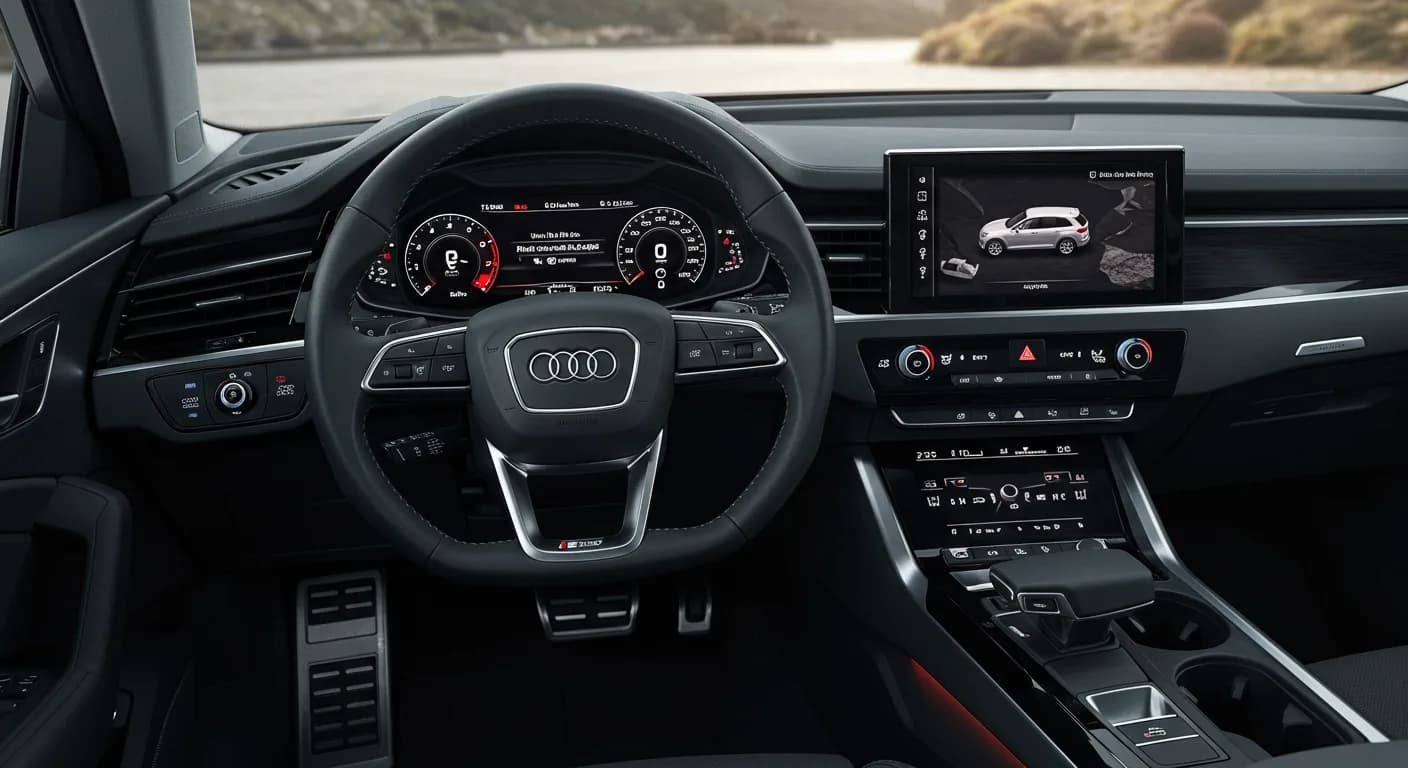
Audi has released Technical Service Bulletin 91 24 96 2072873/5 to address a software issue causing the MIB3 volume control and skip buttons to become inoperable, often accompanied by DTC U11B900. This bulletin applies to various 2022-2026 Audi models and outlines the necessary software update.

Também se aplica a
- Audi A3
- 2022–2025
- Audi e-tron GT
- 2022–2025
- Audi RS 3
- 2022–2024
- Audi RS e-tron GT
- 2022–2024
- Audi S3
- 2022–2025
Audi has issued Technical Service Bulletin (TSB) 91 24 96 2072873/5 to address a common problem where the MIB3 infotainment system's volume control and skip buttons become unresponsive. This issue is primarily due to a software glitch within the vehicle's information electronics system.
The TSB, identified as 91 24 96 2072873/5 and also by the internal code U11B900, supersedes a previous bulletin, Group 91 number 24-67, dated October 16, 2024. The latest revision, Revision 4, includes updates for model year 2025 vehicles and refined service and warranty information.
Symptoms
Owners of affected Audi vehicles may notice the following issues with their infotainment system:
- The touch-operated volume control in the center console is not working.
- The volume control knob, as well as the skip buttons, are inoperable.
These symptoms directly impact the usability of the Audi MIB3 volume control and media playback functions.
Fault Codes / DTCs
When diagnosing this issue, technicians will typically find a specific Diagnostic Trouble Code (DTC) stored in the Information Electronics control unit, identified as -J794- (address word 005F). The relevant DTC is:
| Code | Description | Module |
|---|---|---|
| U11B900 | Volume control no communication (active/static) | Information Electronics -J794- |
This DTC confirms a communication problem with the volume control, pointing to the underlying software fault.
Diagnosis / Trigger Conditions
The root cause of the inoperable Audi MIB3 volume control and skip buttons is a software issue. Audi has since implemented optimized software in current series production vehicles from week 10/2024 to prevent this problem in newer models.
Important Warnings
When performing the software update, it is crucial to adhere to specific guidelines to avoid further complications:
"It is imperative that you use the correct update medium based on the part number of the volume control unit installed in the vehicle. Failure to do so may result in malfunctions."
This warning highlights the importance of using the correct software version for your specific Volume Control Module to ensure proper functionality and prevent new issues.
Repair Procedure Summary
The repair involves updating the software for the Volume Control Module. This is performed using Method 2, which is a manual update process typically used when an SVM code or server issues are present. The procedure involves several steps:
- Connect Diagnostic Equipment: An ODIS Tester is required to connect to the vehicle's diagnostic system.
- Obtain SVM Code: The specific SVM code 693A001 must be used for the update.
- Prepare Software Update Medium: The Volume Control Module software update is delivered via a USB Flash Drive. This software is downloaded from MirrorServer using the SD Creator Program. If not available for download, the update medium must be ordered as a part.
- Perform Software Update: The Volume Control Module is updated according to the instructions detailed in TSB 2060523, titled "91 MIB3 Software Update Instructions."
The entire update process is estimated to take approximately 20 minutes, which includes 10 minutes for the software update itself and an additional 10 minutes for the related SVM work.
Required Tools or Parts
To perform this repair, technicians will need the following:
- ODIS Tester diagnostic tool.
- SVM code 693A001.
- Volume Control Module Software update on USB Flash Drive. The update medium must correspond to the installed Volume Control Part Number. Examples of part numbers include:
- Installed Volume Control Part Numbers: 8Y0.919.616, 8Y0.919.616.A, 8Y0.919.616.B
- SD Creator Part Numbers: 8W0.906.961.CR, 8W0.906.961.CS
Warranty Information
For warranty claims related to this TSB, the following details apply:
- Claim Type: Informational only if the vehicle is outside of any warranty coverage.
- Service Number: 9110
- Damage Code: 0040
- Labor Operations: Program operating unit (9195 2599, 20 TU) and GFF (0151 0060).
- Claim Comment: As per TSB 2072873/5.
All warranty claims must comply with the Audi Warranty Policies and Procedures Manual and are subject to review.
NHTSA ID: 11012521
Frequently Asked Questions
- What does DTC U11B900 mean for my Audi?
- DTC U11B900 indicates a "Volume control no communication (active/static)" fault within your Audi's Information Electronics control unit (-J794-). This code is typically stored when the **Audi MIB3 volume control** or skip buttons are not working due to a software issue.
- Which Audi models are affected by the MIB3 volume control issue?
- This issue affects various 2022-2026 Audi models equipped with the MIB3 system, including the A3, S3, RS 3, e-tron GT, RS e-tron GT, Q4 e-tron, and Q4 Sportback e-tron. The specific year range for your model can be confirmed by your dealer or the official TSB.
- How is the Audi MIB3 volume control problem fixed?
- The problem is resolved by performing a software update on the Volume Control Module using an ODIS Tester and a specific SVM code (693A001). This update requires a USB Flash Drive with the correct software, which must match the vehicle's installed volume control unit part number.
- How long does the software update take to fix the volume control?
- The software update procedure, as outlined in TSB 91 24 96 2072873/5, is estimated to take approximately 20 minutes. This includes 10 minutes for the software installation and an additional 10 minutes for related SVM (Software Version Management) work.
Outras revisões deste TSB
- 2022-2025 Audi MIB3 Volume Control Not Working TSB U11B900U11B900
- 2025 Audi A5 Volume Control Malfunction TSB U11B900U11B900
- 2022-2026 Audi MIB3 Volume Control Not Working TSBU11B900
- 2022-2024 Audi MIB3 Volume Control Not Working U11B900U11B900
- 2022-2024 Audi MIB3 Volume Control Not Working TSBU11B900
- 2022-2024 Audi MIB3 Volume Control Not Working TSBU11B900
- 2022-2024 Audi MIB3 Volume Control Not Working TSBU11B900
Related Articles
2022-2026 Audi e-tron GT 12V Battery Discharged TSB 2075846/3
Audi Technical Service Bulletin 2075846/3 addresses a discharged 12V battery condition in 2022-2026 e-tron GT and RS e-tron GT vehicles, often accompanied by DTC P1D6C00. This TSB outlines a software update procedure to resolve the issue.
2025-2026 Audi e-tron GT Active Suspension Noise TSB
Audi has released Technical Service Bulletin 2080798/1 for 2025-2026 e-tron GT and RS e-tron GT models equipped with active suspension (PR code 1P8). It addresses noises heard when driving over bumps and outlines diagnostic procedures for technicians.
2026 Audi e-tron GT Roll Stabilization Configuration Aborted TSB
Audi Technical Service Bulletin 2080608/1 addresses an issue where roll stabilization configuration for diagnostic addresses 00D4 and 00D5 is aborted on 2026 Audi e-tron GT and RS e-tron GT vehicles. This TSB provides diagnostic steps for technicians.
2021-2026 Audi Ceramic Brake Repair Advisory
Audi has released a manufacturer communication, NHTSA ID 11027374, regarding ceramic brake repairs on various 2021-2026 Audi models. Technicians are required to contact the Technical Assistance Center (TAC) before proceeding with any brake service on vehicles equipped with ceramic brakes.
2022-2026 Audi e-tron GT C1399F0 Brake-In Mode TSB
Audi Technical Service Bulletin (TSB) 2063679/6 addresses Diagnostic Trouble Code (DTC) C1399F0 in 2022-2026 Audi e-tron GT, RS e-tron GT, and S e-tron GT models. This code indicates the vehicle is in a normal brake application mode for new or replaced brake components and typically requires no…
Leave a comment
Comments are moderated and may take a moment to appear. Only your first name and the initial of your last name are shown publicly.
Comments
Be the first to comment.